
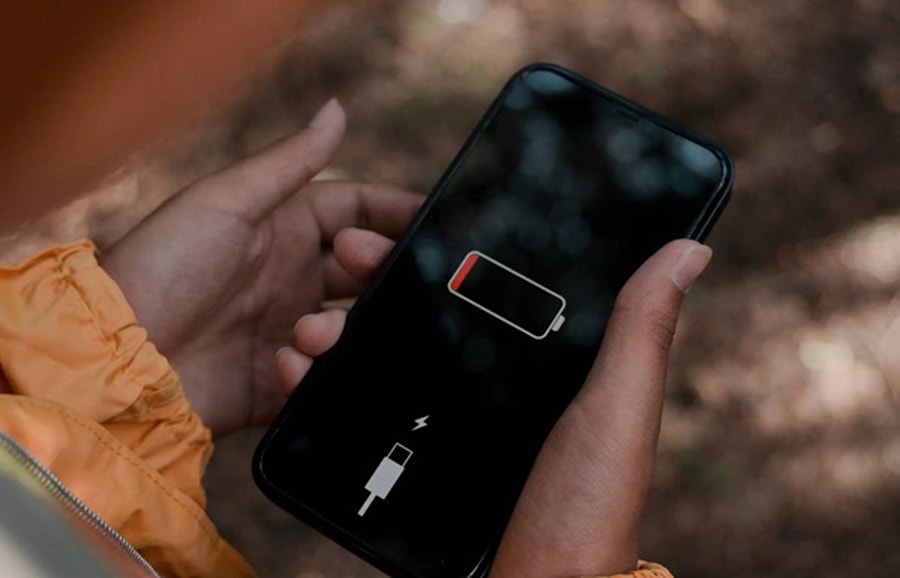
Is your phone showing battery temperature too low alerts while charging? This issue often occurs due to low phone temperature, leading to charging pauses and battery health issues. In this article, we will explore the common causes of phone temperature problems, how to fix them, and when to seek professional phone repair services for temperature sensor issues.
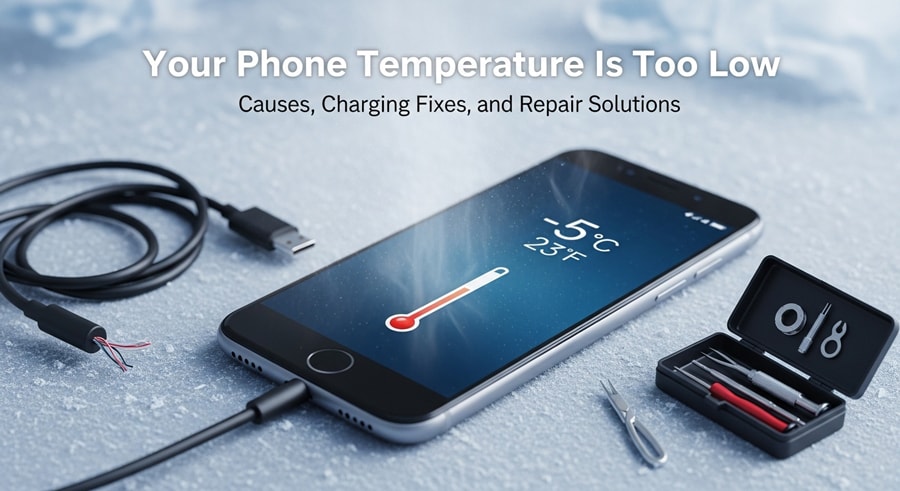
1) What Does “Your Phone Temperature Is Too Low” Mean?
When your phone displays the message “Your phone temperature is too low”, it means the battery temperature is outside the optimal charging range. When the battery temperature drops below a safe level, charging may pause to protect the device.
Phones use temperature sensors to monitor battery health, and understanding how these sensors work is key to solving temperature-related issues.
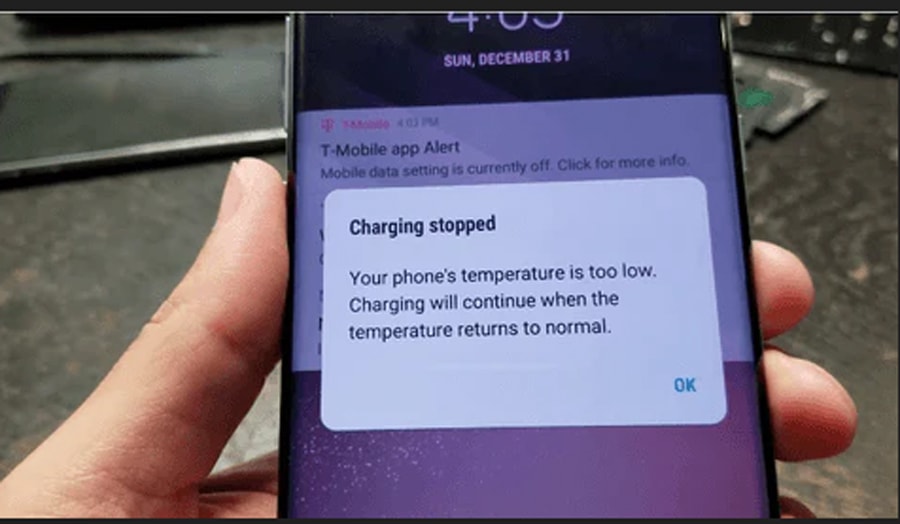
Why Phones Monitor Battery Temperature?
It’s notable that smartphones usually use lithium-ion batteries, which only operate effectively within an optimal temperature range. Phones can charge safely only when the temperature is between 0°C and 35°C (32°F and 95°F), and charging outside this range can damage the battery.
If the temperature drops below 0°C, lithium ions can no longer move smoothly between the electrodes, further affecting battery performance and safety.
The worst thing is that if charging continues in this state, lithium can start plating onto the anode. This would permanently reduce battery capacity and can create safety risks. To protect you and avoid such things from happening your phone constantly checks battery temperature.
What Triggers “Charging Paused” Messages?
Now you might be wondering how your phone detects such extreme temperature changes and sends you a warning message. It’s worth noting that there is a built-in sensor near the battery that detect temperatures outside the safe range, and the system flags it as unsafe.
2) Common Scenarios That Trigger “Battery Temperature Too Low” Alerts
Well! The phone’s charging stopped because of a number of reasons. For better understanding here are some common real-world scenarios triggering such errors which you need to pay attention first!
Cold Environment Exposure
Outdoor use: As we know, when the weather is extremely cold, the phone battery will drain faster. It’s important to note that a phone battery produces heat mainly while the phone is in use or charging. In cold weather, the surrounding air is much colder than the battery.
As a rule, heat flows from warm objects to cold surroundings, so low external temperatures quickly draw heat from the battery. This slows internal chemical reactions, and the phone’s power system pauses charging to avoid damage.

Storage in vehicles: Similarly, don’t assume leaving phones in cars protects them from extreme temperatures. A car’s only heat source is the engine; once turned off, residual heat escapes quickly through its insulated body and windows.
As a result within a short time, the internal temperature drops to match or fall below 0°C (32°F), triggering battery temperature too low charging paused warnings.
Phone Was Recently Powered Off or Drained
When your phone is active, the battery keeps working and generates small amounts of internal heat to resist cold temperatures. If the phone is powered off, however, no internal heat is produced at all.
In a cold environment, plugging in the charger will cause the phone to detect that the battery isn’t ready for safe charging. Charging in this condition could damage the battery, so the system pauses charging until the battery warms up naturally.
Charging in Unstable Temperature Conditions
In addition, if you try to charge your phone right after moving it from cold outdoors to a warm room, it may not respond. The phone’s surface warms up first, while the internal battery remains cold.
Since the sensors measure the battery’s internal temperature, not the surface, charging stays paused until the battery itself warms up.
3) How to Fix Battery Temperature Too Low (Immediate Solutions)
Many people like you are wondering: how to fix battery temperature too low situations to prevent loss. If so, stay calm! Here we’re sharing some practical steps that suitable for both end users and professional evaluation before deeper diagnostics
i) Move the Phone to a Warmer Environment
To fix battery temperature too low errors, place your phone in a warmer environment and allow it to naturally reach a safe temperature range.
For the best charging performance, ensure that you’re using certified chargers and consider checking your battery health via the phone’s settings. Removing the phone case during charging can also help prevent charging pauses caused by excessive heat buildup.
- What NOT to do?
Never make use of any direct heat sources like hair dryers, ovens, heaters etc. This is because this would instead of getting benefits would permanently damage the battery or may affect the whole device.
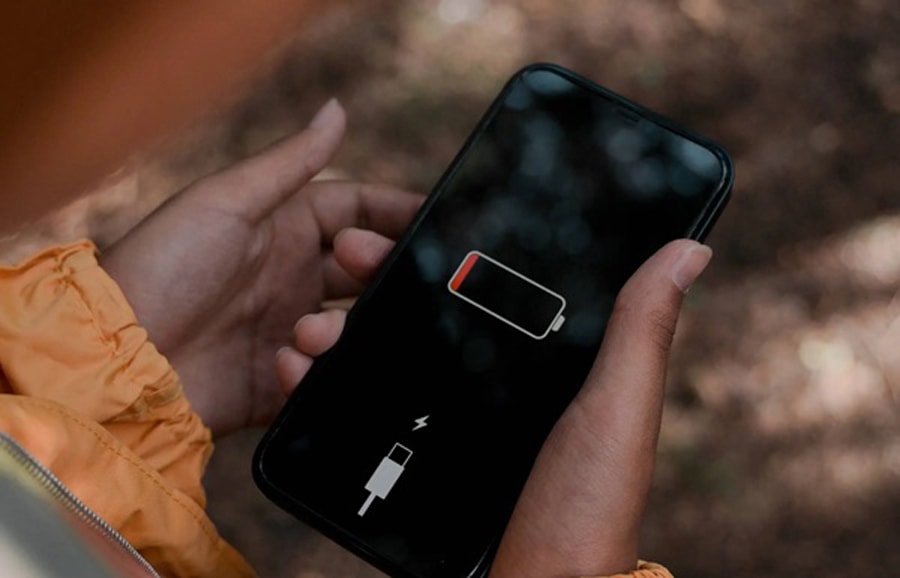
ii) Use Certified Chargers and Cables
Mains electricity is often unstable, so chargers convert it to the proper voltage and current for your phone. Always use OEM or certified chargers, as they’re tested to match your battery and device.
iii) Remove Phone Case During Charging
Quick Fix Tip:
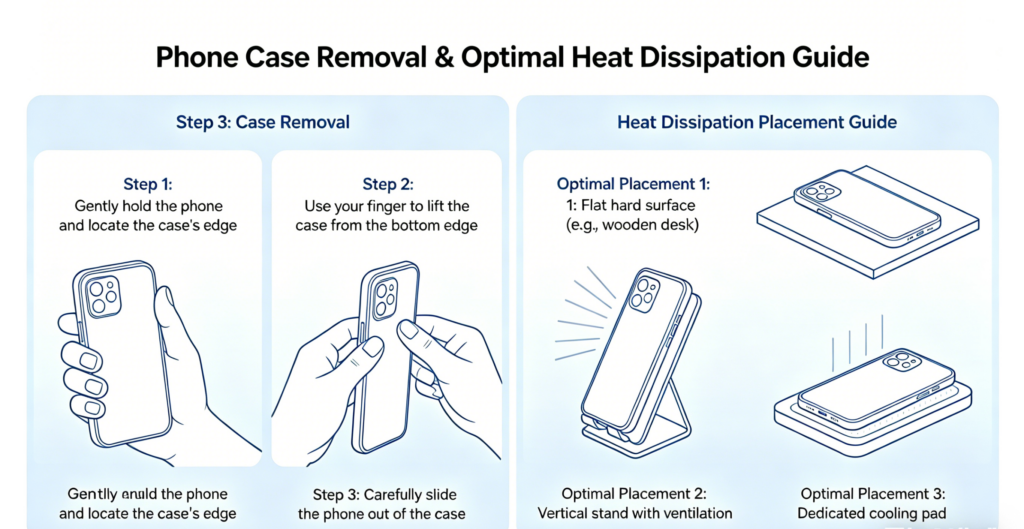
- Remove the phone case during charging, especially if it’s bulky or insulating. This allows the phone to dissipate heat better.
- If the phone case is hard to remove, consider purchasing a ventilated phone case designed to enhance heat dissipation during charging.
- Try charging your phone in a well-ventilated area, away from blankets or clothing that might trap heat.
Visual Guide: Attach a visual guide showing how to remove the case and where to place the phone for optimal heat dissipation.
iv) Factory reset/Restart the Phone After Warming
If you feel that now your phone is warm enough to charge, its best to restart the phone. This is because the temperature sensor indeed needs a factory reset to properly read the battery’s new temperature. For instance;
Step-by-step guide to restarting your phone for better sensor calibration:
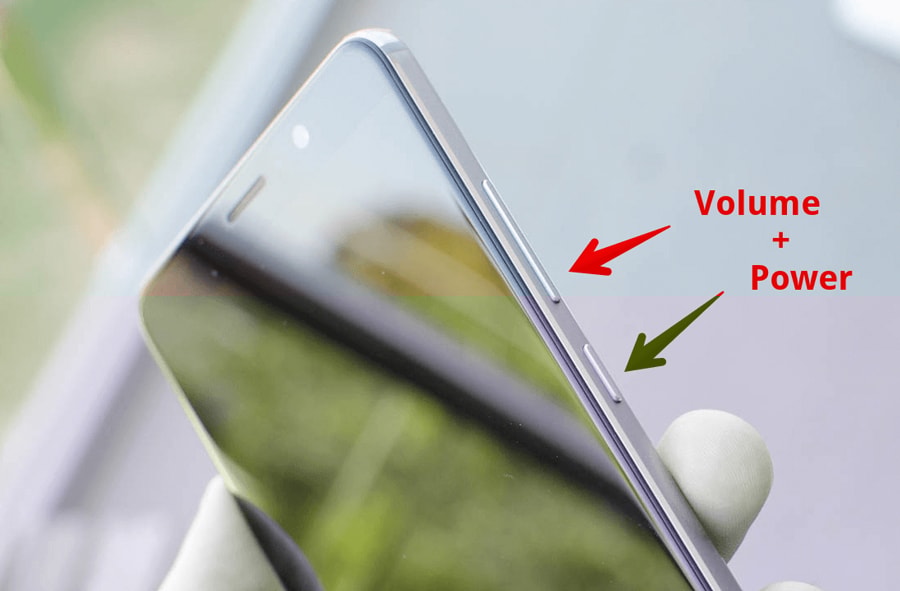
- For iPhone: Press and hold both the Side Button and Volume Button for 10 seconds. Slide the screen to power off, wait 10 seconds, then press the Side Button again to restart the phone.
- For Android: Press and hold the Power Button until the restart menu appears. Tap Restart. If there is no restart option, power off and wait 10 seconds before turning the phone back on.
- After restarting, check if the charging resumes. If not, the battery temperature sensor may still be malfunctioning. Consider using temperature reading apps to verify the phone’s temperature before charging again.”
4) Phone Charging Temperature Repair – When Simple Fixes Don’t Work
Sometimes even after trying the above-mentioned safe warming practices your phone still won’t charge. To repair, first you need to understand what’s causing trouble. Here we’re sharing some common technical causes that might create a hurdle in phone charging.
i) Faulty Battery Temperature Sensor inside
Your battery temperature sensor might get damaged that is usually built into or near the lithium-ion battery. This may misread the battery temperature. Thereby, it may show “too low” or “too high” messages even when the battery is actually fine.
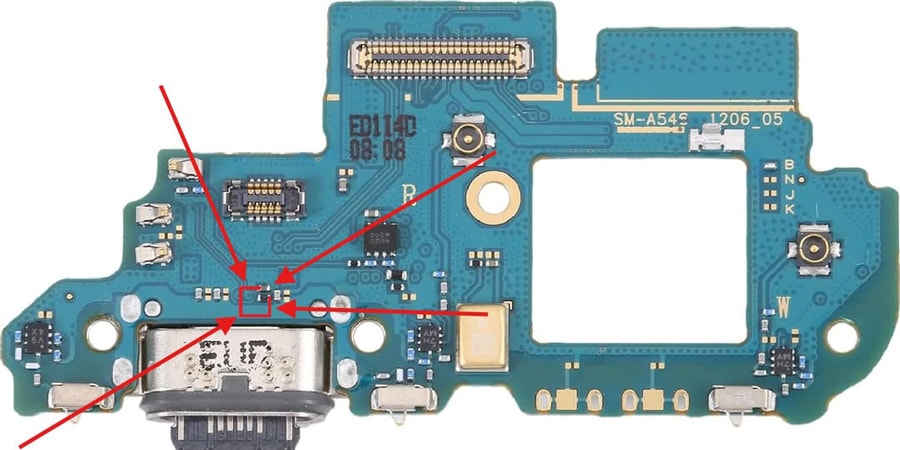
On the Quora community, many users debate on the phone charging issues where many of the experts have shared their reviews. One of the user named David Chidakel having technical background and experience with phone has also said that the strange message is caused by a faulty temperature sensor (thermistor) in the phone’s power supply. Take it in for repair, it isn’t user serviceable.
ii) Battery Aging and Internal Resistance
Similarly, old batteries have higher internal resistance due to chemical degradation. While normal internal resistance generates a small amount of heat to resist cold, increased resistance produces excess heat that slows ion movement.
Remember! The phone’s sensors don’t directly measure the resistance level changes instead, they measure temperature and the chemical response of the battery. As a result the phone may misinterpret it as unsafe temperatures (too hot or too cold), even though the battery is not actually outside the safe range.
iii) Charging Port or Connector Issues
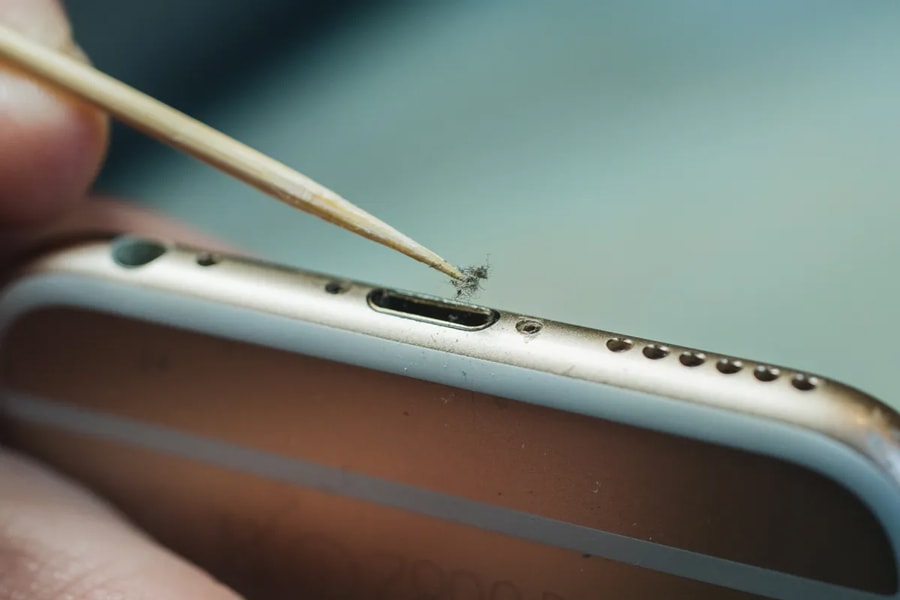
Furthermore, water damaged, dirty, or loose charging ports/cables can even increase the electrical resistance, causing a heat buildup inside. However, your phone may mistakenly understand this abnormal behavior as a temperature problem, pausing charging unnecessarily.
iv) Motherboard or Power IC Problems
If it isn’t the case from the above-mentioned causes, you have to think deeply. There might be a problem in the motherboard and the Power IC (integrated circuit) that controls charging and battery monitoring.
When you open a phone, the motherboard covers most of the interior. The small Power IC chip near the battery connector can cause incorrect battery temperature readings if faulty. Since these issues are internal and invisible, professional repair is needed.
5) Professional Diagnostic Steps Used by Repair Shops
For professional repair shops, diagnosing battery temperature issues involves testing with a good battery, checking health, and using tools to verify sensor function. Advanced software like Apple Service Toolkit or Samsung Diagnostics can also help identify charging errors.
1. Test with a Known-Good Battery
- Check Charging: If the phone charges normally, the original battery is likely degraded.
- Swap Batteries: Replace the original battery with a known-good, matched battery.
2. Measure Temperature via Software
- Check Range: Ensure readings fall between 0°C to 35°C. Anything outside this range indicates a faulty sensor.
- Use Diagnostic Tools: Utilize tools like Apple Service Toolkit or Android ADB to check temperature readings.
3. Inspect Charging Components
- Measure Resistance: Use a multimeter to check for resistance increases (0.1–0.2 Ω) that can affect charging.
- Check for Damage: Inspect charging port, flex cables, and connectors for oxidation or wear.
4.Eliminate Environmental Causes
- Rule Out External Factors: This ensures external temperature changes aren’t affecting performance.
- Test in Controlled Environment: Before concluding motherboard or software issues, test the device in a temperature-controlled setting (20–25°C / 68–77°F).
For further assistance, you can read this post.
6) Battery Replacement vs Repair – What’s the Right Fix?
Whether you’re a repair shop owner, or running a refurbishment business, determining whether a phone requires a battery replacement or a component level repair is critical for maintaining reliability, controlling costs and ensuring resale quality. Let’s dive in!
| When to replace? | When to repair? |
| Repeated temperature errorsBattery health below 80% capacityHigh cycle count (>400–600) | Connector or flex cable issuesLoose or corroded charging portTemperature sensor misreading |
When Battery Replacement Is Recommended
Repeated temperature errors: If you’ve tested the phone’s battery in several temperature conditions and even applied the standard warming procedure still if the same problem persists. Then it’s confirmed that the battery is aged, so its time to replace it!
Reduced battery health: Upon checking the battery health via phone’s software or external testers if it shows the capacity below 80% or Cycle count > 400–600, it confirms the battery is prone to thermal abnormalities.
For high-capacity, OEM-grade batteries replacement, you can explore SQLCD series of batteries for iPhone, Samsung, Redmi, MT, etc.
When Repair or Calibration Is Enough
Connector or flex issues: By replacing the battery with a known good one, if the mobile don’t charges normally, it means the problem is elsewhere in charging port or connector (loose, corroded, or damaged); Flex cables (resistance issues); Temperature sensor or Power IC circuitry. Thereby, repairing these components would help in restoring the function and keep you safe from full barrety replacement cost.
7) Why Battery Quality Matters in Temperature Errors?
For B2B marketers its equally crucial to understand that battery quality matters a lot in affecting charging and temperature behavior. Here is the detailed discussion of why this is so!
Low-Quality Batteries and Sensor Inaccuracy
- Cheap thermistors: It’s notable that low-quality batteries usually install the cheap thermistor(temperature sensor). This way it is more likely that they misreport the temperature changes leading to frequent charging paused scenarios.
- Poor calibration: Similarly, such substandard batteries are not efficiently calibrated for voltage, current, and thermal behavior. Thus causing false errors even in stable conditions, creating extra troubleshooting overhead for repair or refurbishment teams.
Benefits of High-Capacity, OEM-Grade Batteries
- Stable charging behavior: On the other hand if we talk about the certified OEM-grade batteries they are indeed manufactured with tightly controlled thermistors and consistent chemical compositions. This causes consistent and reliable temperature readings, ensuring your phone’s stable charging.
- Reduced error frequency: High-quality batteries also make sure reduced temperature errors or unnecessary part replacement.
8) How Repair Shops Can Prevent “Battery Temperature Too Low” Complaints?
Being a repair shop owner, if you are receiving frequent temperature-related charging complaints, then don’t worry. Instead of you have to follow these professional practical steps to avoid errors.
- Proper battery sourcing: First of all ensure sourcing from OEM-grade or certified high-quality batteries from reliable suppliers. This would indeed help minimize the warranty and return claims.
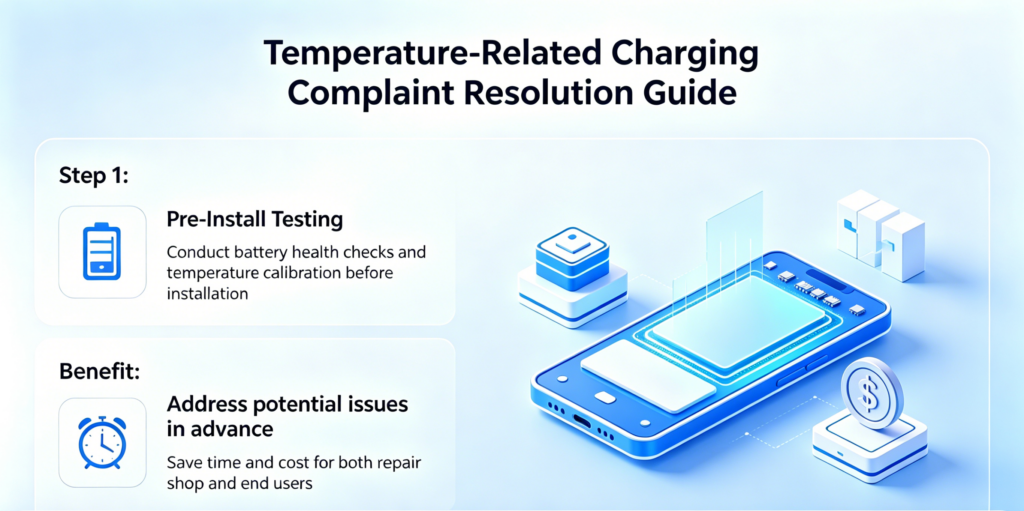
- Pre-install testing: It’s always a good practice to conduct battery health checks and temperature calibration before installation. Keep in mind that such pre-install checks would address the potential issues before it reach to end users help to save both time and cost.
- Customer usage education: On top of that you have to educate your customers on best battery care practices. For instance, tell themto avoid charging in extreme cold or heat weather and also always charge with a certified OEM charger. Moreover, guide them to remove the insulating cases during initial charging or if it gets warmed. For this, you would place a user manual insert or simple digital instructions in video form.
9) Why Repair Businesses Source Batteries from SQLCD?
To get high-quality and cost-effective OEM phone batteries for your smartphones, look no further than SQLCD. We are China’s trusted manufacturer specializing in supplying the mobile phone parts, including batteries and LCD screen for repair shops, wholesalers & e-commerce sellers with high-compatibility tailored totheir needs. By connecting with us you’ll get
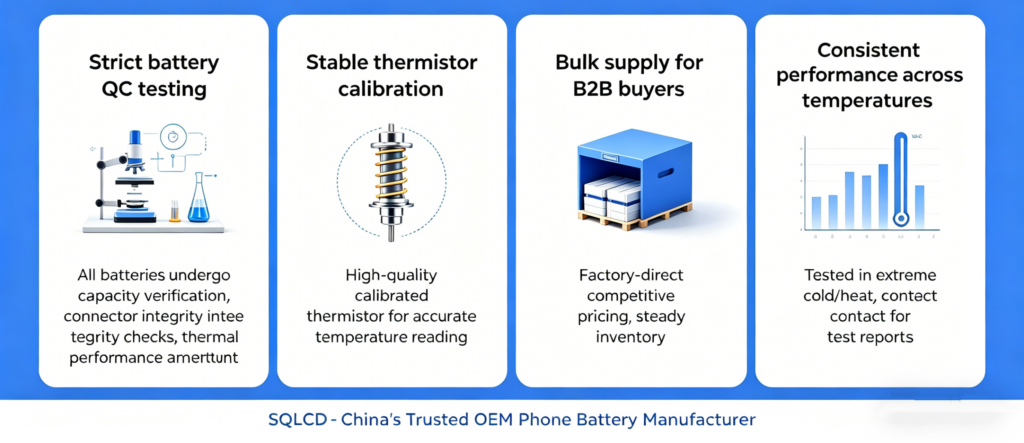
- Strict battery QC testing: All of the batteries supplied by SQLCD undergo rigorous quality control like capacity verification, connector integrity checks, and thermal performance assessment. This would ensure that every unit meet te OEM level standards and thereby reducing any complaints or returns at all.
- Stable thermistor calibration: All our batteries are installed with high-quality and calliberated thermistor to ensure accurate temperature reading across all environments.
- Bulk supply for B2B buyers: We offer OEM factory-direct batteries at competitive pricing which the wholesalers or repairers can take advantage of and ensure a steady inventory.
- Consistent performance across temperature ranges: Plus, we have tested the batteries for performance in extreme cold and heat. To test the report you can contact us and get detailed quality documents.
10) FAQs – Phone Temperature Too Low While Charging process
i) Why does my phone show “Your phone temperature is too low” when it’s not cold outside?
This message could be due to temperature differences between the phone’s surface and its internal battery, causing the sensor to misread the temperature.
ii) Can a bad battery cause temperature errors?
Absolutely yes aged or chemically degraded batteries or those with faulty sensor may trigger false temperature errors even in stable conditions.
iii) Is it safe to heat my phone to fix this issue?
Though you have to warm your phone to fix the temperature error issue, however heating the phone doesn’t mean you have to use the direst heat source like hair dryers, heaters etc. This would damage both battery or device, so always gradually heat the battery via body heat or room temperature.
iv) How long should I wait before charging again?
Well the actual time indeed depends on whether the battery has gained its ambient temperature typically 0–35°C / 32–95°F. You can feel it via touching if its feels at room temperature, otherwise, for professional its best to use the diagnostic tools.
v) Does this error mean my phone battery is damaged?
No, its not necessarily that the phone charging paused message indicates battery damaged it may be a protective sign. However, if you repeatedly receive such warning, then there might be a fault requiring a professional inspection.
vi) Conclusion – Solving Phone Temperature Too Low Issues the Right Way
In conclusion, recognizing “phone temperature too low” warnings is key for repairers and wholesalers. These issues stem from cold environments, aging batteries or connector faults, helping you save time and cost by choosing repair or replacement.
If you have recurring temperature problems, contact us for diagnostics or battery replacement. For reliable OEM batteries, turn to SQLCD — we’ve served nearly 800 businesses across the Americas with quality parts at great rates.