
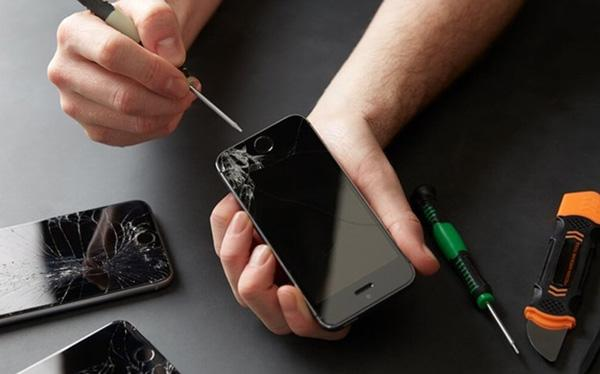
iPhones are famous worldwide, but a sudden black screen is extremely annoying. Your phone may vibrate, make sounds or ring, leaving you worried about a dead battery or broken screen, especially when you depend on it daily.
No need to panic! This post covers all causes and simple fixes for the iPhone black screen issue. Let’s get your device back to normal right now!
1) Understanding the iPhone Black Screen Problem
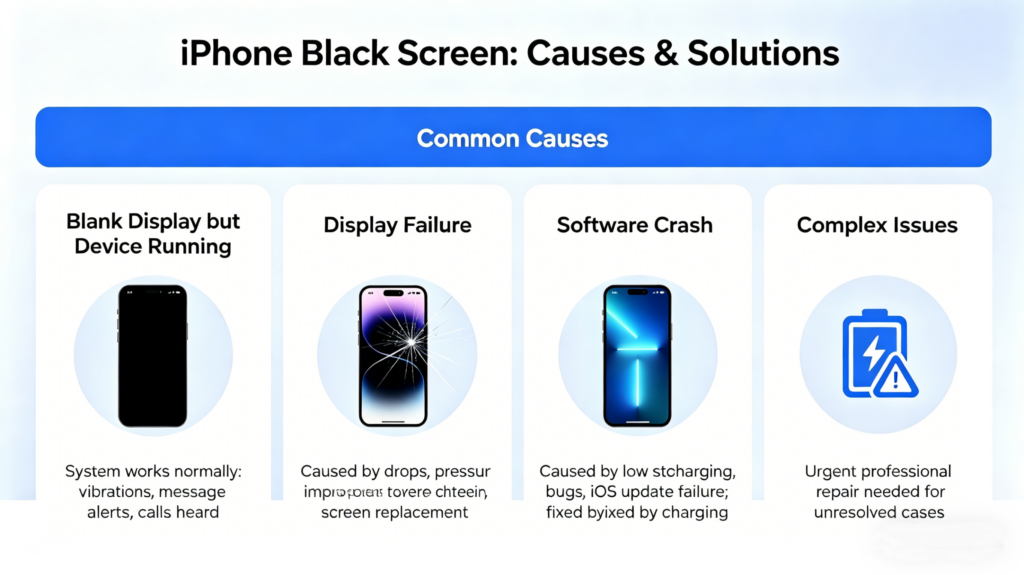
A black screen on an iPhone doesn’t mean the device is dead — it simply shows a blank display while the phone keeps running in the background. You may still feel vibrations, hear message alerts and incoming calls, which means the system is working normally. There’s no need to panic, as this problem can be fixed.
Well, the main causes behind a black iPhone screen may be display failure, software crashes, or battery failure of the battery. If the display fails, the system keeps working in the background, but the screen stays dark. This issue is commonly seen when you accidentally drop your phone, or it comes under pressure, or you have just done a screen replacement, which was not done properly.
If we talk about a system crash, it may be due to low storage, a bug, or sometimes iOS can freeze due to a failure to update. In this case, just the screen turns black, but there is no iPhone hardware issue. A forced restart can solve this issue. Apart from this, battery failure can also be an issue. Sometimes, when you overcharge your phone or the battery turns to zero, the phone shuts down suddenly. It’s not a big deal, once you put the phone on charge, the light will light up as before.
The above-described issues are common, but sometimes, the issue is not that simple. It can be due to some complex issues that need to be solved urgently. Have a seat! In the next section, we will discuss in detail what those issues are.
2) iPhone Black Screen Causes (All Possible Reasons)
An iPhone black screen can stem from many causes: some are simple DIY fixes, others need professional repair. Pinpointing the exact cause avoids wasted time, so let’s cover all possible reasons.
Battery Drain or Sudden Shutdown
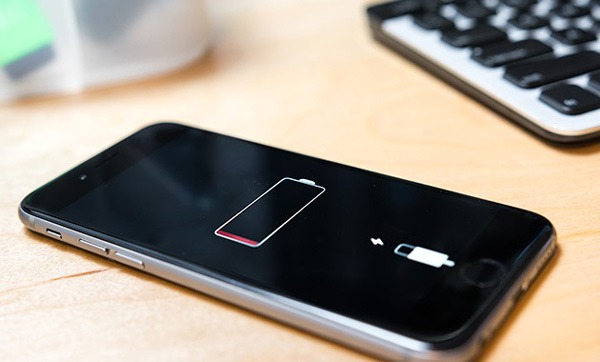
Battery drainage is one of the common reasons for turning the screen black. Your phone doesn’t give any warning and drains its battery fully ( if it is old or damaged). This way, it shuts down, and the screen becomes black.
For example, you are carrying a phone while leaving home, without noticing its battery. Heavy apps are running and consuming battery continuously. After a few hours, when you try to turn your phone on, it will show nothing.
Firmware Crash (Common in iOS Updates)
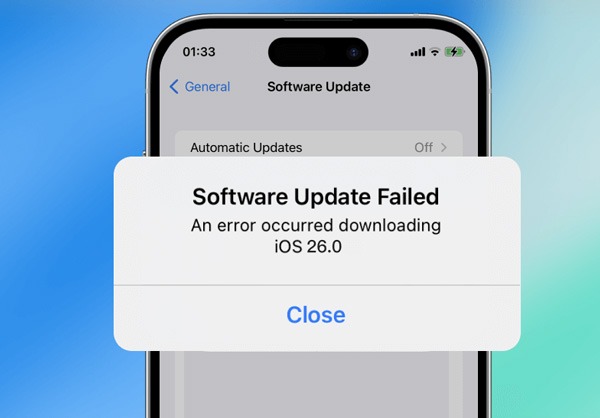
Sometimes, iOS updates fail or freeze, which can crash the system. Due to this reason, the screen of the iPhone can turn black. In this case, you still receive notifications, hear sounds like vibrations and ringing of a bell.
Loose Display Flex Cable After a Drop or Repair
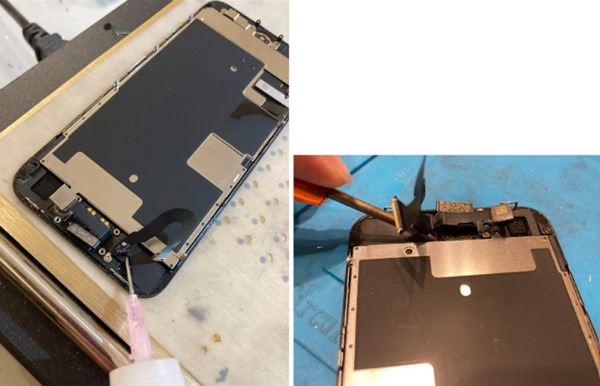
Your iPhone screen connects to the motherboard via flex cables. If these cables loosen from a drop or careless repair, the screen will go black. The phone still works normally but shows nothing on the display.
LCD or OLED Panel Damage
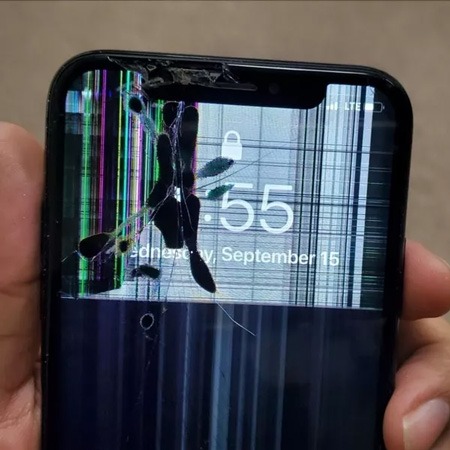
The screen itself can be damaged, even if there is no visible crack or mark. Generally speaking, OLED screens are sensitive to pressure and drops. In this case, you will notice that before turning fully black, the screen starts flickering, forming shadows, and changes its colour.
Water Damage Causing Backlight Failure
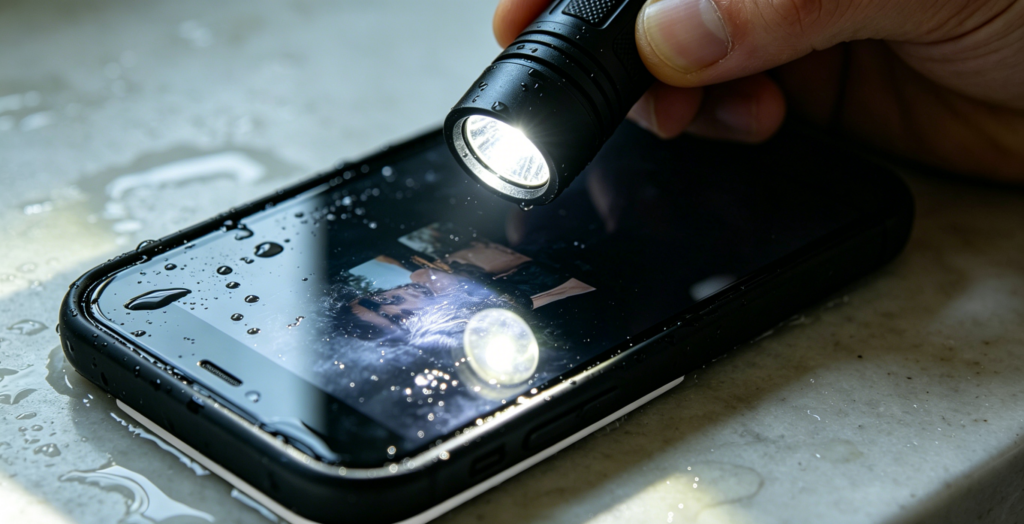
Water can affect the backlight circuit. If it were damaged, it would turn the screen dark. It doesn’t need any burst of water; even a small spill or raindrops can cause physical damage to the circuit. A simple test is that you have to shine a flashlight on the screen; if you see faint images, the backlight circuit is damaged.
Power IC or Backlight Circuit Failure (Logic Board Issue)
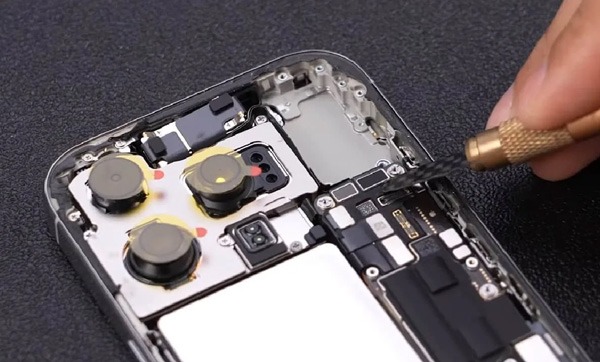
It is a problem that is related to the motherboard. In this case, the phone will keep running, but the screen will not show anything. This problem is commonly seen after overheating, electrical damage, or due to ageing components. Honestly, this problem can’t be fixed at home. It needs a professional repair or logic board replacement.
Poor-Quality Aftermarket Screen Failure
You know, low-quality material often causes problems after a few uses. Low-quality replacements usually fail; they stop working just a few weeks after installation.
Many users go for cheaper instead of seeing long-term consequences. When the screen is not good, even a good installation can do nothing. So, choosing the uncertified and cheaper screen is one of the biggest issues with the screen turning black.
Understanding these issues helps in choosing the right solution. You know, some problems can be fixed at home, others need professional help. If you figure out the problem on time, you will save your time, reduce costs, and avoid further issues.
3) How to Fix iPhone Black Screen (Step-by-Step Troubleshooting)
First, don’t panic. Most of the issues can be resolved without spending much money or replacing the parts. In this section, we will discuss how the above-described issues can be solved step-by-step, so that you can turn your screen from black to normal safely.
Force Restart the iPhone
The very first step is the restart. Restarting your phone can fix firmware crashes. Now, how to restart an iPhone? Well, it depends on iPhone models.
- iPhone 8 and later: Just press volume up and then volume down. Now, press and hold the side button. Hold it until the Apple logo appears on the screen.
- iPhone 7 / 7 Plus: press and hold the top (or side) button and volume down button. Press them together until you see the logo on the screen.
- iPhone 6s and earlier: Press and hold both the Home button and the top or side button together. Hold them until you see the Apple logo.
Well, it will clear temporary issues, like if your phone’s screen turns black due to a system crash, it will bring the display back.
Charge the Phone for 15 Minutes
A dead battery is one of the common reasons for a black screen on an iPhone. Therefore, connect your phone to a charger and wait at least 15 minutes. After 15 minutes, turn the phone on and check the battery icon. If you see nothing there, maybe the battery was drained fully, or the charge port is damaged. This step will confirm whether the issue is related to charging or not.
Check Screen Brightness & Auto-Brightness Issues
It is often ignored, but it is really important to check the brightness settings. If you set the brightness very low, the screen would look black. Apart from this, the auto-brightness bug can turn the screen black. So, try to fix the brightness, toggle the auto-brightness in settings.
Inspect for Physical or Water Damage
If the above-described steps didn’t work for you, check for any visible damage. Look for any cracks or dents. Try to remember if you have exposed your phone to water or heat. If yes, then take your phone to a repair shop. They will look for moisture, corrosion, or bent flex cables inside the phone. As we discussed taht even a small water drop can stop the working of the backlight.
Connect to iTunes/Finder to Check for Life
One good method to detect the problem is to connect your iPhone se to a computer. If you feel your phone is vibrating or making a sound after connecting the computer, it means the internal system is working, So, it points out a display problem. iTunes or Finder confirms that the system is running; the problem is all about the screen.
Enter Recovery Mode or DFU Mode
If your iPhone still has a dim screen after trying the above steps, you can use DFU or Recovery mode to factory reset it with iTunes or Finder. Recovery mode usually fixes simple black screen problems, while DFU mode is better for more serious issues.
Cause | Common Symptoms | Recommended Fix |
| Battery drain | No response, no display | Charge for 15–30 minutes |
| Firmware crash | Sounds work, screen black | Force restart or update |
| Loose flex cable | Screen black after dropping | Reconnect or reset the cable |
| Display damage | Flicker, shadows, no display | Screen replacement |
| Water damage | Very dim display | Backlight or board repair |
| Power IC failure | Phone on, black screen of death Phone | Logic board repair |
| Poor aftermarket screen | Sudden black screen | Replace with a quality screen |
| Post-repair issue | Black screen after fix | Recheck installation |
4) When Do You Need a Screen Replacement?
Not every blank screen means it’s time for the replacement of the screen. You have to replace the screen of your phone in some particular cases.
Symptoms That Indicate Display Failure
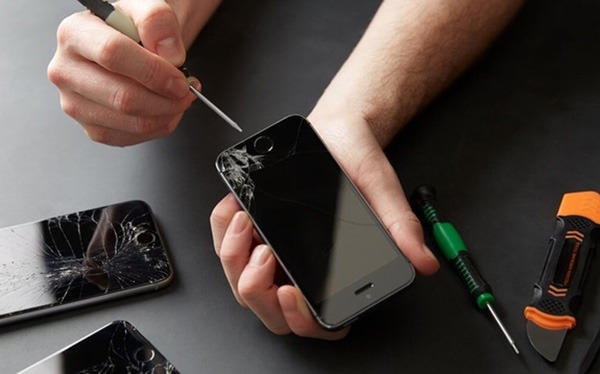
- The phone is vibrating and ringing, but the screen is black.
- Flashlight is working, but the screen is dark (backlight issue).
- There is no visible damage or crack, but the OLED is dead.
- Flickering and showing of the screen before turning totally black.
Types of Replacement Screens
- OEM screens: These are the original Apple screens. These are the best quality screens ever.
- Aftermarket OLED: These rae third part high-quality panels.
- Aftermarket LCD: For older models, it is a cost-effective option.
- True Tone-compatible screens: This screen maintains the display features and colour accuracy of the screen.
How Repair Stores Should Diagnose Screen Failure
- With the help of a known-working display, perform a quick test.
- Inspect all the display connectors carefully.
- Check the motherboard backlight. Look at it if damaged or burned.
Replacement Cost Range (Professional Overview)
- Wholesale cost: You know OEM screens are more expensive; other LCDs are cheaper.
- Retail repair pricing: It ranges from $150 to $250.
Proper diagnosis leads to the right solution. Therefore, spend time on diagnosis well, instead of guessisng differnet solution. Once you catch the problem, the right solution will fix it quickly.
5) Black Screen After Screen Replacement – What Caused It?
Sometimes, the screen remains black even after replacement. This situation becomes really frustrating for the owner as well as the technicians. This issue may be due to certain causes; have a look.
Unconnected or Damaged Flex Cable
First, understand that the screen is connected to the motherboard via a flex cable. If you do not connect them properly or the connection is loose, it will definitely create a problem. Even a small bend or looseness in the connection can turn the screen black. So, it is really crucial to check the cable carefully before closing the phone case.
Low-Quality Replacement Screen
One of the major issues of not getting results even after replacing the screen is that you are replacing the previous one with a low-quality screen. It is also possible that the screen is not compatible with your mac. Therefore, choose an OEM or certified screen for the desired results.
Backlight Filter Blown During Installation
During repair, the backlight filter can get damaged accidentally. It often happens when you handle small components. If this filter is burned, the display will stay black. So, it is necessary to test the backlightbefore final assembly.
True Tone Data Not Restored
If your iPhone is new, maybe the colour calibration data is not restored. If the data is not restored after replacing the screen, the screen will not function properly.
Alright! Be aware of these issues, and it will help prevent failures and improve the customer experience. It will build the trust of customers on technician.
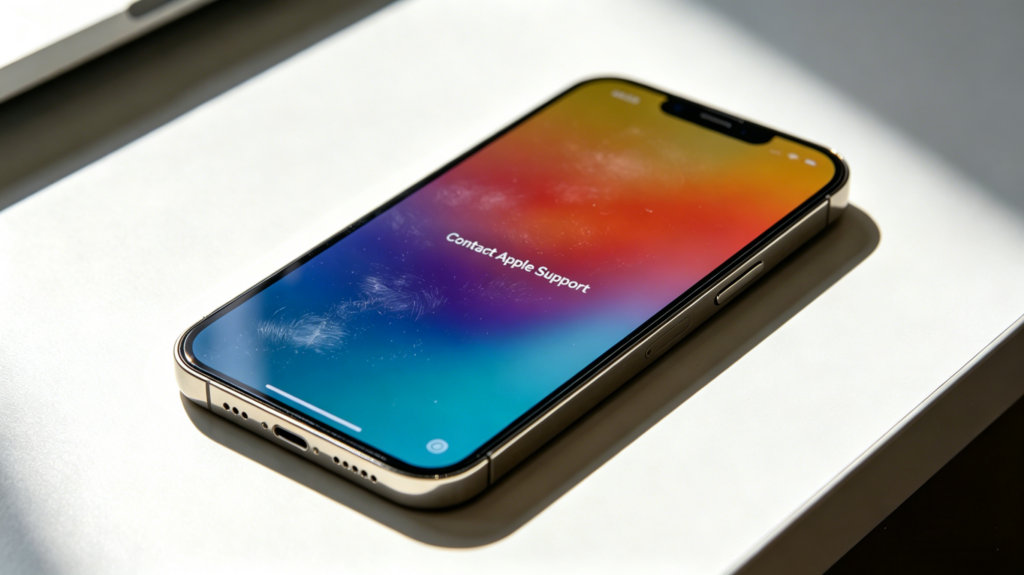
If you still face the same problem, just contact Apple support instantly, before data loss.
6) Preventing Future Black Screen Issues
Preventing the problem is better than fixing it. Just follow the steps and stay away from all the awkward situation sof turning your phone screen black. Have a look;
Use High-Quality Screens (for Wholesalers & Repair Stores)
Always choose certified screens or OEM. High quality screen are just a bit expensive, but they will benefit you in the long run. Yes, they ensure True Tine support, proper display function, and longer life span. These are really beneficial for repair stores and wholesalers, as these screens come with fewer returns and high customer trust.
Avoid Inferior Aftermarket Displays
Cheap screens fail just after a few weeks of use. They cause colour problems, backlight issues, and other errors. Moreover, it can ruin the trust of your customers in you.
Educate Customers on Proper Device Care
It is an important practice to guide your customers about the consequences of exposing the phone to water, heat or dropping. Simple tip, use a protective cover for your phone, keep it dry, and protect form extreme heat.
Battery Health & Power IC Maintenance Tips
If the power IC is damaged or the battery health of your phone is poor, it can cause a sudden black screen. So, it’s better to advise customers on monitoring the battery health of their phone. Moreover, advise them not to use cheap chargers. Well, regular maintenance and checking the power circuits will help your phone stay stable and run smoothly.
7) The Role of Professional Repair Stores & Wholesalers
The choice of screen replacement directly affects your iPhone’s display quality and performance. Professionals and wholesalers play a key role in resolving black screen issues, and their decisions greatly influence work quality, customer satisfaction, and business reputation.
Importance of Stocking High-Quality Replacement Screens
If you stock OEM or certified screens, you will do reliable repairs. There will be less chaces of reworks and customer complaints. Well, storing quality screens will boost the trust of customers in you.
What B2B Buyers Should Look for in Display Suppliers
It is important for repair shops and wholesalers to choose the screen wisely. Check for True Tone compatibility, screen quality, warranty support, and consistency in supply. Professional suppliers will talk clearly and protect the store’s reputation.
If you are high-quality iPhone screens, you can trust SQLCD. Our iPhone screens are passed through strict quality control, offer True Tone support, and give the best performance. We offer you products with consistency. Our iPhone screens are so reliable that your customer will face minimal screen issues.
Well, by supplying certified iPhone screens, SQLCD supports B2B buyers in building a brand name and boosting customer trust. So, by choosing us, you can deliver quality results to your customers consistently. So, wait for what? Just contact SQLCD now!
8) Final Thoughts: The Most Effective Ways to Fix iPhone Black Screen
Well, now you know all the reasons why your iPhone’s screen can turn black and how you can repair it step-by-step. Some problems can be fixed by simply restarting, charging, entering DFU mode, or checking the connections carefully, while others can be fixed by a professional repair, including screen repair.
Okay, if you want to explore more about iPhone displays and repair insights, check out iPhone 11 refresh rate Explained: Display Specs and Repair Insights. This blog offers some practical tips to wholesalers, technicians, and everybody who handles iPhone screen issues.