
What exactly is the LCD in a phone, and why does it matter so much for repair and replacement? The LCD screen is one of the most critical components in modern smartphones, responsible for image quality, brightness, and overall display performance.
Understanding how a liquid crystal display works, how its layers are structured, and where failures occur is essential for repair professionals and businesses alike.
In this guide, we explain LCD in smartphones from a technical and practical perspective, covering screen structure, common failure points, and professional repair logic, along with key insights on LCD quality and sourcing for repair shops.
What is an LCD in a Smartphone?
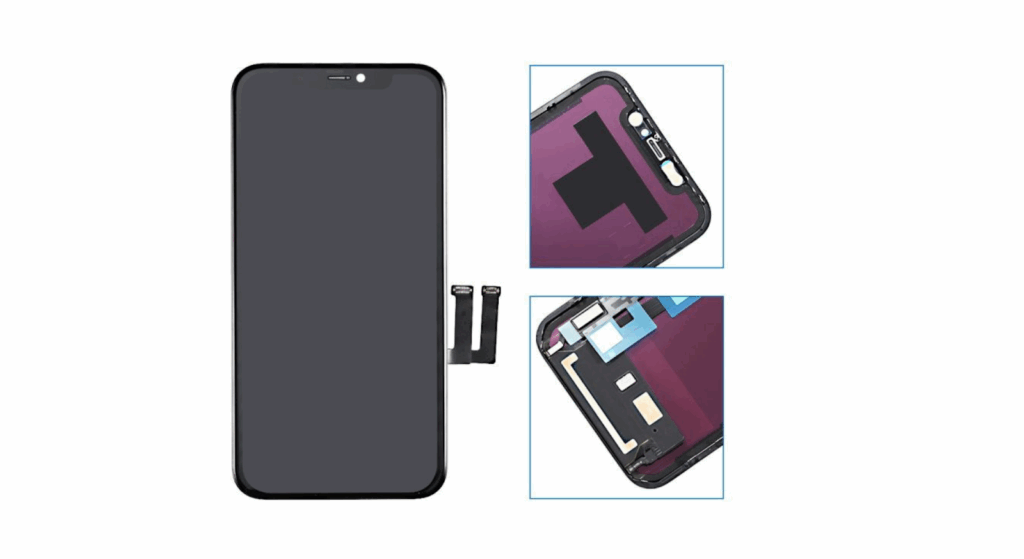
The LCD in a phone refers to the liquid-crystal display technology used to create images on a smartphone’s screen. An LCD screen does not emit light on its own. Instead, it controls how light passes through layers of liquid crystals to form the displayed image.
This design has been widely used in mobile phones, tablets, and other portable devices because it offers reliable image quality, stable performance, and consistent color reproduction.
Meaning of LCD (Liquid Crystal Display)
A liquid crystal display uses liquid crystals sandwiched between thin glass sheets and polarizing filters. When electric current is applied, the crystals align and control light passing through the screen, effectively creating images and colors.
In smartphones, this system works with a backlight unit, color filters, and thin-film transistors to produce sharp visuals with high brightness and accurate color reproduction. LCD technology is still used in phones because it delivers consistent performance, strong durability, and lower power consumption than some display technologies in certain usage scenarios.
LCD vs OLED in Smartphones
The main difference between LCD screens and OLED displays lies in how they produce light. LCD screens rely on a separate light source, while organic light-emitting diode displays allow each pixel to emit light independently. This gives OLED deeper blacks and higher contrast ratios, especially on black backgrounds.
From a cost and repair perspective, LCDs remain common in many smartphones because they are more affordable, easier to source, and less prone to screen burn-in. For repair businesses, LCD screens offer a practical balance between image quality, energy efficiency, and replacement cost, which is why many manufacturers still use them in certain phone models.
LCD in Smartphone Explained: How It Works?
To understand LCDs in smartphones, let’s look at how each internal layer works together to create the displayed image. Unlike OLED displays that emit light directly, LCD technology controls light from a separate source using precisely aligned components.
How LCD Produces Images?
An LCD screen works by manipulating liquid crystals placed between thin glass panels. These liquid crystals do not produce light on their own. Instead, they twist and align when voltage is applied, controlling how much light passes through each pixel.
Behind the liquid crystal layer is the light source, while polarizing filters and color filters shape the light into red, green, and blue subpixels. Thin-film transistors manage each pixel individually, allowing the screen to produce sharp images, accurate color reproduction, and consistent image quality across the display.
Why Does LCD Need a Backlight?
Because liquid crystals cannot emit light, every LCD requires a backlight. Modern smartphones use LED backlight units combined with diffuser sheets to spread light evenly across the screen.
Brightness is controlled by adjusting the intensity of this backlight. Higher brightness improves visibility in ambient light and direct sunlight, while lower brightness reduces power consumption and heat generation. This balance between brightness, energy efficiency, and performance is one reason LCD screens remain suitable for many mobile phones.
Phone LCD Screen Structure (Layer-by-Layer Breakdown)
A smartphone LCD is not a single part. It is a layered system where damage to one layer can affect image quality, touch response, or the entire screen assembly.
Main Layers of a Phone LCD Screen
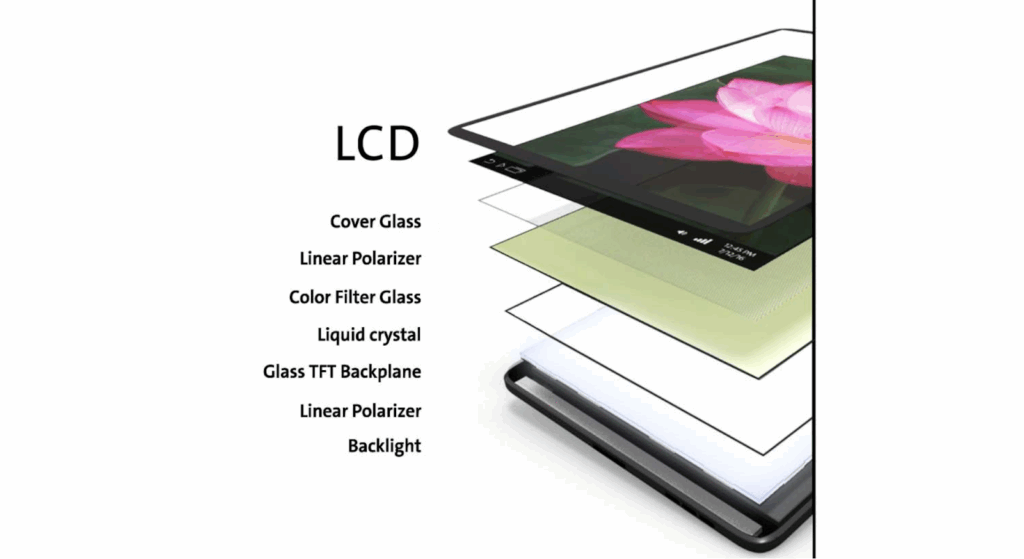
A typical LCD screen in mobile phones is made up of several thin layers stacked together:
Cover Glass (Outer Glass)
This is the top glass panel that users touch. It protects the display but does not create images. Cracks here may not always mean the LCD panel is damaged.
Touch digitizer
The touch screen layer registers finger input and sends signals to the system. When this layer fails, touch may stop working even if the image is still visible.
LCD panel (Liquid Crystal Layer)
This is the core of the liquid crystal display. It controls how light passes through liquid crystals to form the displayed image. Damage here causes black spots, lines, flickering, or no display.
Backlight unit
The backlight provides the light source that the LCD needs to function. Backlight failure often results in a black screen while the phone is still powered on.
Frame and connectors
These hold the screen assembly together and connect it to the phone’s internal components. Bent connectors or poor alignment can cause intermittent display issues.
TFT LCD and In-Cell LCD Structures
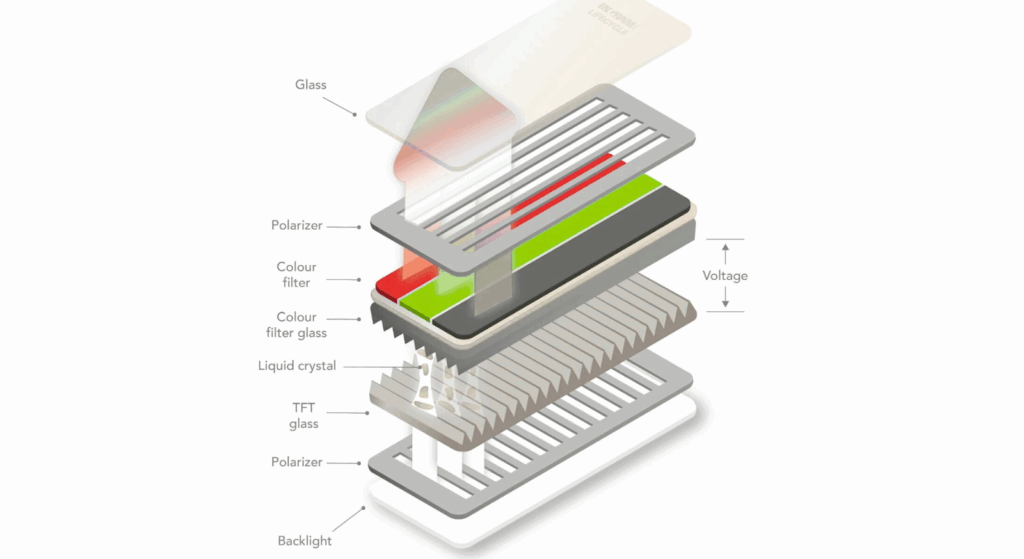
Most smartphone LCDs use TFT (thin-film transistor) technology. TFTs control individual pixels, enabling better brightness control, faster response times, and improved image quality.
In-Cell LCD integrates the touch layer directly into the LCD panel instead of placing it on top. This makes the screen thinner and improves touch accuracy, but it also means that damage often requires replacing the entire screen assembly rather than individual layers.
Which LCD Layers Fail Most Often?
The LCD panel and backlight unit are the most common failure points. Drops, pressure, or extreme temperatures can damage the liquid crystal layer, while heat and aging affect backlight performance. This is why full-screen assembly replacement is usually recommended.
Replacing individual layers increases labor time, risk of contamination, and return rates, especially when using low-quality replacement parts. This layered structure explains why LCD quality and proper handling matter so much for long-term repair success.
Common LCD Problems in Phones
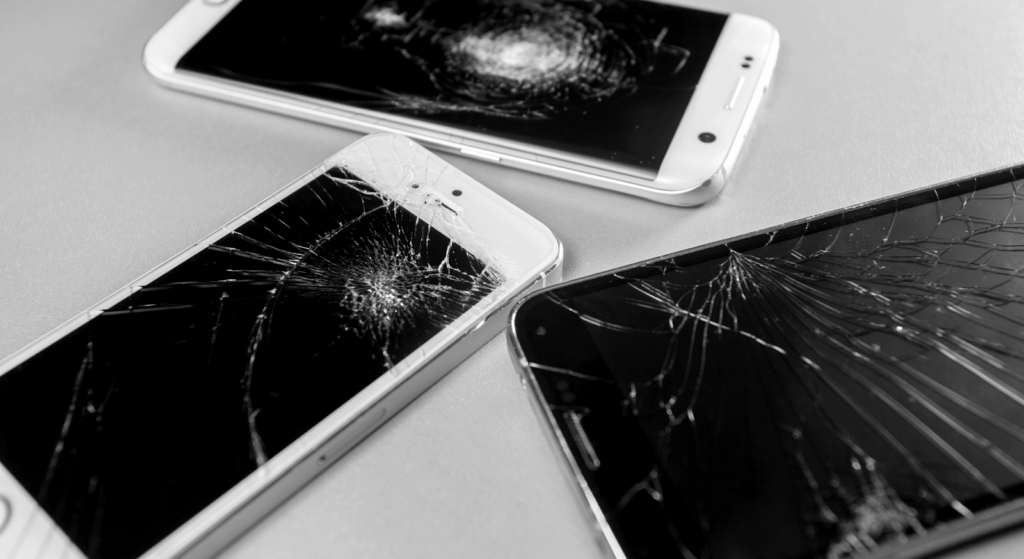
Most phone display issues trace back to how the LCD screen and its supporting components respond to impact, pressure, heat, or aging. Recognizing these common problems helps repair professionals decide whether the issue lies in the LCD panel, the backlight, or the touch screen layer, and whether repair or full replacement is the better option.
Cracked or Broken LCD Panel
A cracked glass screen does not always mean the LCD is damaged, but when the liquid crystal layer breaks, visual defects appear immediately. This includes dark patches, ink-like bleeding, or complete image loss. In these cases, replacing the full-screen assembly is usually the only reliable fix, as the LCD panel cannot be repaired once fractured.
Black Screen or No Display
A black screen on a phone that’s still powered on often indicates a failed LCD or backlight. The liquid crystals may still be functioning, but without a working light source, the image cannot be seen. This problem is common after drops, water exposure, or prolonged overheating.
Lines, Spots, or Flickering
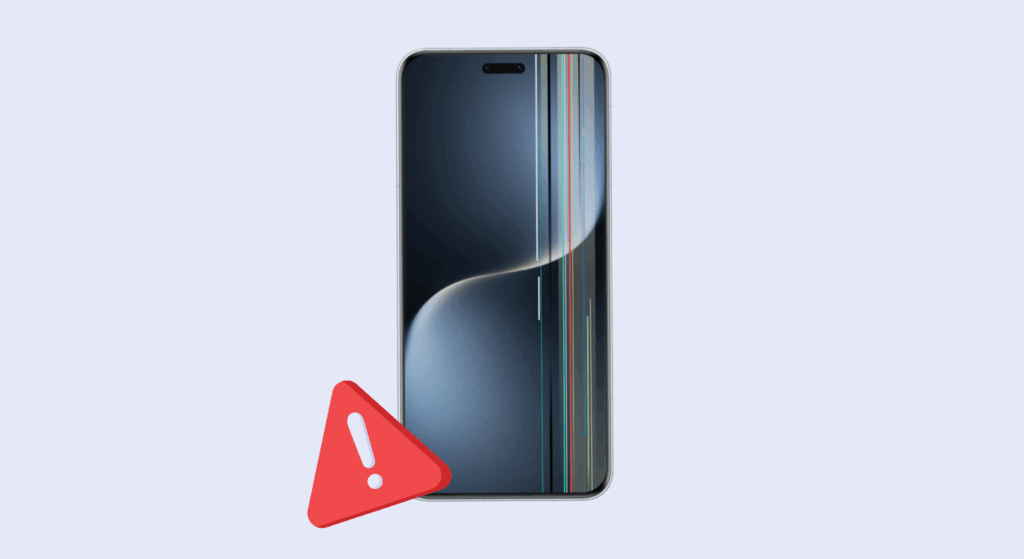
Vertical or horizontal lines, bright spots, or flickering images usually indicate damage to the LCD panel or problems with the thin-film transistors that control the pixels. These issues may start small and worsen over time, especially if the phone is exposed to heat or pressure. Partial fixes are rarely stable, making replacement the safer long-term solution.
Touch Works but No Image (or Vice Versa)
When touch input responds but no image appears, the LCD panel or backlight is typically at fault. If the image is visible but the touch does not respond, the issue usually lies with the touch screen digitizer. Because modern LCDs often integrate multiple layers, separating these faults during repair can be difficult, which is why professionals often replace the complete LCD screen to avoid repeat failures.
Phone LCD Repair Tutorial (Professional Workflow)
This section explains how experienced technicians reliably and repeatedly diagnose and replace a phone’s LCD screen. The workflow avoids DIY guessing and helps repair shops reduce return rates, protect internal components, and improve customer satisfaction.
Step 1: Diagnose LCD vs Other Issues
Before touching the display, confirm that the issue is with the LCD screen and not the battery, motherboard, or connectors.
Battery vs Motherboard vs LCD
A phone that powers on but shows a black or flickering screen may still have a good battery and a failing LCD panel. Similarly, intermittent display problems can be caused by logic board issues. Professional technicians use diagnostic steps like powering the device with a known-good battery or swapping in a test screen to isolate the fault.
Test screen method
Technicians often connect a known-good LCD before fully disassembling it. If the test screen shows a normal image, the original LCD is confirmed faulty. This prevents unnecessary replacement parts and saves time.
Step 2: Remove the Damaged LCD Screen
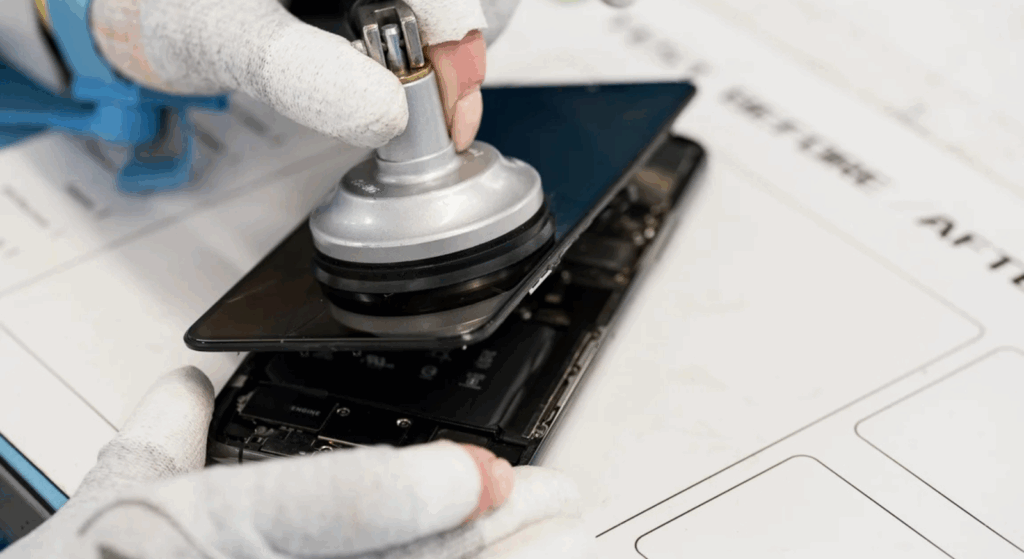
Once the diagnosis confirms LCD failure, it’s time to remove the damaged screen safely.
Heating & separation
Controlled heat, typically from a heat pad or heat gun at safe temperatures, softens the adhesive between the outer glass, digitizer, and LCD panel. Apply heat evenly around the phone screen to avoid warping the frame or damaging internal components.
Connector handling
After opening the device, carefully disconnect the display, touch digitizer, and backlight connectors. Use ESD-safe tools and avoid pulling on cables at angles. Label screws and bracket positions as you go to ensure accurate reassembly later.
Step 3: Install and Test Replacement LCD
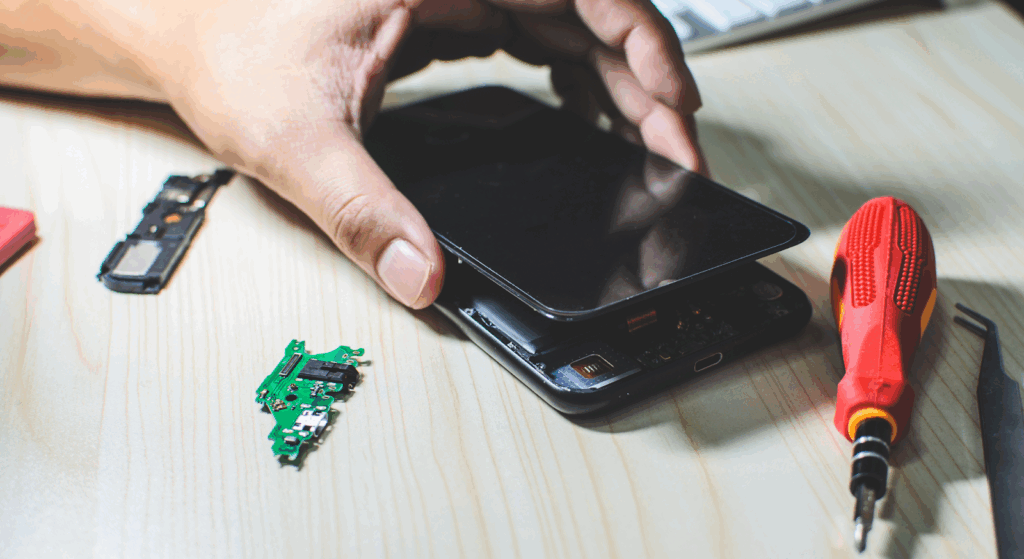
Before final sealing, the replacement LCD must be tested thoroughly.
Pre-install testing
Connect the new LCD screen to the logic board, but do not seal the phone yet. Power on the device and check for a stable image, proper color reproduction, and accurate responsiveness.
Brightness & touch check
Adjust the screen brightness through settings to confirm backlight functionality and uniform light intensity. Perform touch tests across the entire screen surface to ensure the touch screen and digitizer are working correctly with the new LCD.
Step 4: Reassembly and Quality Control
After confirming that the new LCD screen works correctly, proceed to close and inspect the device.
Sealing
Apply new adhesive strips or double-sided tape around the frame to secure the screen assembly, ensuring proper alignment of the glass panel, LCD panel, and touch layer. For phones with water-resistance ratings, use the manufacturer’s specified seals as specified in the repair guides.
Final inspection checklist
Before returning the phone to the customer, perform a complete quality check:
- Verify brightness at multiple levels
- Check color accuracy and contrast ratios
- Confirm touch responsiveness across all areas
- Test for flicker at different refresh rates
- Inspect edges for gaps or uneven adhesive
This structured workflow helps repair professionals replace LCD screens efficiently, minimize callbacks, and protect internal components.
LCD Repair vs LCD Replacement: Which is Better?
In professional phone repair, LCD replacement is far more common than repairing individual screen layers. Modern LCD screens are built as tightly bonded systems, and once the liquid crystal layer or backlight is damaged, fixing only part of the screen rarely delivers stable results.
Why is Full replacement standard?
Most smartphone LCDs combine the glass panel, touchscreen, and LCD into a single assembly. Separating these layers increases the risk of contamination, uneven pressure, and image defects. For this reason, technicians usually replace the entire LCD screen to restore consistent image quality and touch performance.
Cost vs Reliability
While partial repair may appear cheaper at first, it often leads to follow-up issues such as flickering, poor brightness, or touch failure. A full LCD replacement costs more upfront but provides better long-term reliability and fewer repeat repairs.
Return-Rate Considerations
Replacement significantly reduces return rates. Repair shops that use complete, high-quality LCD assemblies see fewer complaints, stronger customer trust, and lower warranty costs than those that resort to layered repair attempts.
LCD Screen Quality and Repair Success
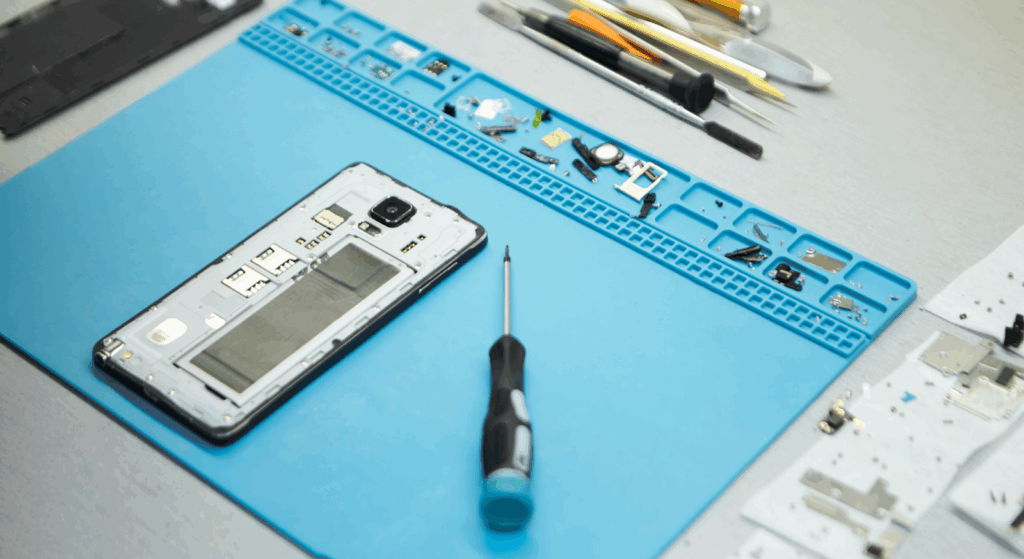
For repair shops and wholesalers, the quality of an LCD screen directly impacts repair outcomes, customer satisfaction, and long-term costs. Two screens of the same size may look similar, but differences in materials, backlight performance, and electronic components can lead to very different results after installation.
OEM vs Aftermarket LCD Screens
OEM-grade LCD screens are built to meet original manufacturer specifications. They typically offer better brightness control, more consistent color accuracy, and stable performance across different light conditions. These screens are designed to work smoothly with the phone’s system, resulting in better image quality and fewer compatibility issues.
Aftermarket LCD screens vary widely in quality. Higher-grade options can perform close to OEM standards, but lower-grade panels often fall short in brightness, viewing angles, and long-term reliability. This directly affects the overall lifespan of the repair.
Common Issues with Low-Quality LCDs
Low-quality LCD screens often display dimly, making the phone hard to use in ambient light or direct sunlight. Touch lag is another common issue, especially near the edges of the screen, where poor digitizer integration affects responsiveness.
Short service life is the biggest concern. Inferior backlight units, unstable liquid crystal layers, and weak connectors cause these screens to degrade faster, leading to higher return rates and increased warranty claims for repair businesses.
LCD in Phone Replacement: What Repair Shops Should Know?
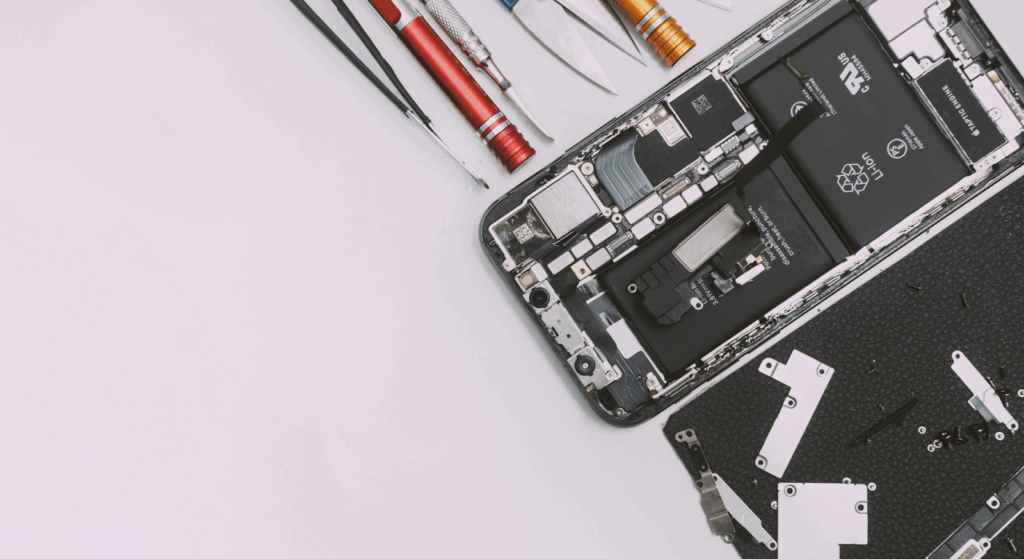
Replacing an LCD in a phone is not just about matching screen size. Repair shops need to account for several practical details that directly affect repair success and return rates.
Model compatibility matters more than it appears. Even phones with the same display size can use different LCD panels depending on region, production batch, or manufacturer revision. Using the wrong variant can lead to brightness issues or incomplete functionality.
Connector variations are another common challenge. Differences in flex cable layout or pin alignment can cause intermittent display problems if the LCD is not designed for that exact model. Proper frame alignment is equally important, as a slightly misaligned screen can create pressure points that affect image quality over time.
Finally, customer expectation management is essential. LCD replacements may not match OLED contrast or deep blacks, so explaining these differences upfront helps avoid misunderstandings after the repair.
How to Choose the Right LCD Screen for Your Business?
Choosing the right LCD screen depends on the type of repairs your business offers and the customers you serve.
For budget repairs, cost-effective LCDs may be suitable for older phones or resale devices, provided quality standards are met. Premium repairs require higher-grade panels with better brightness, color accuracy, and durability to meet customer expectations.
A smart stocking strategy involves carrying a limited range of reliable LCD screens for high-demand models rather than many low-quality options. This approach reduces confusion and speeds up repairs. Most importantly, focusing on quality helps reduce failure rates. Reliable LCD screens lead to fewer returns, lower warranty costs, and a stronger reputation for consistent repair work.
Why LCD Quality Matters When Sourcing Screens?
Not all LCD screens perform the same, even when they fit the same phone model. Panel grading determines how consistent the liquid crystal layer, glass substrate, and electronics are across production batches. Higher-grade panels deliver more stable image quality and fewer defects.
Backlight uniformity is another critical factor. Uneven lighting causes bright spots or dark edges that customers notice immediately. Touch accuracy also depends on how well the digitizer integrates with the LCD panel, especially near corners and edges where low-quality screens often fail.
From a business standpoint, quality directly affects warranty impact. Better LCDs mean fewer returns, less rework, and lower long-term costs for repair shops and wholesalers.
Why Repair Shops & Wholesalers Choose SQLCD?
Repair professionals choose SQLCD because consistency matters when sourcing LCD screens at scale. SQLCD supplies OEM-grade LCD panels designed for reliable brightness, accurate color reproduction, and stable performance.
With both In-Cell and TFT LCD options, businesses can match screens to different phone models and repair needs.
Every screen goes through strict QC testing to reduce failure rates before shipping. Combined with a stable bulk supply for high-demand models and professional B2B support, SQLCD helps repair shops maintain quality while scaling their operations.
FAQs
What does LCD mean in phones?
LCD stands for liquid crystal display. It uses liquid crystals and a backlight to create images on a phone screen.
Can the phone’s LCD be repaired, or must it be replaced?
In most cases, damaged LCD panels must be replaced. Repairing individual layers is risky and rarely reliable.
Is LCD better than OLED for repairs?
LCD screens are often more affordable and easier to source, which makes them practical for many repair scenarios, especially budget repairs.
How long does a phone LCD last?
A phone LCD can last several years if not damaged by drops, pressure, or extreme temperatures.
Why is my phone LCD black but still on?
This usually points to a backlight failure or a damaged LCD panel, even though the phone itself is still powered on.
Conclusion
LCD screens play a central role in smartphone performance, from image quality to touch response. Understanding how LCDs work, how they are structured, and where failures occur helps repair professionals make better decisions.
By following proven repair practices and sourcing high-quality LCD screens, businesses can reduce return rates and deliver consistent results. Working with reliable suppliers like SQLCD ensures access to dependable panels that support long-term repair success and customer trust.