
If your phone died and won’t turn on or charge, don’t assume the device is permanently dead. A completely discharged battery, faulty charging cable, damaged port, software crash, failed display, or internal hardware problem can all produce the same symptoms.
This guide explains why your phone won’t turn on or charge, what you can safely try first, and when a professional diagnosis or replacement part may be necessary.
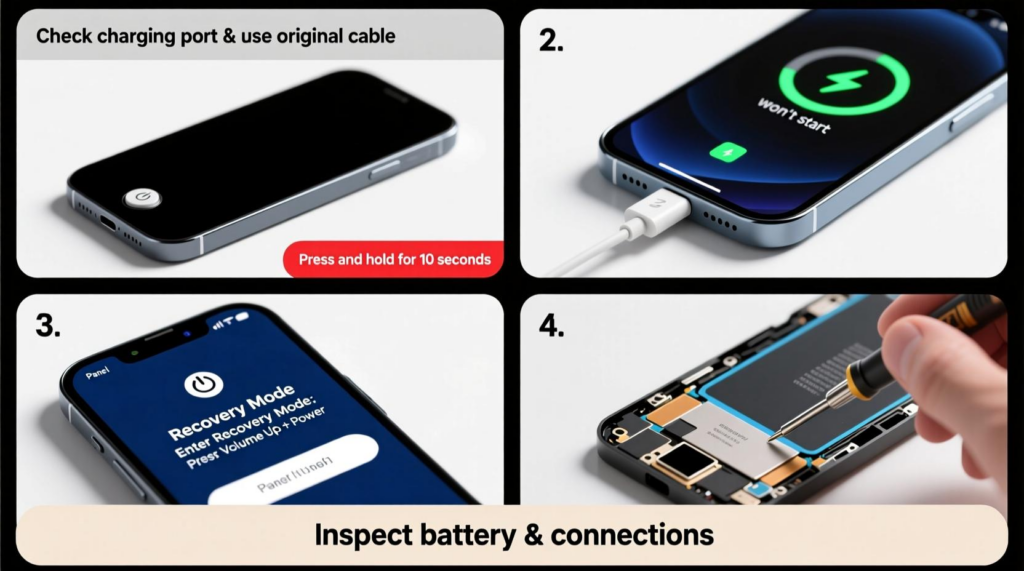
Why Won’t My Phone Turn On or Charge?
Several problems can prevent a smartphone from powering up:
- Completely discharged or degraded battery
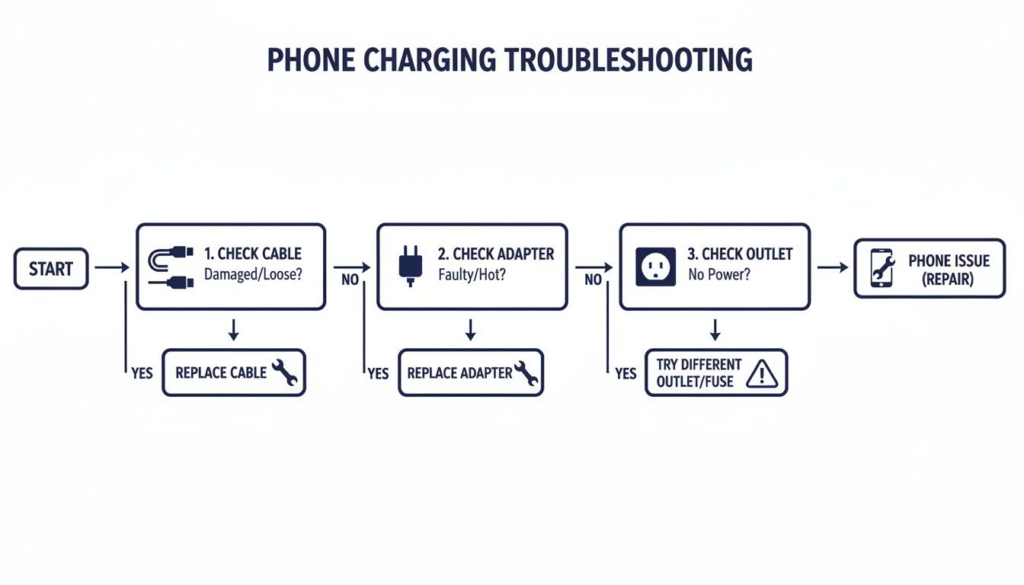
- Damaged charging cable or adapter
- Dirty or damaged charging port
- Software crash or failed update
- Broken LCD or OLED display
- Water or physical damage
- Charging circuit or power-management failure
- Motherboard damage
Before replacing a component, eliminate the simplest possibilities first.
Phone Stuck on Black Screen? Check Whether It Is Actually On
A phone stuck on a black screen may have a display problem rather than a power problem.
Look for signs that the device is still operating:
- It vibrates when connected to power.
- It rings when you call it.
- Notification sounds are audible.
- A computer recognizes the device.
- The phone becomes slightly warm during operation.
If the phone responds but the screen remains blank, the problem could involve the LCD/OLED assembly, display flex cable, connector, or display circuitry.
What Hardware Problems Can Cause a Dead Phone?
If charging and force-restart procedures fail, hardware becomes more likely.
1. Failed Battery
An aging or defective battery may no longer deliver sufficient voltage to start the phone. Symptoms can include rapid battery drain, unexpected shutdowns, charging problems, or a phone that only operates when connected to a charger.
2. Damaged Charging Port
A damaged USB-C or Lightning port can prevent power from reaching the battery.
3. Charging IC or PMIC Failure
The charging IC and power-management circuitry regulate power entering and moving through the device. Failure at this level generally requires professional board-level diagnostics.
4. Water or Physical Damage
Drops, liquid exposure, corrosion, or damaged internal connectors can interrupt power delivery.
5. Display Failure
A failed screen can make a functioning phone look completely dead.
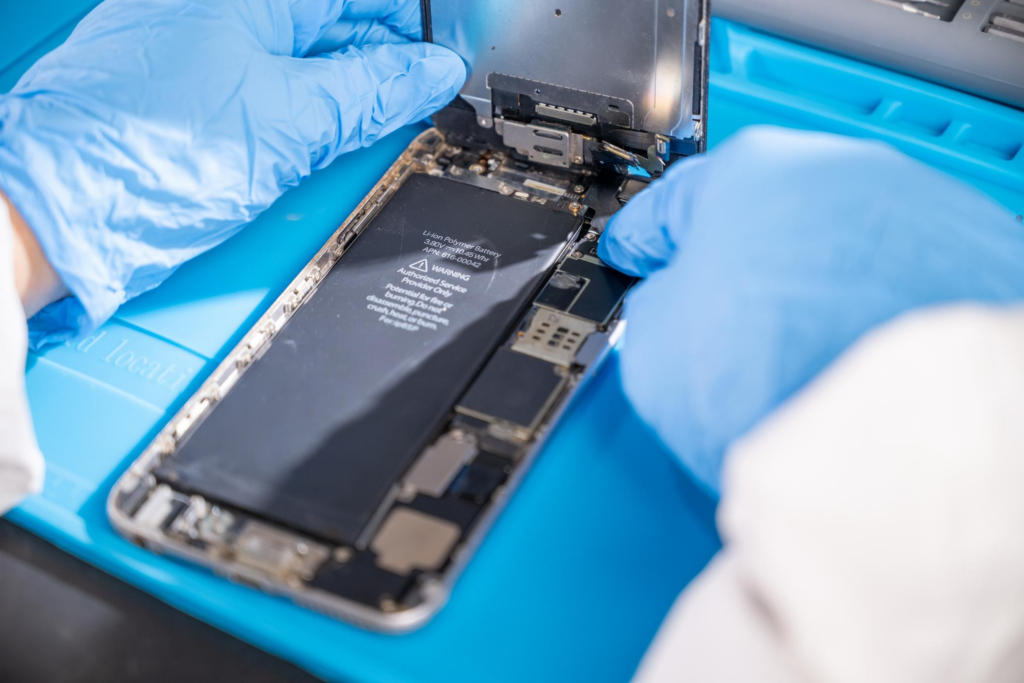
How Repair Shops Diagnose a Dead Phone
For repair shops, replacing the battery immediately is not always the best approach. A systematic diagnostic process helps identify the failed component before parts are ordered.
A technician may use:
- Known-good charger and cable
- USB power meter
- Multimeter
- DC power supply
- Battery tester
- Microscope
- Thermal camera
- Known-good battery
- Known-good display assembly
For example, if a replacement battery restores normal power behavior, the original battery becomes a strong suspect. If the phone still shows no response, technicians can continue toward charging-circuit or motherboard diagnostics.
This approach reduces unnecessary part replacement and improves repair turnaround.
Repair or Replace the Phone?
Not every dead phone requires a new device.
| Symptom | Possible Cause | Typical Direction |
|---|---|---|
| No response to charger | Battery/charging system | Diagnose battery and charging circuit |
| Phone rings but screen is black | Display failure | Display diagnosis/replacement |
| Charges intermittently | Port/cable/connector | Inspect charging system |
| Unexpected shutdowns | Battery/software | Battery and software diagnostics |
| Gets unusually hot | Hardware fault | Stop use and inspect professionally |
| Water exposure + no power | Corrosion/board damage | Professional inspection |
For repair shops and wholesalers, the availability and quality of replacement batteries, displays, charging ports, and flex assemblies can significantly affect repair economics.
Conclusion
If your phone died and won’t turn on or charge, start with the basics: use a known-good charger and cable, inspect the charging port, allow sufficient charging time, and perform the correct force restart for your device.
If the phone still shows no response, don’t immediately assume the motherboard is dead. A black screen, failed battery, damaged charging port, or charging circuit problem can create similar symptoms.
For persistent failures, professional diagnostics are the safest way to identify the actual fault and determine whether battery replacement, screen replacement, charging-port repair, or board-level service is appropriate.