
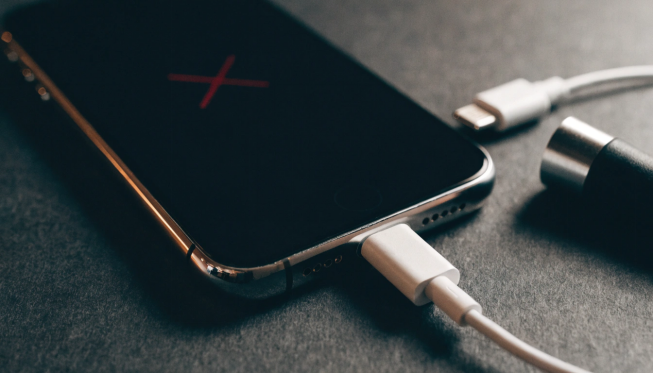
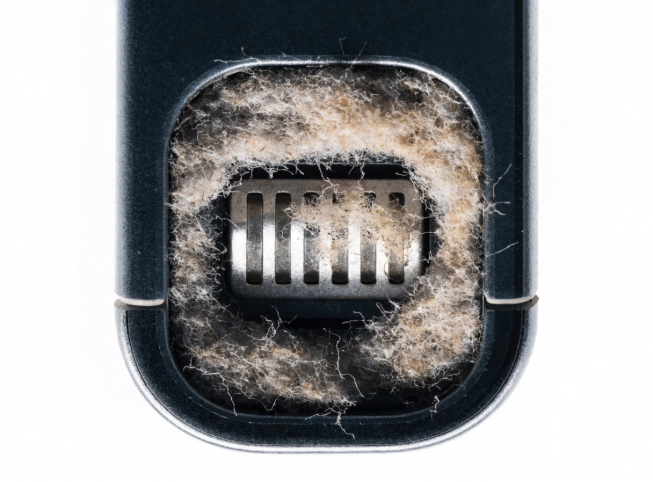
Your iPhone charging port is most likely not working because of lint packed inside the connector. That is the number one cause. Pocket fibers compress at the bottom of the port over time until the cable can no longer seat properly.
If it is not lint, the usual suspects are a damaged cable, a faulty adapter, a software glitch, moisture or liquid damage, worn port contacts, or a battery that can no longer accept a normal charge. You can rule out most of these yourself by trying a known-good cable and adapter, carefully cleaning the port, restarting the phone, and checking for iOS updates. If none of that works, the problem is likely hardware. We will start with safe DIY checks, then show how a repair shop confirms the fault.
7 Possible Reasons of iPhone Charging Port Not Working
You might assume it is the port, but the port is only one part of wired charging. A worn cable, weak adapter, packed lint, or moisture can all create the same complaint. Battery and internal hardware faults are possible too. But those make more sense to investigate after the simple checks.
1. Dirt, Dust, or Pocket Lint
You probably will not notice pocket lint building up, which is why it is easy to miss. Once enough collects at the bottom of the connector, the plug may stop seating fully. You may notice a loose fit, charging that cuts in and out, or a cable that works only at one angle.
2. Damaged Charging Cable
You cannot judge a cable by its outer jacket alone. The wires near the connector can wear from repeated bending even when the cable looks normal. Try a cable you trust. If charging becomes steady, you found the problem without touching the port.
3. Faulty Power Adapter or Power Source
You should change the power source as well as the cable. Use another compatible adapter and outlet, or a USB source you already know is reliable. If charging comes back, the fault was outside the phone.
4. Damaged Charging Port
Ports wear with daily use, and drops or force can make that worse. Bent contacts, corrosion, or a plug that no longer feels secure deserve a closer look. Still, clear debris and try another cable first because simpler problems can feel almost the same.
5. Software Problems
You can have a charging problem even when the connector is fine. A temporary iOS issue may affect how the phone recognizes a charger. Restart and check for updates before opening the phone.
6. Liquid Detection or Moisture
You need to treat moisture differently. If the iPhone detects liquid around the Lightning or USB-C connector, it may block wired charging for safety. A liquid warning, a problem that started after water exposure, or visible corrosion are useful clues. Keep the cable out until the port is safe to test.
7. Battery or Internal Hardware Failure
If the port is clean and dry and several working accessories still do nothing, the fault may be inside the phone. A worn battery, a damaged charging flex, or a charging circuit problem can interrupt power. At this stage, testing matters more than guesswork.
How to Fix an iPhone Charging Port Not Working
If you are checking the phone yourself, do not jump straight to a replacement part. Start with what you can swap or inspect without opening the device. A few minutes here can prevent an unnecessary repair.
1. Try a Different Charging Cable
You want a cable that you have already seen charge another compatible iPhone. The plug should feel secure, charging should start normally, and the connection should stay on without you holding it. If that happens, replace the old cable and stop there.
2. Test a Different Power Adapter
Next, use another compatible adapter and a different outlet. This swap separates a power-source problem from a phone problem. If charging resumes, the adapter or outlet was likely the cause.
3. Inspect the Charging Port
You should shine a light into the port and look rather than poke. Lint, corrosion, bent contacts, or signs of moisture can all explain a poor connection. If something will not come out with gentle cleaning, stop before a small problem becomes a bigger one.
How to Clean an iPhone Charging Port Safely
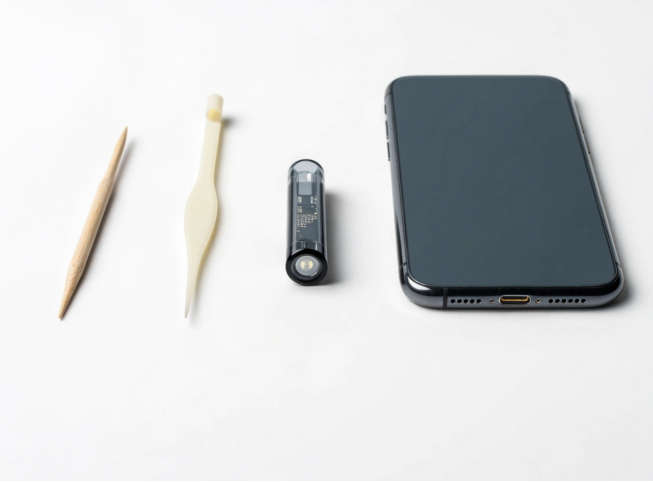
You can often remove light debris safely, but the contacts are easy to damage. Keep the iPhone unplugged and work gently. If you already see corrosion or bent parts, cleaning is no longer a simple DIY job.
1. Unplug the iPhone first. If practical, power it off as well.
2. Use a bright light and confirm there is debris in the connector before removing anything.
3. Work only on debris you can reach without force. Do not scrape the contacts or push lint farther inside.
4. Stop if the material is packed in tightly. A repair shop can clean the connector under magnification.
5. Keep liquids and sprays out of the port. Added moisture can create a second problem.
6. When the port is clear, test the same known-good cable and adapter again. The connection should fit normally and stay on.
Restart Your iPhone
A restart will not fix broken hardware, but it can rule out a temporary recognition problem. Restart the iPhone normally and try the charger again after it boots. If a known-good cable and adapter still get no response, move on.
Check for iOS Updates
If the phone otherwise works normally, check for software updates. An available iOS update may clear a software-related charging issue. It will not tighten a loose connector or remove corrosion, so physical signs still need hardware inspection.
Check for Liquid Damage
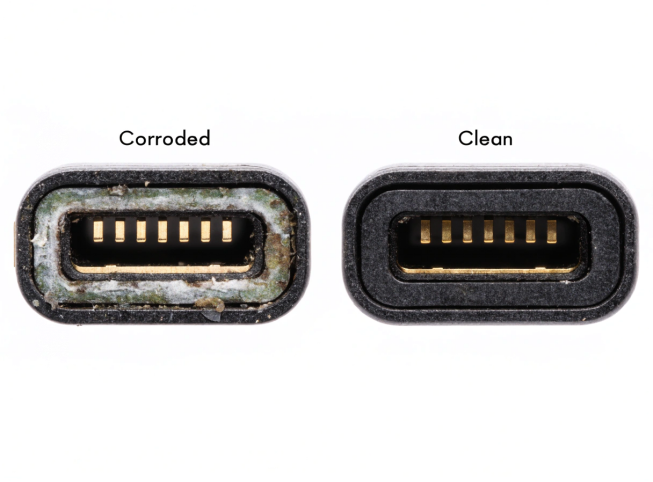
You need to think about the timing. Did charging become unreliable after the phone got wet, or did a liquid warning appear first? Corrosion or charging that varies from one attempt to the next can also indicate moisture.
Do not hurry a wet connector with strong heat or force a cable in just to test it. If the warning remains or corrosion is visible, professional inspection is safer than repeated attempts. Apple’s guide on liquid in the connector covers what to do next.
Why Does My iPhone Only Charge at Certain Angles?
A cable that works only when you tilt it indicates the connection is unstable. Packed lint, a worn cable, worn contacts, or a loose charging assembly can all cause this. Physical damage is possible too, especially after a drop.
Before buying a replacement port, try a second working cable and inspect the connector. If both cables behave the same way and the port is clean, have the charging assembly checked.
How to Tell If the Problem Is the Battery or Charging Port
The phone’s behavior can narrow the possibilities, but it cannot prove which part failed. Port problems usually show up in the wired connection itself. Battery trouble more often appears as poor runtime, shutdowns, or unstable power.
| Symptom | Possible Cause |
| Cable will not fit properly | Debris or port damage |
| Multiple known-good cables fail | Port, battery, or charging hardware |
| Phone charges intermittently | Cable, debris, or worn port |
| Phone charges but drains rapidly | Battery condition |
| Phone does not respond to charging | Battery, port, or charging circuitry |
| Charging stopped after liquid exposure | Moisture or liquid damage |
| Wireless charging works but wired charging does not | Possible wired charging-port issue |
Treat these symptoms as clues, not a diagnosis. In a repair shop, known-good accessories or test parts usually tell you more than symptoms alone.
Does an iPhone Battery Replacement Fix Charging Problems?
You should not assume a charging complaint means you need a new battery. Replacement makes more sense when runtime is poor, the phone shuts down unexpectedly, battery health has clearly declined, or testing points to the cell itself.A battery cannot correct a loose physical connection. If the cable will not sit properly or wired charging keeps dropping out, inspect the port and charging assembly first. When the battery is really the issue, our guide to iPhone battery replacement covers the repair in more detail.
When Does an iPhone Need Charging Port Repair?
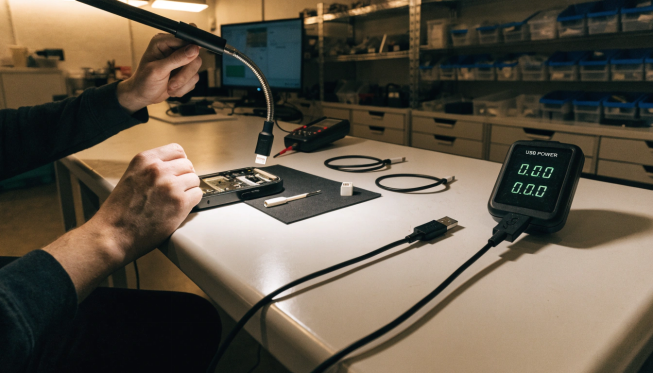
You are more likely looking at a port repair when several known-good cables fail, and cleaning doesn’t change anything. Visible damage, corrosion, repeated disconnects, or charging only at certain angles also justify professional diagnosis. Recent liquid exposure is another reason to stop DIY testing.
A technician needs to work out whether the connector itself is bad or the trouble sits in the charging assembly, battery, or another internal part. A new port will not help if the failed component is somewhere else.
Checklist Before Replacing an iPhone Charging Port
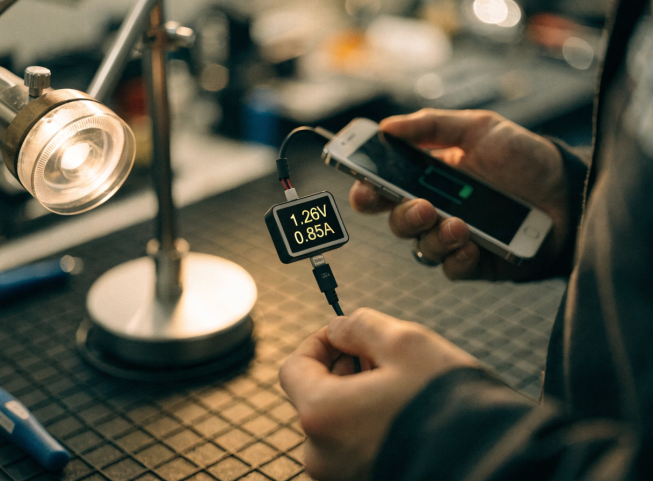
Before you approve a charging-port replacement, make sure these checks have been covered carefully:
✓ Try another compatible cable
✓ Try another power adapter
✓ Try another outlet
✓ Inspect the port
✓ Safely remove visible debris
✓ Restart the iPhone
✓ Check for software updates
✓ Consider recent liquid exposure
✓ Test wireless charging if supported
✓ Check battery condition
✓ Seek professional diagnosis if the problem persists
If an early check restores charging, you probably do not need an internal repair. When the same problem remains with known-good accessories and a clean port, stop swapping parts at random and move to proper diagnosis.
If you run a repair shop and need reliable replacement charging ports, batteries, or flex cables for iPhone models, SQLCD supplies OEM and premium aftermarket parts in bulk with flexible MOQs and 6- to 12-month warranty coverage. Request a quote or browse our catalog of phone batteries and charging ports.