
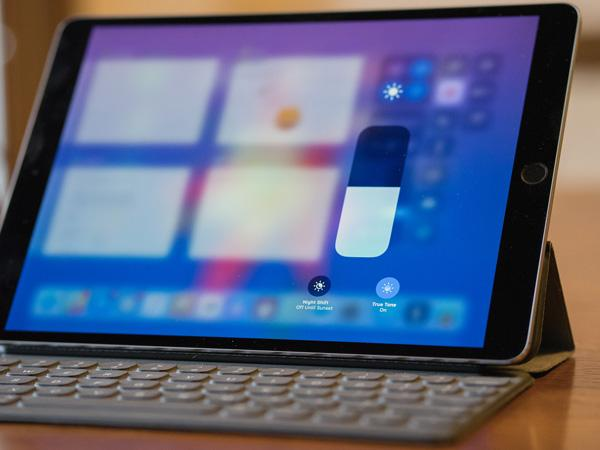
Feeling exhausted after continuous use of the iPhone? Eyes are tired, stained, and dry? Have a seat! It’s just that till now, you have been unaware of the display settings of your iPhone; yes, it can make a huge difference. True tone is an amazing feature that can adjust the screen tone of your phone to the surrounding light. This way, the screen will give a natural view to the eyes and feel less fatigue.
In this blog, we will thoroughly discuss what true tone is, how it works, and some expert tips to reduce eye strain while using a phone. Get ready to make your screen easier on your innocent eyes. Let’s dive in!
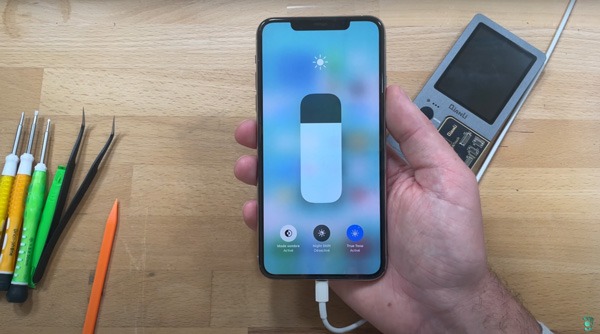
1) What Is True Tone and How Does It Work?
True tone is basically a feature of the display that can adjust the light of the phone screen according to the external environment. Basically, it has small ambient light sensors that can sense the color and brightness of the outer environment. For example, if the environment is cool and dim, the screen light will adjust accordingly and will not feel warm.
And, if the environment is bright and warm, the screen will look bright and soft. So, this alignment with the natural light keeps the eyes comfortable.
You may have noticed that when you expose your eyes to sunlight and then walk into a room with warm light, your vision goes blurry. It takes a few seconds to settle. This is a sudden change that causes discomfort. True tone works on this phase of sudden change. It reduces the sharp contrasts between the surroundings and the phone screen, so that the eyes don’t feel any difference. This way, you feel less strain, even after using the phone for a long time.
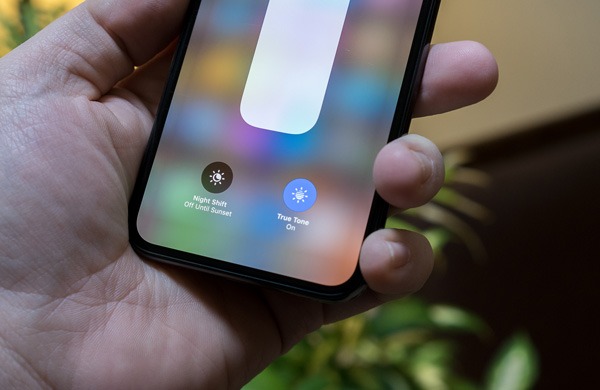
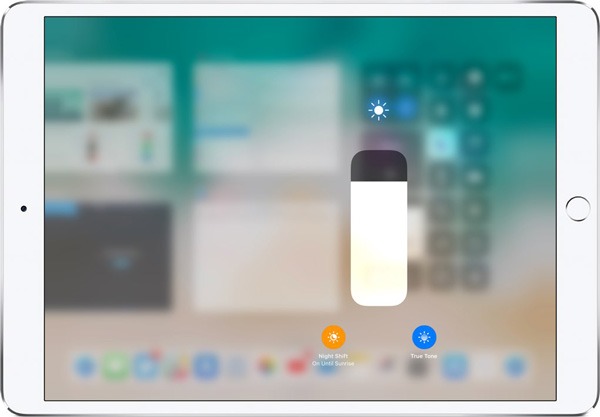
Let me tell you that True Tone is not like Night Shift. Night shift reduces blue light. Moreover, it adds a warm filter that makes you feel relaxed at night. But, true tone has different goals. It adjusts the temperature and tone of the screen according to the environment. So, you should keep both features on. By combining, they can offer better results.
Actually, Apple introduced this feature to make the screen feel more natural. When you look at the screen, it will feel like printed paper. No sharp stinging light. It has only one simple goal: to make your eyes comfortable while using your phone, irrespective of the time and temperature.
2) Is True Tone Better for Your Eyes?
Yes, True Tone is very helpful to keep your eyes relaxed in your daily routine. As we discussed, it matches the light of your mobile screen with the light of the surroundings. When there is no sharp difference between the two systems, your eyes don’t need to adjust and feel stressed. So, it will reduce strain, and you can scroll without any tension.
You will feel a real difference between an ordinary screen and a True Tone featured screen when you move from a bright to a dimly lit space. For example, when you view the screen outdoors and then check it again in a warm, dim room, it will change its temperature and brightness smoothly, it will not be too bright nor too cold.
One important thing to discuss here is that if you work on some editing work or graphic design, then it is better to turn off the feature during work time. You know, True Tone causes shifting of tone; it can affect your work accuracy. For repair stores and wholesalers, it is really important to understand this, and they should know whether customers want True Tone support or not.
3) How True Tone Reduces Eye Strain
Well, if you explore how true tone minimizes eye strain, various factors give the answer to our question. Have a look;
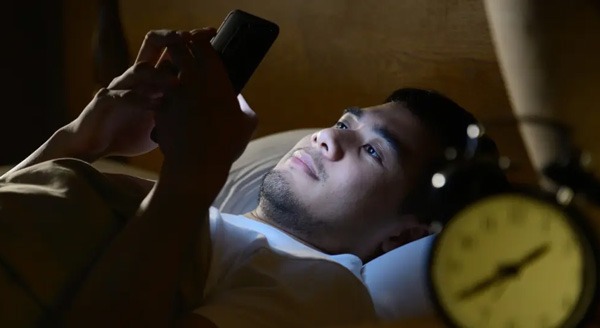
Reduces fatigue: You know, True Tone can adjust the light based on ambient light, it can shift the screen mood warmer in warmer rooms and cooler in brighter rooms. So, a sudden shift is prevented, which keeps your eyes relaxed.
Affects Visual Comfort: As the screen matches the external environment, your eyes have no need to put extra effort into viewing the screen. It offers a perfect balance of comfort and view.
Stable Brightness: Due to automatic adjustment, it offers a stable brightness. You don’t have to adjust your vision again and again. True Tone will handle all the changes politely.
Best for Longer Use: When you need to view the screen for a long time, for reading, scrolling, or for a meeting, your eyes will feel a natural view of the screen. Eye muscles will not get tired, and the screen will feel like paper. It has been seen that users experience fewer headaches, less fatigue, and less dryness in the eyes.
4) True Tone vs Normal Display: Which Is Better for Eye Comfort?
No doubt, True Tone outperforms when it comes to viewing experience. It can adjust and color according to your surrounding color and light. So, you experience an overall comfortable view. In this section, we will explore the main differences between a normal and a True Tone display, so that you can better decide which screen will prove best for your eyes.
Feature | True Tone | Normal Display |
| Color Temperature | Adaptive | Fixed |
| Comfort in Bright Rooms | Higher | Medium |
| Comfort in Dim Rooms | Higher | Lower |
| Exposure to Harsh Blue Light | Lower | Higher |
| Overall Eye Comfort | Better | Depends |
When to Turn True Tone ON
- If the lightning is mixed and you have to read or browse
- For longer use, like emails, social media, or news
- When you have to move frequently, between dim and bright surroundings
When to Turn True Tone OFF
- When you are doing photo or video editing and need accuracy in your work
- During graphic design work
- When you are checking the color consistency of different devices
Generally speaking, try to keep True Tone on on normal days. It will make the screen easier on your eyes and prevent you from daily fatigue.
5) Does True Tone Reduce Blue Light?
No! True light does not filter blue light. It is the control center of brightness and color according to the environment. It is not the same as Night Shift. Night shift can reduce blue light emission to a great extent. But True tone reduces the contrast between the screen and the surroundings. Ultimately, it reduces eye strain.
If True Tone is not reducing the blue light, it doesn’t mean that it is not comforting you, yes. When the screen display matches the surrounding environment, your eyes don’t have to make extra effort to view the screen, ultimately relaxing your eyes. Well, if your goal includes reducing the blue light, you can try Night Shift along with True Tone. Both features will work collectively and make your viewing experience more comfortable.
6) Should You Keep True Tone On? Best Practice Recommendations
Good question! Well, for most users, it is better to keep the True Tone on. It will keep your eyes comfortable all day long. Let’s discuss some scenarios when True Tone can be necessary.
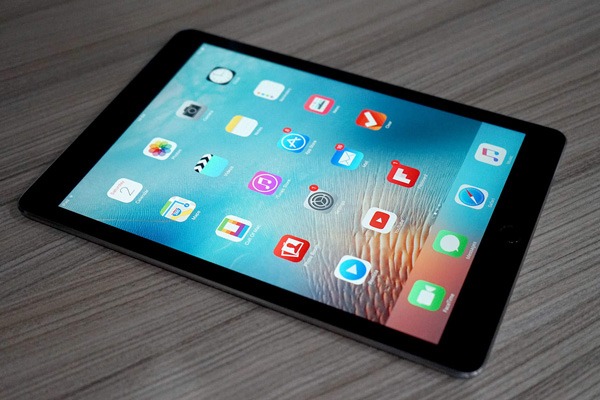
- Daily Use: When you read news on your phone, use social media, or send emails through your phone, it is better to take care of your eyes. So, make use of True Tone in your daily routine.
- Outdoor Brightness: When you move outside in bright sunlight, True Tone will smoothly shift the tone and color of your screen. So, your eyes will not face harsh glare and sharp, bright colors on screen.
- Long Screen Session: When you have worked on your phone for a long time, True Tone makes a huge difference. It will make you feel the screen softer, just like real paper. So, it prevents fatigue and dryness in your eyes.
- Gaming: You know, people continuously view the screen while gaming or blogging. If True Tone is on, your eyes will stay easy, and you can focus more on the game and whatever you are recording. But if you want real colors, then turn True Tone off temporarily.
7) iPhone Eye Strain Settings: Expert Tips for Comfort
Few settings can change the whole view of your screen. Setting up just a few steps can change the game. In this section, we will provide some expert tips to keep your eyes as healthy as they can be.
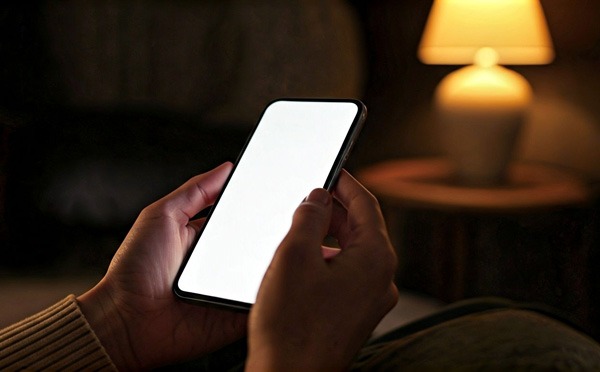
Enable Auto-Brightness
First, turn on auto-brightness. It will automatically adjust the display. It will not go in too dark mode or in too bright. When you enter in dim light, it will make the screen dim, and when you go into bright light, the screen will turn bright.
Enable True Tone
Second, enable true tone, which will sense your environment and adjust the tone and colors of your screen. Well, it will reduce the strain on your eyes and help keep your eye muscles healthy.
Use Night Shift at Night
As you know, Night Shift reduces the blue light emitted by adding a warm filter. So, it protects your eyes and helps improve sleep quality.
Reduce White point
To reduce the intensity of bright colors, just lower the white point. It will help you view the screen more easily, especially in dark environments.
Adjust Font Size
If the font size is too small or too large, it will put strain on your eyes. So, keep the size normal that feels comfortable to your eyes. It is really helpful when you have to read or use a screen for a long time.
Use Anti-Reflective Protectors
Anti-reflective protectors minimize reflection from sun and other lights. It will make the view clear and you can easily see the screen, without any hurdle.
8) How True Tone Affects Screen Replacements
Well, True Tone is specific to hardware data on the iPhone screen only. It can’t be seen on other phone screens. Yes, only LCD or OLED displays support this feature after replacement. If a replacement doesn’t support this, maybe it will not have True Tone, either.
Honestly, when a phone lacks True Tone, customers don’t give a good reaction. They feel the screen is too bright or cold. They will inconsistency. So, it can increase the rate of complaints due to a bad viewing experience. For repair stores, it is better to understand the importance of True Tone, and they should guide their customers on why True Tone-supportive screens are worth the investment.
In this digital era, when everybody seems busy on his/her phone, it is better to give them a solution that affects their eyes as little as possible. Customers want devices that are easy to use and feel comfortable. Therefore, by providing True Tone-compatible screens, you can level up your business.
Moreover, wholesalers should stock these screens as they allow repair stores to access the parts easily whenever they need. It will build customer trust and help boost sales. The step is small, but it can make a huge difference in upgrading your business.
9) True Tone Long-Term Effects on Eyes
True Tone leaves affects the health of your eyes in the long term. Let’s have a look;
No risk to eyes: True Tone keeps your eyes away from extreme brightness, as it adjusts the display smoothly according to the environment. So, it takes care of your eyes for a long time.
Maintains natural light adaptation: By continuous use of True Tone, your eyes can adjust to different lighting conditions smoothly. Vision takes less time to settle.
Reduces long-term fatigue: True Tone is such a gift for heavy phone users. They can feel an obvious difference with and without True Tone. With True Tone they feel less dryness, fewer headaches, and reduced eye fatigue.
10) Is True Tone Worth Using? Final Verdict
Of course, True Tone is worth using, as we saw, it automatically adjusts the screen brightness and colors that match the surroundings. It helps prevent eye strain, dryness, and fatigue. SO, if you do scrolling, reading, or some other work on your phone for a long time, try using True Tone, it will make a huge difference in your viewing experience.
11) FAQs
1. Does True Tone prevent eye strain?
Yes, True Tone can smoothly adjust the brightness and colors of the screen. So, it prevents harsh contrasts, which keeps your eyes relaxed.
2. Should I turn off True Tone at night?
There’s no need to turn it off. In fact, using it with night shift shifts will make the experience better than before.
3. Does True Tone reduce blue light?
No, it doesn’t have any warm filter. It only adjusts the colors and tone of your screen according to the surrounding.
4. Does the True Tone drain battery?
No! True Tone doesn’t consume much batter. It has minimal effect on battery life.
5. Why is True Tone missing after screen replacement?
True screen is the feature of original screens only, as it has specific hardware data. If a replacement screen will not have that data, it may not support True Tone.