
Struggling with Eye Strain from Prolonged Phone Use?
Apple’s True Tone automatically adjusts white balance, brightness, and color temperature to match ambient lighting, creating a more natural and comfortable viewing experience.
This guide explains what True Tone is, how it works, why it matters, and what repair shops and wholesalers should know when sourcing replacement displays.
What is True Tone on iPhone and How Does It Work?
True Tone is Apple’s adaptive display technology that automatically adjusts the screen’s color temperature, white balance, and brightness based on surrounding ambient light. By matching the display to the viewing environment, it delivers a more natural and comfortable visual experience across different lighting conditions.
The primary purpose of True Tone is to improve eye comfort and color accuracy. Whether you’re reading indoors, working under office lighting, or using your iPhone outdoors, True Tone continuously adapts the display to reduce eye strain while maintaining consistent and realistic colors.
Unlike Night Shift, which simply adds a warmer tint during the evening to reduce blue light, True Tone works throughout the day by responding to changes in ambient light in real time. It focuses on maintaining natural-looking colors rather than changing the display for nighttime viewing.

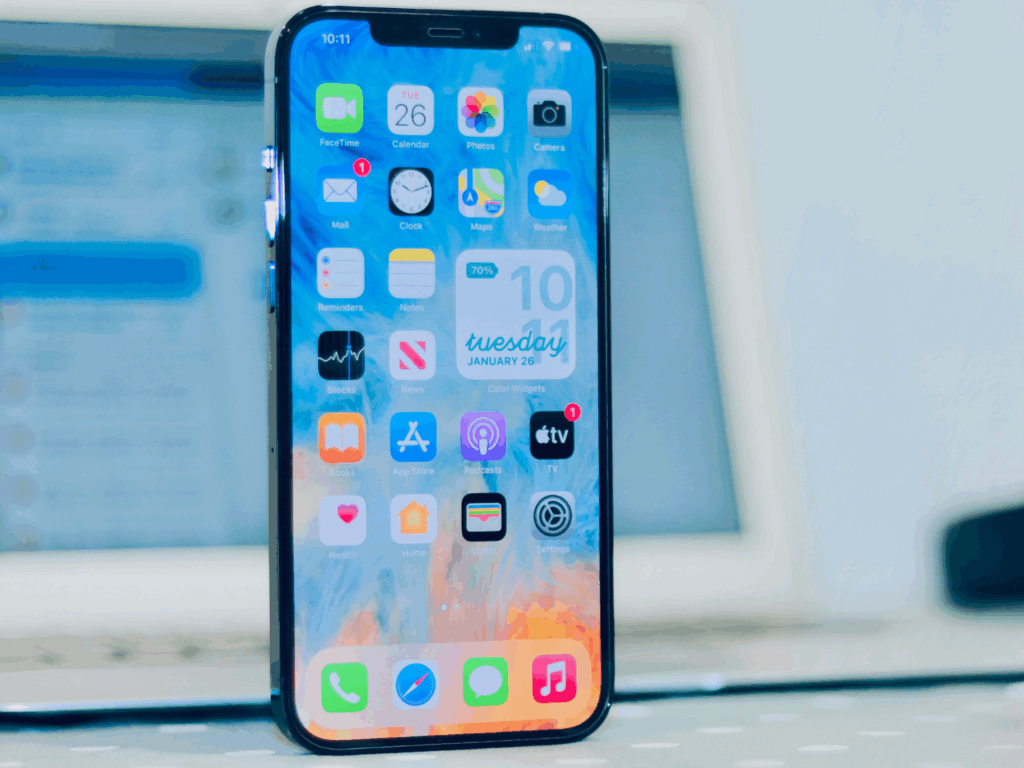
Alt txt: An iPhone placed upright with the home screen display
How Does True Tone Technology Work?
True Tone uses built-in ambient light sensors and advanced sensors to detect the surrounding color temperature and brightness of the iPhone. Multi-channel photodiodes capture subtle light intensity changes to keep display performance stable amid shifting lighting conditions.
The system’s software automatically adjusts screen brightness, white balance and gamma curves in real time for optimized viewing.
True Tone samples the surrounding environment multiple times per second to deliver smooth transitions with no visible flicker.
This dynamic adjustment keeps colors accurate and improves viewing comfort, especially when switching displays or adapting to changing lighting.
How True Tone adjusts automatically:
- The sensor detects the room’s lighting and color temperature.
- Software processes the data instantly.
- Display output shifts to match the ambient light, maintaining a natural baseline.
This seamless adjustment improves the user experience and adds value to premium devices.
How to Enable True Tone?
Enabling True Tone on an iPhone is quick and straightforward:
- Open the Settings app.
- Scroll down and tap Display & Brightness.
- Toggle the True Tone option in the top right corner to enable it.
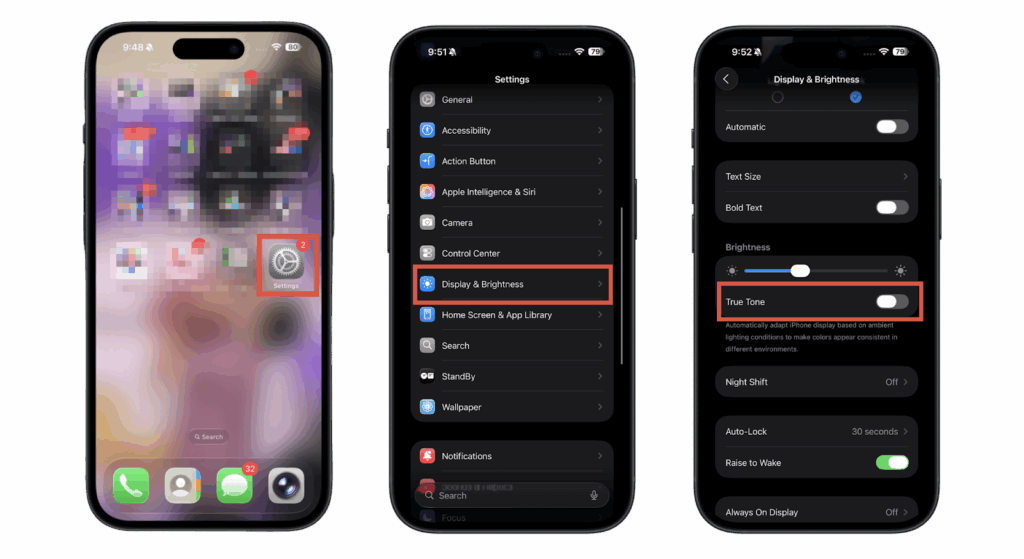
Alt txt: Steps for turning on True Tune on an iPhone
Why True Tone Matters for Brand Owners and Wholesalers?
True Tone has become an expected feature on modern iPhones, and many customers notice immediately when it is missing after a screen replacement. Supporting True Tone helps repair shops deliver a more original user experience while improving customer satisfaction.
For wholesalers and OEM suppliers, offering True Tone-compatible replacement screens adds product value and helps meet the growing demand for premium repairs. It also reduces customer complaints and strengthens long-term business competitiveness.
True Tone and iPhone Screen Repairs
When an iPhone screen is replaced with a non-True Tone-compatible display, the feature often disappears because True Tone settings are tied to the original display’s EEPROM, which stores calibration and sensor data. Without a compatible replacement, the device cannot restore the settings.
True Tone-compatible screens are essential to preserve the premium display experience. Technicians rely on specialized tools and software to troubleshoot True Tone issues, ensuring the screen, sensors, and firmware are fully compatible.
Tips for repair shops:
- Verify replacement screens support True Tone before installation.
- Use authorized software or calibration tools to restore True Tone settings.
- Test the display after installation to ensure proper display brightness and color temperature.
- Choose reliable suppliers with proven True Tone functionality.
For step-by-step guidance, see our Troubleshooting Missing True Tone After Repair guide.
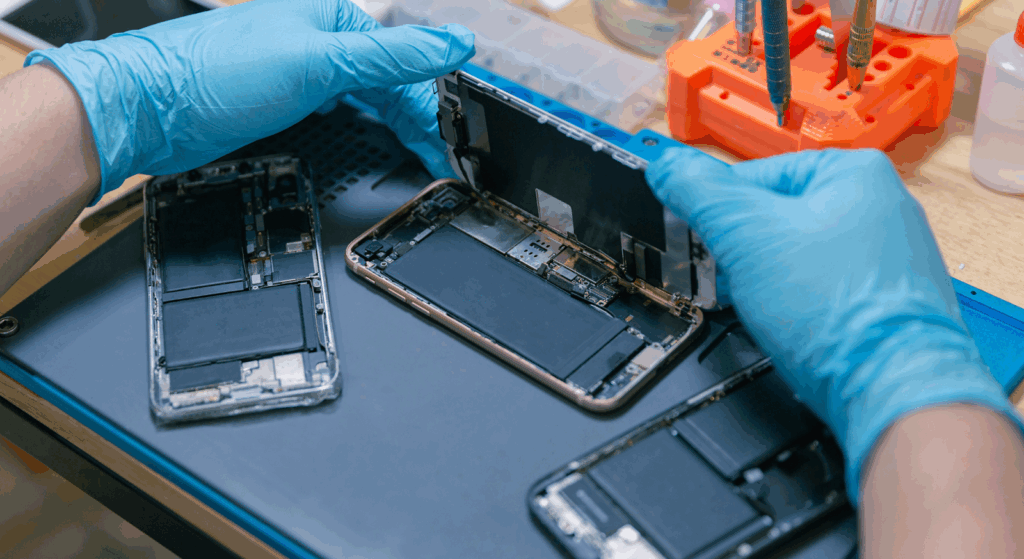
Alt txt: Opening and repairing a phone’s display
How to Choose True Tone-Compatible Replacement Screens
Before purchasing replacement screens, repair shops and wholesalers should verify several key factors:
- Confirm True Tone compatibility for the target iPhone model.
- Verify auto-brightness and sensor functionality.
- Check whether the display supports calibration after installation.
- Choose suppliers with stable quality control and testing reports.
- Request samples before placing bulk orders.
Reliable suppliers help reduce return rates while ensuring consistent display performance across every batch.
FAQs
Does True Tone Affect Battery Life?
True Tone has a minimal impact on battery life because it adjusts display settings subtly, driven by software. Even with changes in brightness, these adjustments are designed to be energy-efficient.
Can True Tone be Restored After Replacement?
Yes, True Tone can be restored with True Tone-compatible screens and the appropriate calibration tools. However, using an incompatible display will disable this feature, preventing full functionality.
Is True Tone Essential for All Users?
While True Tone is optional, it significantly improves visual comfort and color accuracy. Many iPhone users prefer it for reading, browsing, and viewing media, especially in varying lighting conditions.
Should Brands Always Include True Tone in New Models?
Yes, incorporating True Tone helps meet user expectations, enhances device value, and provides a competitive edge. Users particularly appreciate it for activities like reading, photos, and videos, improving their overall experience.
Conclusion: True Tone as a Competitive Advantage
True Tone significantly enhances user experience and adds clear product value. For OEMs, it helps meet premium market expectations, while wholesalers can attract both repair shops and high-end buyers. Repair stores benefit by increasing customer satisfaction and justifying higher pricing for their services.
By offering True Tone-compatible screens, your business positions itself as a trusted, high-quality supplier in a competitive market, catering to the growing demand for premium features. This not only sets you apart from competitors but also establishes your brand as a reliable source for the latest display technologies.
Looking for True Tone-compatible iPhone replacement screens? Contact SQLCD today to request samples, OEM solutions, or a wholesale quotation.