
As your iPhone battery ages, its ability to hold and deliver power decreases, which affects battery life and, finally, leads to unexpected performance issues. iPhone battery health shows the current battery’s capacity relative to a new one. This difference can help iPhone users identify normal battery degradation, recognize potential problems, and determine when battery replacement may be worth considering.
What Is iPhone Battery Health?
Apple introduced the Battery Health feature in iOS 11.3 so users could see battery health degradation instead of assuming why their phone dies faster or keeps lagging.
Users can find this feature under Settings > Battery > Battery Health & Charging.
When checking iPhone Battery Health, consider these two factors:
Peak Performance Capability: This indicates whether the iPhone’s battery can deliver the power required for the phone’s peak performance. A degraded battery can’t deliver optimal power and leads to unexpected shutdowns.
Maximum Capacity. It represents the battery’s estimated capacity relative to a new one. For instance, 85% Maximum Capacity means the battery is estimated to hold ~85% of the charge. The lower the percentage, the more charging it will require.
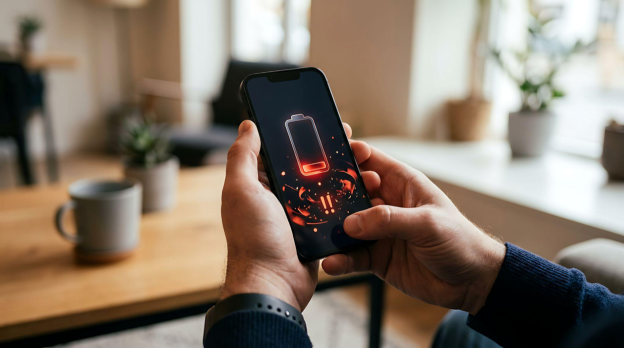
How to Perform an iPhone Battery Health Check
An iPhone battery health check will take less than a minute.Note: The exact menu name could vary slightly depending on iPhone model.
On iPhone 15 and Later
1.Open Settings.
2.Tap Battery.
3.Tap Battery Health.
4.Review the available information, including Maximum Capacity, Cycle Count, and Peak Performance Capability.
On supported models, iOS can also display additional battery information, such as its manufacturing date and its first use date.
On iPhone 14 and Earlier
1.Open Settings.
2.Tap Battery.
3.Select Battery Health & Charging.
4.Check Maximum Capacity and Peak Performance Capability.
5.Review any message recommending battery service or replacement.
If your iPhone experiences unexpected shutdowns, rapid battery drain, charging issues, etc., it’s high time to consult a professional battery repair technician.
Battery Health vs Maximum Capacity: What’s the Difference?
These terms could be confusing for many, as they look same, but do not have the same meaning. Maximum Capacity is used to understand battery health, while Battery Health provides additional information about age and performance of the battery.

Why Is My iPhone Battery Health Dropping Fast?
If your battery health is dropping faster than expected, these common causes might be responsible for that:
●Frequent fast charging: It looks convenient, but it induces more stress and heat than standard charging
●High temperatures: The biggest accelerator of lithium-ion battery degradation is heat, and high temperatures often cause damage
●Intensive gaming: This leads to continuous use of the GPU and processor, especially during charging, which leads to high strain and heat
●Constant 100% charging: It keeps the battery topped off for long periods and adds undue stress.
●Deep battery discharges: Draining the battery to 0% often wears it more than frequent shallow charges
●Poor charging accessories: Uncertified chargers and cables can damage the battery via inconsistent power supply
●Aging batteries: Lithium-ion batteries often decline with time, and this degradation becomes visible in 2-3 years
●Heavy daily usage: More screen time and background activity mean more charge cycles over time
Signs Your iPhone Battery Needs Replacement
Beyond the percentage, be careful with the following real-time signs:
●Rapid battery drain, even with light use
●Unexpected shutdowns, especially at higher remaining charge
●Overheating during normal use or charging
●Noticeably slower performance
●A swollen battery (a safety concern that needs immediate attention)
●Charging issues, such as slow or inconsistent charging
●A battery service warning in Settings
If two or more of the above signs are visible in your iPhone, it’s a strong signal that it is time for an iPhone battery replacement.

Tips to Improve iPhone Battery Health
While you can’t reverse existing degradation, these habits can slow it:
●Enable Optimized Battery Charging in Settings
●Avoid extreme heat and cold, especially leaving the phone in direct sun or a hot car
●Keep the battery between 50% and 80% rather than constant deep discharges or full charges
●Use certified cables and chargers
●Keep iOS updated, since Apple regularly tunes battery and charging behavior
●Reduce unnecessary background app activity
●Lower screen brightness when it’s comfortable to do so
●While charging, avoid prolonged heavy loads, like gaming
None of these are guaranteed fixes for a battery that’s already degraded. These habits will reduce the rate of battery degradation.
Conclusion
If you understand iPhone battery health, it will become easy to identify normal battery aging and battery health issues. Users can evaluate Peak Performance Capability, Maximum Capacity, and battery cycle count to get clues about iPhone battery condition.
SQLCD provides premium replacement battery solutions for repair businesses and distributors. Explore our battery range to find suitable solutions for your repair and distribution needs.