
Missing a phone call can make your business lose a client, or it can leave your family stuck in an emergency situation. Recent studies reveal that about 90% of ringing failures are due to simple phone settings and not because of hardware issues.
The ringtone failure on the phone frustrates millions of Android and iOS users around the globe. But don’t worry, this how to fix phone not ringing guide will offer a complete solution. Whether you own a phone repair shop, or Android/iOS user, you will uncover facts on causes, troubleshooting steps, and fixes.
You will also learn about key hardware and software issues, and how you can fix them. Ready to fix ringing problems on your phone? Let’s dive right in!
Why is my phone not ringing?
Understanding how to fix phone not ringing starts with examining simple phone settings such as:
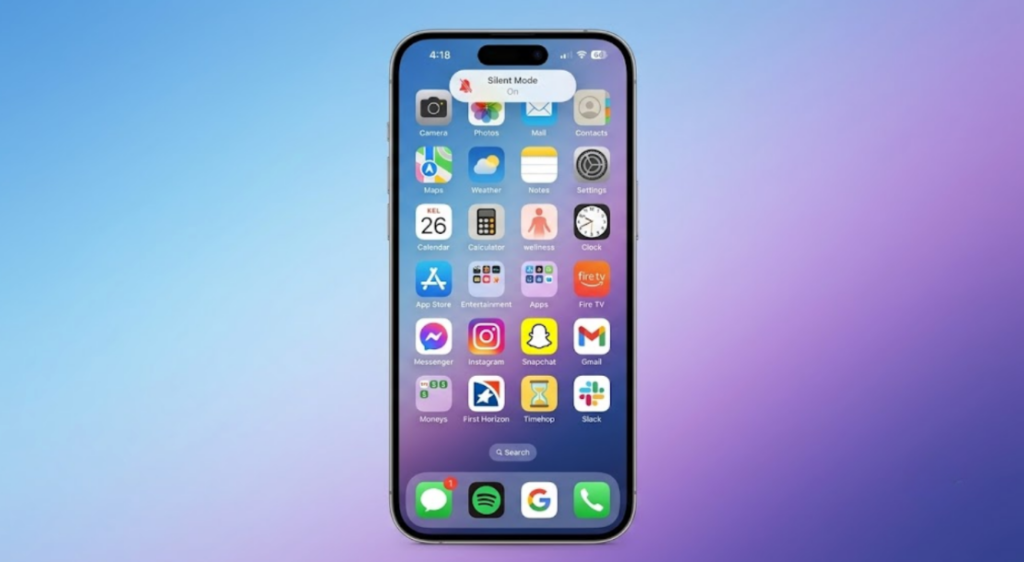
Silent mode: The silent mode function automatically silences all incoming calls without notifying on-screen. Many phone users accidentally switch on this function.
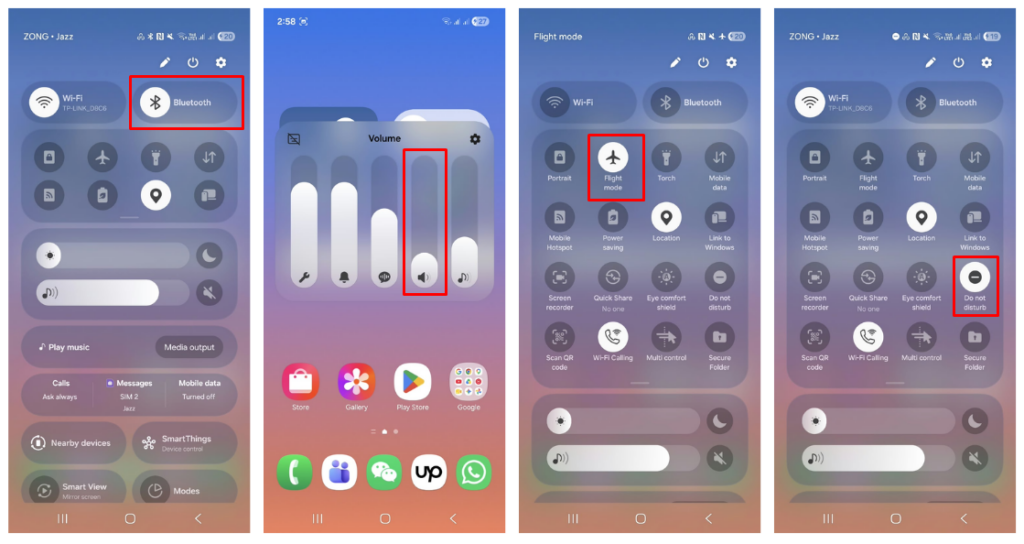
Do not disturb/Focus mode: This mode blocks all phone calls. With this option, you can unblock specific contacts by whitelisting. It allows you to filter incoming calls and notifications.
Low ringtone volume: One reason that your phone ringtone not working is that you unknowingly lower your ringing volume.
Bluetooth audio routing: It allows you to experience or transfer your phone sound to connected headphones, speakers, or car systems.
Airplane/Flight mode: Another reason behind phone call sound problems is Airplane mode. Airplane mode switches off the communication capability of your phone with cell towers. It turns off wireless radios including Bluetooth, Wi-Fi, cellular service, and mobile data.
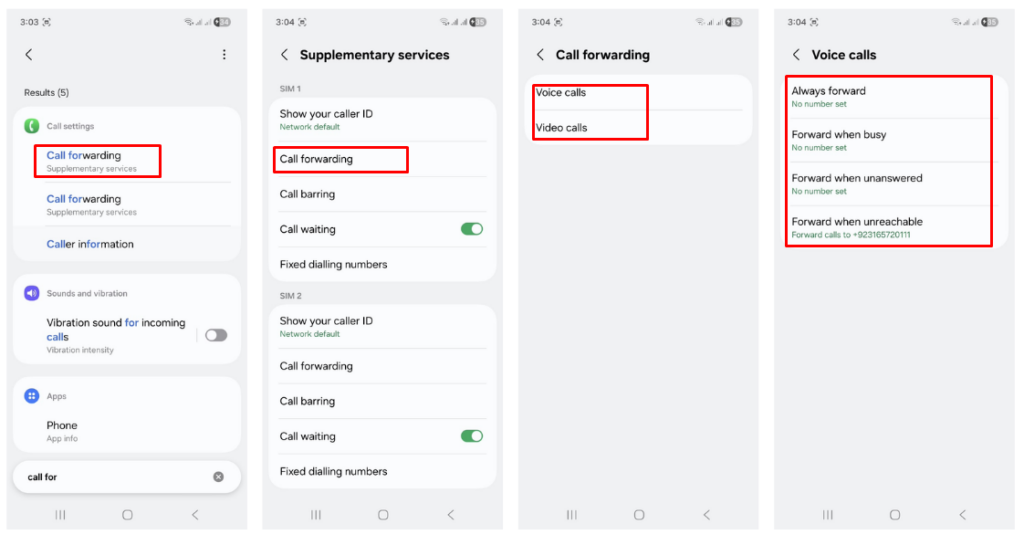
Call forwarding: When turned on, this functionality automatically transfers your incoming calls to another phone number or voicemail.
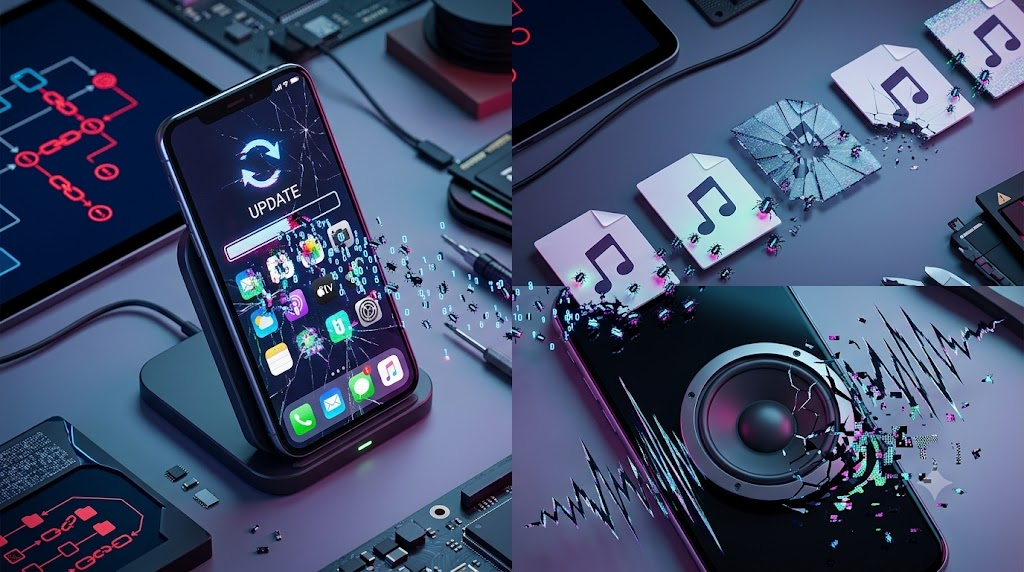
Software bugs: These bugs may be due to recent updates your phone has had. Bugged ringtone files can also lead you to experience ringtone failure on your phone.
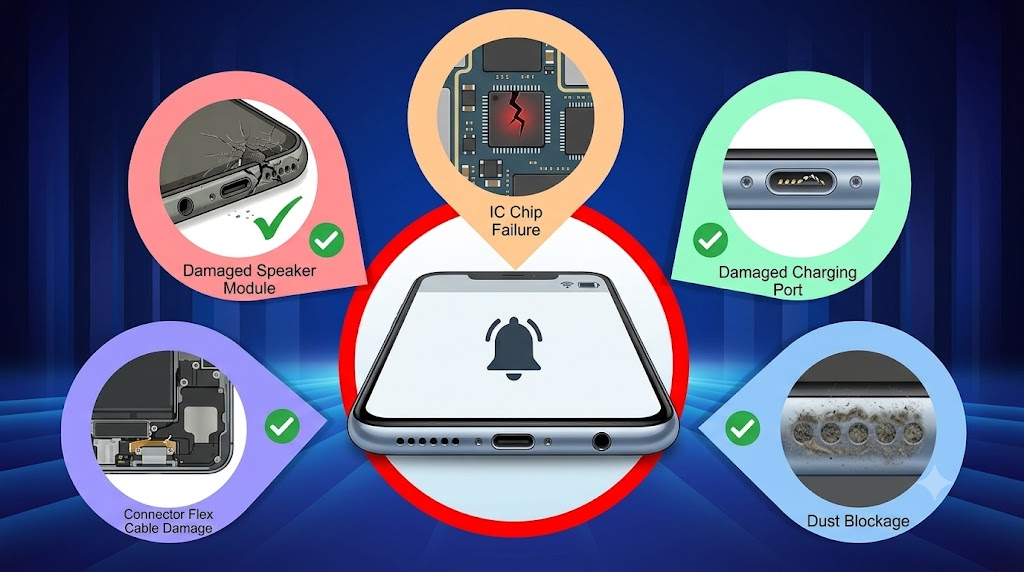
Speaker hardware failure: A damaged phone speaker module, IC chip failure, damaged charging port connectors, and dust blockage all contribute to ringtone failure.
Note: Before ruling out hardware issues, resolve software issues first for Android not ringing. It helps you save your valuable time and protects you from unnecessary part replacements.
Basic Smartphone Troubleshooting Steps
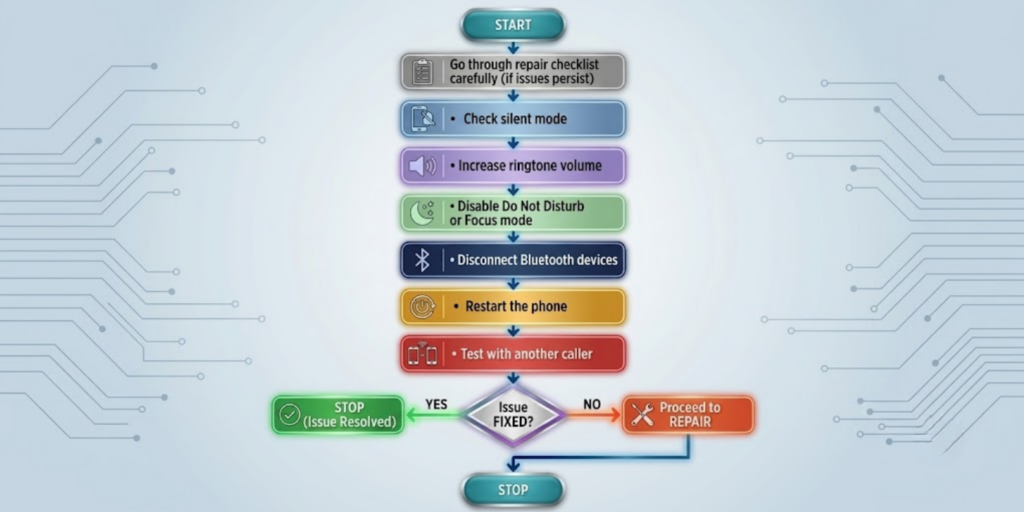
Before moving to step, if your phone needs repair, go through this checklist carefully. Follow these steps:
Step 1: Check silent mode
Check if your phone’s silent mode is on. The accidental or unknown activation of silent mode can mute all incoming calls.
Step 2: Increase ringtone volume
Raise the volume of your ringtone on your phone. Make sure you do not confuse the volume-raising function for media and ringtone.
Step 3: Disable Do Not Disturb or Focus mode
See if your phone’s Do Not Disturb or Focus mode is off. If it is on, then turn it off.
Step 4: Disconnect Bluetooth devices
Turn off Bluetooth functionality and disconnect all connected devices from your phone.
Step 5: Restart the phone
To clear the temporary conflicts with software, it is essential to restart your phone. This will resolve conflicts affecting audio behaviour.
Step 6: Test with another caller
After the restart, test the ringtone of your phone by calling from another phone device.
How to fix an iPhone that is not ringing?
Verify the emergency bypass setting for individual contacts on your phone. View contact information and add emergency bypass contacts. This means that whitelisting a number will effectively circumvent the Focus Mode restrictions.
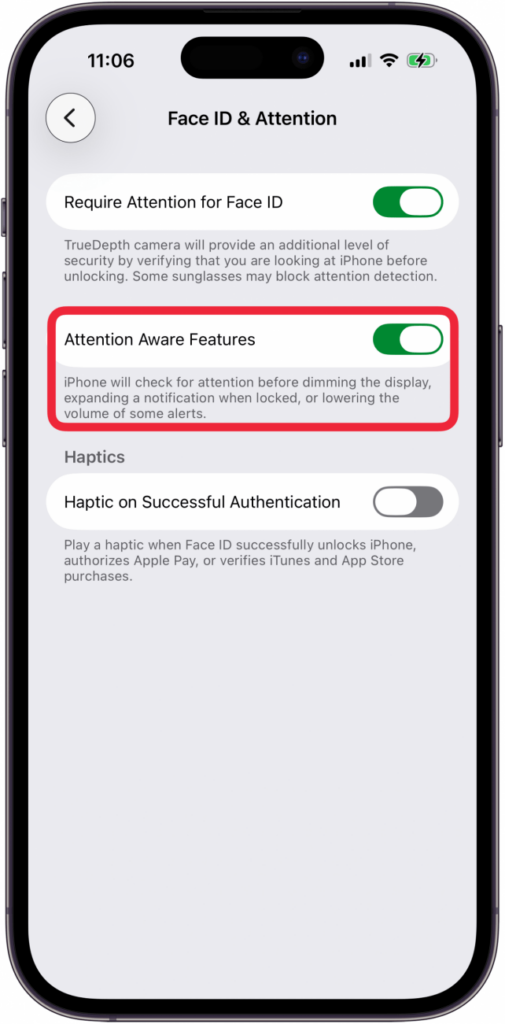
Check Face ID Attention Awareness settings that determine how notifications appear on screen. Disable this feature if your iPhone isn’t ringing despite the correct settings.
Change carrier settings by going to Settings > General > About > Update Carrier Settings to update network connections.
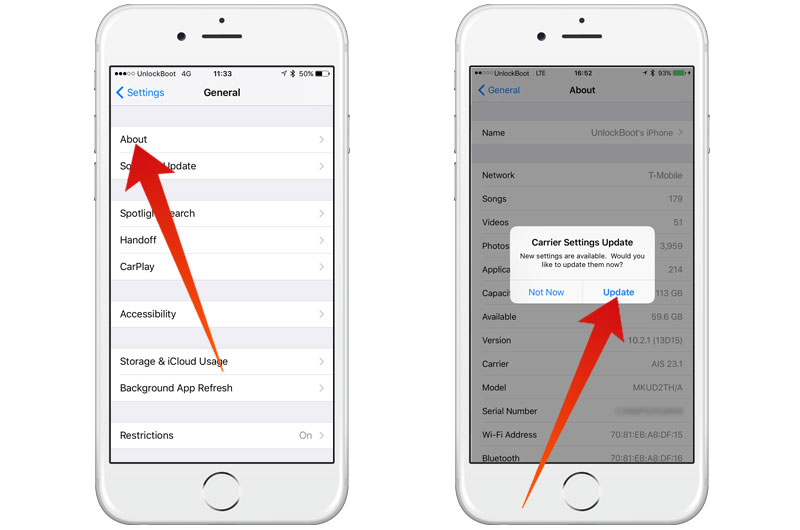
Check for the latest iOS update by going to Settings > General > Software Update. Apple releases updates regularly, to fix ringtone bugs and audio processing problems. Make sure that your device features connection to the Wi-Fi network before you begin any major system updates. By following these methods, you can resolve the iPhone not ringing issue.
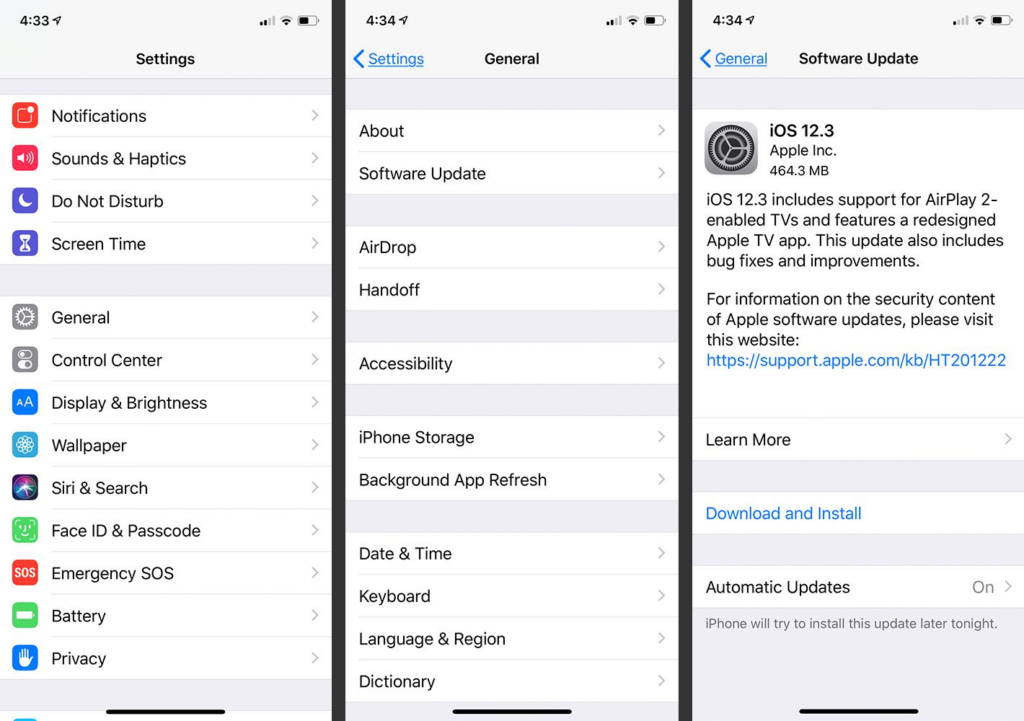
How to fix phone call sound problems
Isolating software vs. hardware issues
Use music or video to check the speaker’s ability to play sound. If audio is functioning correctly, but ringtones are not working, review the notification settings in the app. Restart your phone to eliminate temporary software glitches that can impact audio processing.
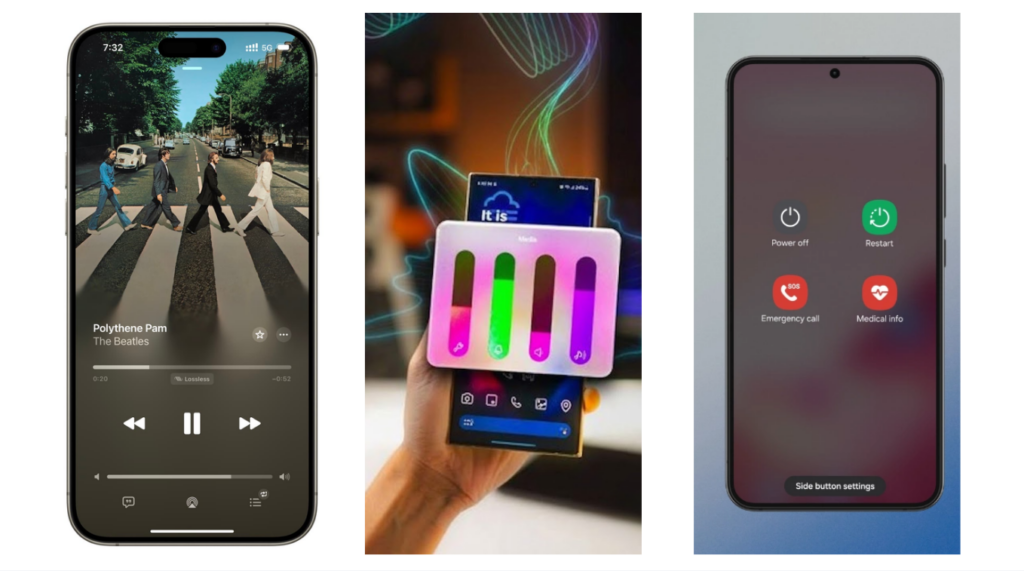
Go to your carrier’s website to see if there are network outages or service problems. Place a call from several different phone numbers to verify the issue. If network problems appear to be a problem, contact your mobile carrier’s technical support.
Testing speaker and microphone functionality
Test microphone and speaker with a call recording app. Turn on speakerphone during test calls to check speaker output quality. Pay attention to distortion, crackling, or total loss of sound during conversations.
When the problem is hardware?
Loudspeaker module damage: The loudspeaker module physically generates your ringtone, notifications, and call sound. This part can crack or become loose altogether from drops, dust or age.
Speaker flex cable failure: This is a thin cable that connects the speaker to the motherboard and transports the audio signal. If there is damage to the flex cable or it is loose, the sound stops or crackles on and off.
Audio IC issues: The audio IC chip determines and transmits audio signals within the device. If this chip fails, your phone could lose the ringtone, call audio, and media audio all at once.
Liquid damage: Water and/or moisture can cause corrosion of internal connectors and circuitry over time. This corrosion typically results in ring distortion or ring failure altogether.
Motherboard faults: Board-level damage occurs when the power and signal path to the speaker wear out. These faults are more difficult to diagnose and will generally require skills at the component level for repair.
Connector damage: If there is damage or a loose connection between the speaker and motherboard, the audio signal faces interruption. This typically causes the same “silent ringer” symptoms leading eventually to complete speaker failure.
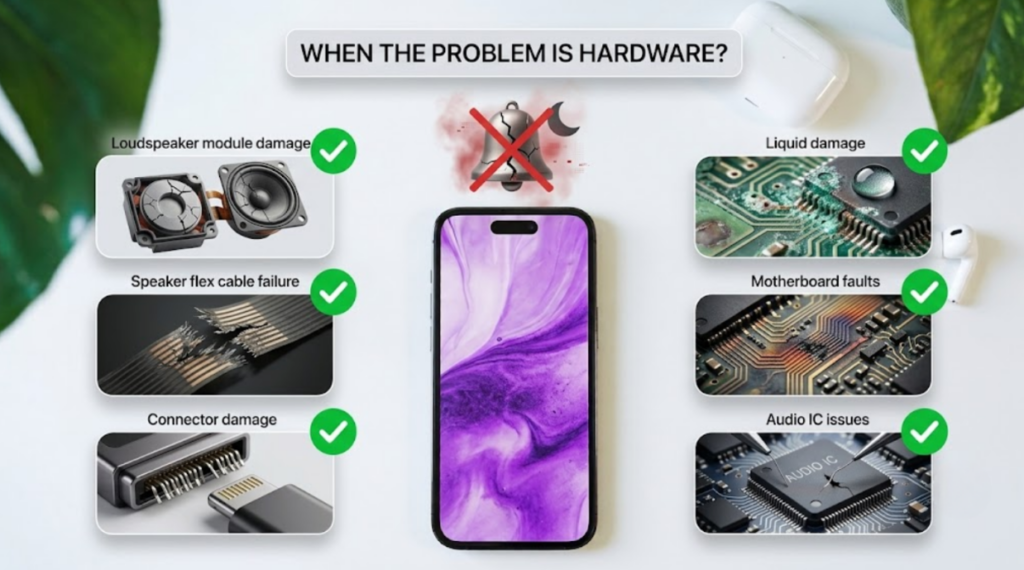
Repair technicians diagnose the problem by looking for certain symptoms to pinpoint which part has failed. If you experience intermittent sound, distorted sound, or no sound at all on all incoming calls, it’s a hardware issue. Structured phone diagnostics assist the technician in identifying the point of failure prior to repairing.
How do repair shops diagnose ringing problems?
Professional phone diagnostics is not just the same tests that consumers can do at home. Here are the key checks that expert technicians follow:
Speaker testing: Technicians use test tones to listen to the output of the phone speaker and earpiece speaker. This will immediately show if the speaker is producing any sound.
Audio diagnostics: Diagnostic software examines audio signal paths to determine where audio output is not occurring. It aids technicians in distinguishing software problems from hardware problems.
Continuity testing: It is a test that determines if an electrical circuit is continuous throughout its entire length. A broken circuit often indicates a broken flex cable/connecter.
Connector inspection: Technicians perform connector inspection under magnification to check for corrosion or looseness. Damaged pins or bent connectors often lead to intermittent or complete failure of ringtone.
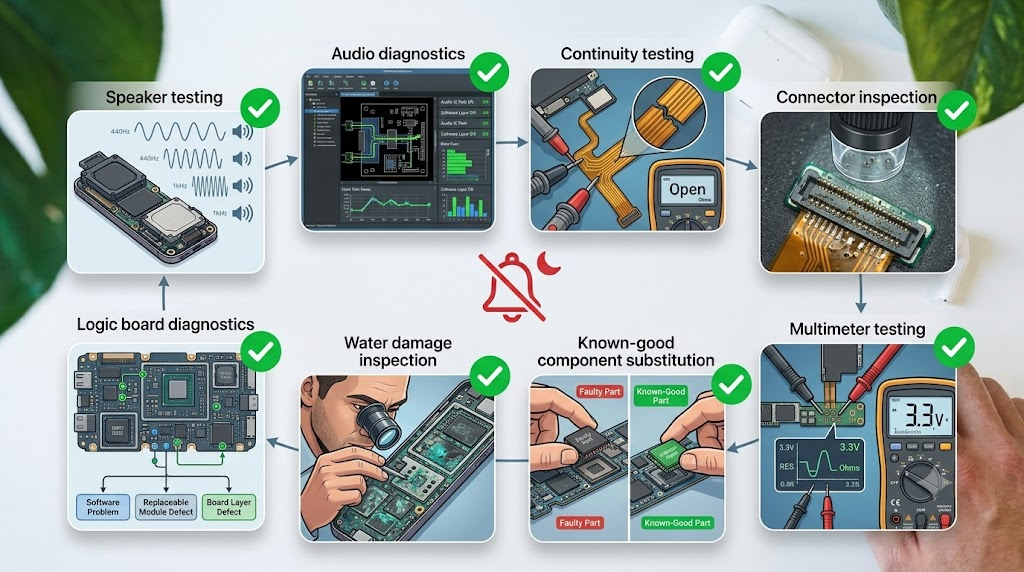
Multimeter testing: Repair shops use a multimeter to measure voltage and resistance at suspected fault locations on the board. This exact reading can verify power delivery to the audio component properly.
Known-good component substitution: Technicians replace a part with a known-to-work part and determine if this corrects the ringing problem. This is to confirm the diagnosis before installing a replacement component permanently.
Water damage inspection: Technicians inspect under magnification to look for corrosion or residue from liquid exposure. Even after a phone dries, water damage can cause a gradual deterioration of audio circuits without any obvious symptoms.
Logic board diagnostics: This last step identifies if the problem is software, a replaceable module, or the board itself. It provides a clear and cost-effective repair path rather than guesswork.
Repair or replace the phone?
| Problem | Repair Recommended | Replace Phone |
| Silent mode/settings | ✅ | |
| Speaker module failure | ✅ | |
| Audio flex cable | ✅ | |
| Water damage | Depends | Depends |
| Audio IC failure | Often | Sometimes |
| Severe motherboard damage | ✅ |
It depends on the repair cost, age of the device, and availability of parts. When a 2-year-old phone has a speaker module problem, the chances are that it is worth repairing. On an older device, it is sometimes more cost-effective to replace the motherboard in case there is severe damage.
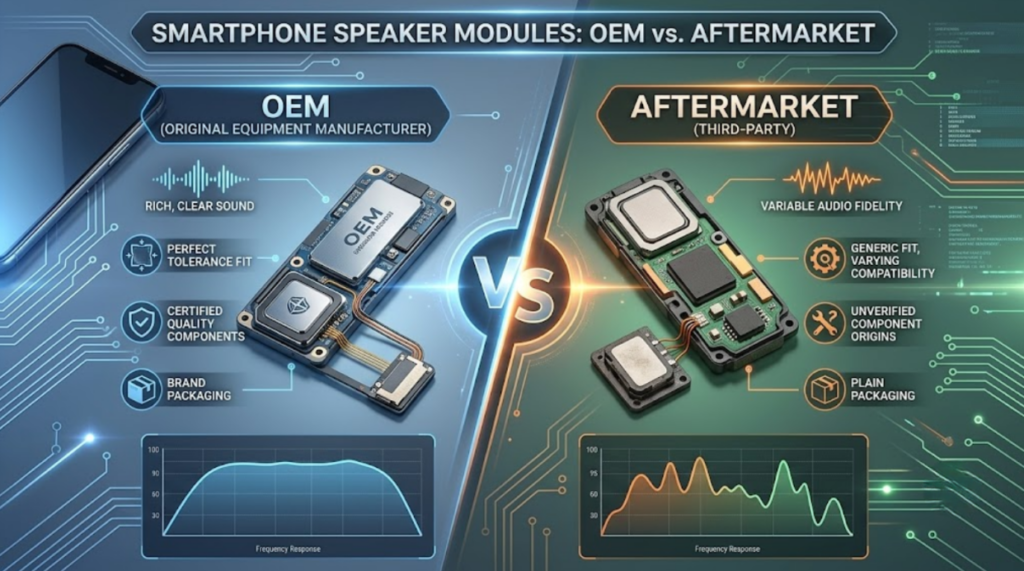
OEM vs Aftermarket speaker modules
| Feature | OEM | Premium Aftermarket |
| Audio Quality | Excellent | Very Good |
| Reliability | Excellent | High |
| Cost | Higher | Lower |
| Availability | Limited | Better |
The difference between an OEM speaker and an aftermarket speaker module is the price point and availability. OEM parts provide great sound quality and generally cost more. A good aftermarket speaker supplier will provide you with quality performance at a competitive price.
It is important to purchase from reputable mobile phone repair parts suppliers to ensure quality and warranty conditions. A cellphone repair shop that has both available can fit elements to the customer’s budget. This versatility can assist technicians to fulfill a larger variety of repair demands.
Preventing future ringing problems
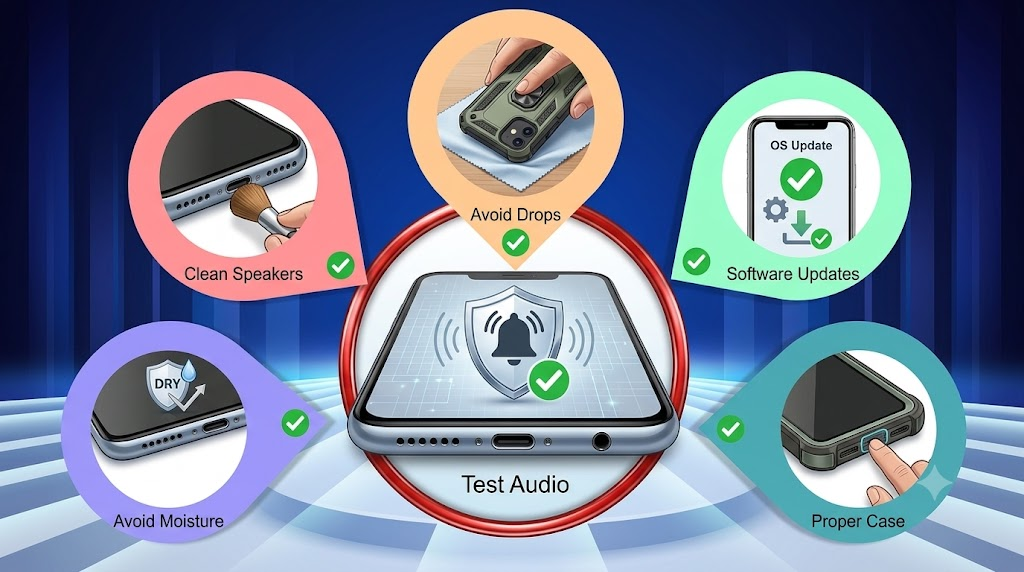
By following a few simple steps, you can ensure that your phone’s ring will function properly over time. Here are some tips for maintenance:
Keep speakers clean: Dirt and dust can build up in speaker grilles over time, which may affect ringtone sound quality. Clean the speaker openings of your phone with a soft, dry brush regularly.
Avoid moisture exposure: Water causes corrosion of internal components and often leads to sound issues when making phone calls. Avoid exposure to rain, spills, and high humidity as much as possible.
Use protective cases: A substandard case can impede your speaker grilles and make incoming calls quieter. Select a case that keeps the speaker and earpiece openings completely uncovered.
Install software updates: Manufacturers often release patches for audio-related problems with their regular OS updates. The timely installation of these updates helps to avoid frequent ringtone not working issues.
Avoid dropping the device: Impact damage can cause loudspeaker repair problems later. A sturdy case and careful handling will greatly minimize this risk.
Test audio periodically after repairs: Ensure that the ringtone, earpiece, and loudspeaker are all working after repair. Regular testing enables you to find new problems early on, prior to missing an important call.
Conclusion
Most how to fix phone not ringing problems stem from simple software settings rather than hardware failures.
Use systematic troubleshooting procedures prior to replacing any phone components or speakers. The professional repair shop diagnostics are accurate to find the root cause and feasibility of repair.
Good replacement speaker modules can make a world of difference in the reliability of repairs and customer satisfaction. SQLCD is a supplier of high-quality OEM and aftermarket phone repair parts to specialized repair shops.

Ready to restore your phone’s ringing functionality? Call SQLCD today to order top replacement speaker modules and repair solutions designed to meet your business needs.
FAQs
Why is my phone not ringing but notifications work?
Most devices have a separate volume control for Ringer and notification sounds. Look for a dedicated ringtone volume setting and not the media volume.
Why does my iPhone only vibrate?
It may be due to your silent mode being on along with vibration settings. Turn the silent mode off to enable the louder ringtone for your phone.
Can water damage stop my phone from ringing?
Yes, water can eat away at the parts of the speaker and can make the ringer completely stop working. Usually, through cleaning or speaker replacement from a professional repair shop, you can restore normal function.
How do I know if my speaker is broken?
Listen to a music or video clip for distorted, quiet, or missing sounds. If there is no sound, this indicates a hardware issue.
Can a phone repair shop fix audio problems?
Yes, a competent cell phone repair shop will be able to diagnose and replace the speaker parts. Phone diagnostics by professionals detect the reason rather than guesswork.
How much does speaker replacement cost?
The pricing depends on the type of the device, part quality, and the use of OEM or aftermarket parts. Here are the key cost ranges:
| Repair Option | Cost |
| DIY Parts | $5 – $30 |
| Independent Repair Shops | $30 – $100 |
| Official Manufacturer Mail-in | $150 – $450+ |
Do-it-yourself (DIY) kits are less expensive, but they do involve the use of micro-tools and adhesive work. Independent shops serve to provide a fast, inexpensive alternative for speaker swapping. Manufacturer mail-in repair is more expensive and usually involves screen or case replacement. Reach out to a local retailer for an exact quote for your device.