
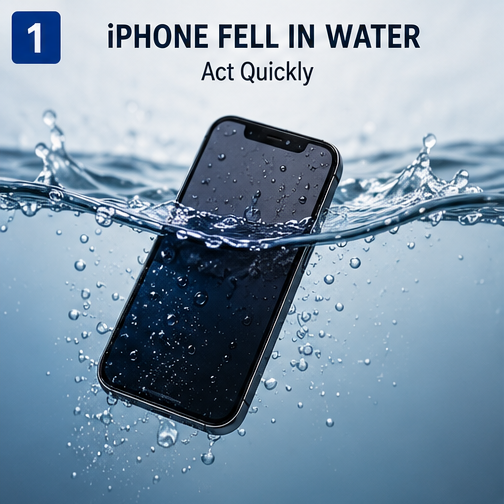
iPhone Fell in Water? Act Quickly
If your iPhone fell in water, don’t panic. The first few actions can make a significant difference. Remove the iPhone from the water immediately, disconnect any charging cable or accessory, and avoid charging or repeatedly turning it on while moisture may still be present.
Remove the case and wipe the exterior with a soft, lint-free cloth. Keep the device in a dry, well-ventilated environment and avoid external heat. If the iPhone later refuses to turn on, won’t charge, overheats, or develops display or audio problems, professional inspection may be necessary.
This guide explains what to do after water exposure, what mistakes to avoid, and how repair professionals approach a water damaged iPhone.
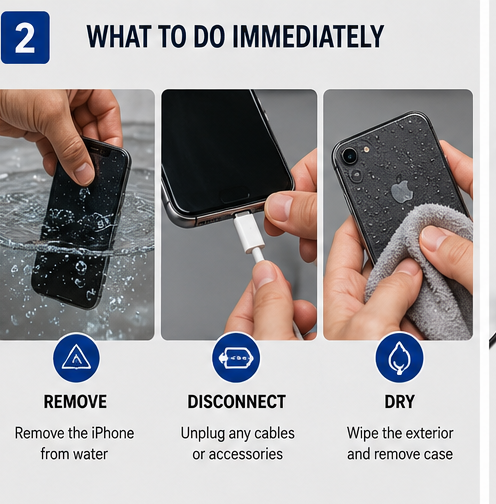
What to Do Immediately After Your iPhone Falls in Water
1. Remove the iPhone From the Water
Take the phone out of the water as quickly as possible. Whether it falls into a sink, bathtub, pool, or another liquid, prolonged exposure increases the opportunity for liquid to enter openings.
2. Disconnect the Charger
If your iPhone is connected to a charger or another accessory, disconnect it. Do not connect the phone to a charger while the charging port may be wet.
Electrical power and moisture can create additional problems.
3. Turn Off the iPhone
If the iPhone is still operating normally, power it off. If it is already off, don’t repeatedly press the power button to see whether it works.
Repeated testing isn’t a reliable way to determine whether the device is safe to use.
4. Remove the Case and Wipe the Exterior
Remove the protective case and dry visible moisture around:
- Charging port
- Speakers
- Buttons
- Camera area
- SIM tray area
- Screen and frame
Use a soft, lint-free cloth and avoid forcing moisture deeper into openings.
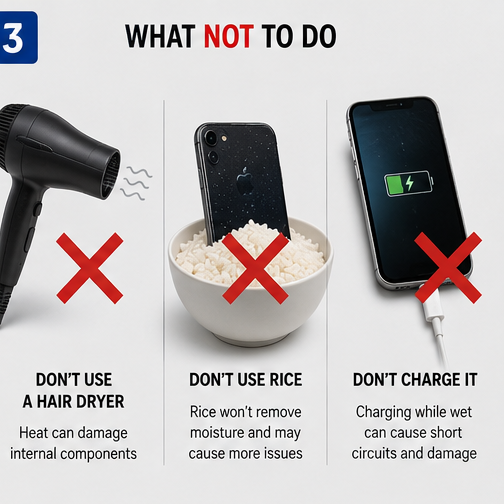
What NOT to Do After an iPhone Falls in Water
Knowing what not to do is just as important as knowing what to do.
Don’t Charge the iPhone
Avoid connecting a Lightning or USB-C cable while moisture may remain in the connector.
Don’t Use a Hair Dryer
High temperatures can damage components, adhesives, seals, and the battery. Strong airflow can also push liquid further into openings.
Don’t Insert Metal Objects Into the Charging Port
Avoid pins, paper clips, needles, or other sharp objects. They can damage the connector contacts and create additional repair problems.
Don’t Shake the iPhone Aggressively
Shaking may cause liquid to move further inside the device.
Don’t Keep Turning It On
If the phone isn’t responding, repeatedly powering it on isn’t recommended. A professional technician can perform a more controlled diagnosis.
Don’t Rely on Rice
Putting a wet iPhone in rice is a popular online suggestion, but rice doesn’t remove internal moisture or repair corrosion. Rice particles can also enter ports and openings.
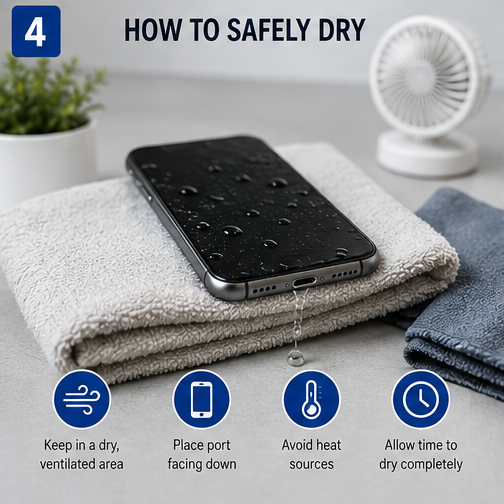
How to Dry a Water-Damaged iPhone Safely
After removing the phone from the water, carefully wipe the exterior and allow it to dry in a dry, well-ventilated environment.
Keep the charging connector free of external moisture and avoid external heat. If the iPhone displays a liquid-detection warning, don’t attempt to bypass it simply to restore wired charging.
It’s also important not to assume that leaving the phone for a specific number of hours guarantees that it is safe. Drying time can vary depending on the amount and type of liquid exposure.
If the device has experienced significant liquid exposure, professional inspection is the safest approach.
Can a Water-Damaged iPhone Still Be Repaired?
Yes, a water damaged iPhone may still be repairable, but there is no universal guarantee of successful recovery.
The outcome depends on several factors, including:
- Type of liquid
- Duration of exposure
- Amount of liquid penetration
- Whether the phone was powered on
- Whether it was charging
- Battery condition
- Corrosion
- Damage to internal components
- How quickly the device is inspected
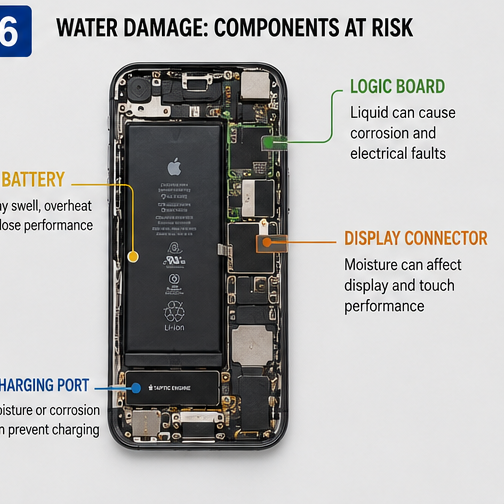
Fresh water, salt water, pool water, coffee, and soft drinks can produce different problems. Salt and dissolved substances can leave conductive or corrosive residues that may continue affecting components after the visible moisture has disappeared.
How to Fix a Water-Damaged iPhone
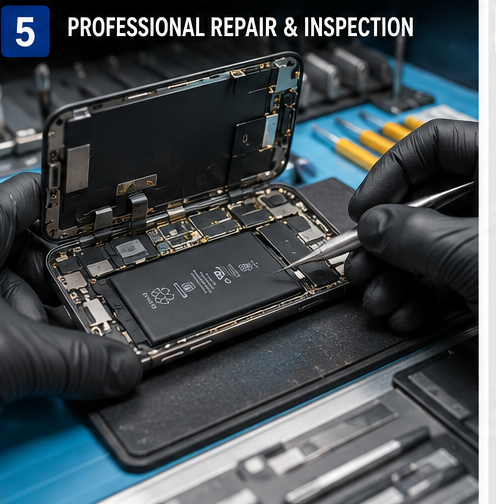
For minor exposure, safe drying and careful monitoring may be sufficient. More serious exposure should be evaluated by a qualified repair technician.
A typical repair process may include:
Step 1: Document the Symptoms
Technicians should determine what happened and what the phone was doing immediately afterward.
Important questions include:
- Did the phone turn off?
- Was it charging?
- Was it dropped in fresh or salt water?
- Does the display work?
- Does the phone recognize a charger?
- Is it overheating?
Step 2: Inspect the Exterior
The charging port, SIM area, housing, display, and other openings can provide clues about the extent of liquid exposure.
Step 3: Inspect Internal Components
Depending on the device and repair procedure, technicians may inspect connectors, flex cables, battery condition, and areas of the logic board for moisture or corrosion.
Step 4: Test Individual Functions
After appropriate diagnosis or repair, technicians may test:
- Display and touch
- Charging
- Battery performance
- Cameras
- Speakers
- Microphones
- Buttons
- Wireless connectivity
The goal is to identify the actual failed component rather than automatically replacing the battery or charging port.
Quick Checklist: iPhone Fell in Water
Do:
- Remove the iPhone from the water.
- Disconnect charging cables and accessories.
- Turn it off if it is still operating.
- Remove the case.
- Wipe away external moisture.
- Keep it in a dry, ventilated environment.
- Seek professional inspection if problems continue.
Don’t:
- Charge it while wet.
- Use a hair dryer or external heat.
- Insert metal objects into the charging port.
- Shake it aggressively.
- Repeatedly turn it on to test it.
- Rely on rice as a repair method.
Conclusion
If your iPhone fell in water, the most important step is to minimize further electrical and physical damage. Disconnect power, avoid charging, dry the exterior carefully, and don’t use heat or aggressive DIY methods.
If the phone won’t turn on, won’t charge, overheats, or develops display, battery, camera, or audio problems, don’t assume the device is beyond repair. A professional technician can determine whether the issue involves the battery, charging assembly, display, connectors, or logic board.
For repair shops and wholesalers, understanding the difference between liquid exposure, battery failure, and charging-port damage is essential for accurate diagnosis and effective repair.