
An iPhone battery does not fail overnight. It degrades gradually based on usage patterns, charging behavior, temperature exposure, and daily workload. The real issue is not how long a battery lasts on a single charge, but how to maintain iPhone battery health over time before noticeable performance decline begins.
Improving iPhone battery health goes beyond daily screen time. It involves managing charging cycles, properly configuring iOS battery settings, controlling background processes, and recognizing the right moment for replacement.
This guide outlines professional strategies to maintain iPhone battery health, reduce battery drain, extend device lifespan, and help repair shops provide accurate, data-backed replacement recommendations.
Understanding iPhone Battery Health
When users search for how to improve iPhone battery health, many confuse battery life with battery health. In iOS, battery health refers to the maximum capacity of the battery compared to when it was new. You can check this in “Battery Health & Charging” settings.
Here, Apple displays the current battery health percentage along with peak performance capability status.
What Does iPhone Battery Health Mean in iOS?
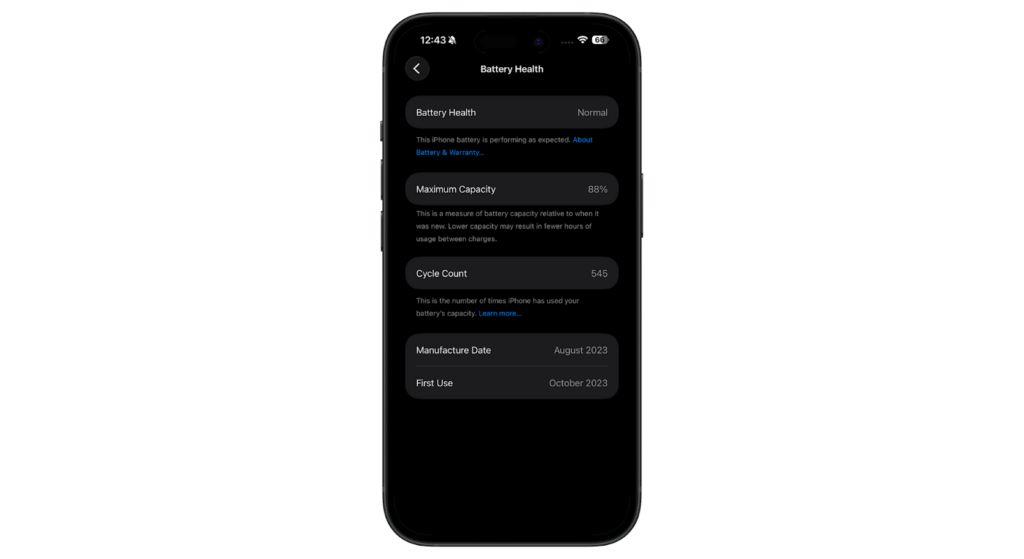
Your iPhone’s battery health percentage reflects how much of the original capacity remains. For example, 100% means the battery can still hold a charge equivalent to its factory capacity. If it drops to 85%, the battery now holds only 85% of its original power.
This directly impacts battery life. Lower battery health means shorter usage time between charges, more frequent charging sessions, and earlier activation of Low Power Mode. In more advanced degradation cases, iOS may limit peak performance to prevent unexpected shutdowns.
Battery Capacity, Charge Cycles, and Performance Impact
Every iPhone uses lithium-ion battery technology. These batteries degrade naturally over time with each charge cycle. One charge cycle equals using 100% of the battery’s capacity — whether in a single full discharge or through multiple partial charges throughout the day.
Apple designs most iPhone batteries to retain around 80% of their original capacity after approximately 500 charge cycles under standard conditions. However, heavy use, frequent fast charging, prolonged exposure to high temperatures, and extended time at full charge can accelerate aging.
As battery capacity declines:
- The phone drains faster.
- Background app refresh and background processes consume power more noticeably.
- Performance throttling may activate.
- Unexpected shutdowns may occur under load.
For repair businesses, understanding this cycle behavior is critical for diagnosing complaints about battery drain or performance.
Signs of Battery Degradation
Recognizing battery degradation early allows users and technicians to adjust habits before failure becomes disruptive.
Common signs include:
- Noticeable battery drain during light usage.
- Battery health is dropping below 80%.
- Device overheating during standard tasks.
- Slow charging or inconsistent charge readings.
- Performance management notifications.
- Sudden shutdowns despite a visible battery percentage.
Battery degradation is normal over time, but charging behavior, heat exposure, and background usage significantly influence the rate of decline. Identifying these variables early helps maintain iPhone battery health and plan replacements strategically.
Best Practices to Maintain iPhone Battery Health
To maintain iPhone battery health long term, consistent daily habits matter more than occasional fixes. Battery aging is gradual, but charging patterns and system optimization directly affect how quickly capacity drops.
Below are practical methods that genuinely help extend battery life and preserve battery health percentage.
Charging Habits
How and when you charge your iPhone matters a lot for battery health and longevity.
Avoid Extreme Temperatures
Heat remains one of the most damaging factors for lithium-ion batteries. Leaving an iPhone in a hot vehicle, charging under fabric or pillows, or exposing it to direct sunlight can permanently affect battery chemistry.
Cold temperatures may cause temporary performance drops, but heat leads to long-term degradation. If the device becomes warm during charging, removing the case and allowing it to cool can reduce stress on the battery.
For repair shops, repeated overheating complaints often correlate directly with accelerated battery wear.
Partial Charging Instead of Full Cycles
Modern lithium-ion batteries do not require full discharge cycles. That guidance applied to older battery technologies, not current iPhone models. Maintaining charge levels between roughly 20% and 80% reduces internal strain.
Charging from mid-level to 80% consistently is less stressful than repeatedly cycling from 0% to 100%. Frequent partial charges support long-term battery capacity retention and slow degradation over time.
Do Not Let Battery Drop to 0% Frequently
Occasional full discharge is acceptable, but making it a routine practice increases chemical stress within the battery. If devices consistently shut down at low percentages, it may indicate declining iPhone battery health. Monitoring this pattern early helps prevent performance instability.
Software Optimization
Hardware habits alone are not enough. iOS includes built-in features that directly support battery longevity.
Using Optimized Battery Charging
Optimized Battery Charging is a core feature designed to slow battery aging. Located under:
Settings > Battery > Battery Health & Charging
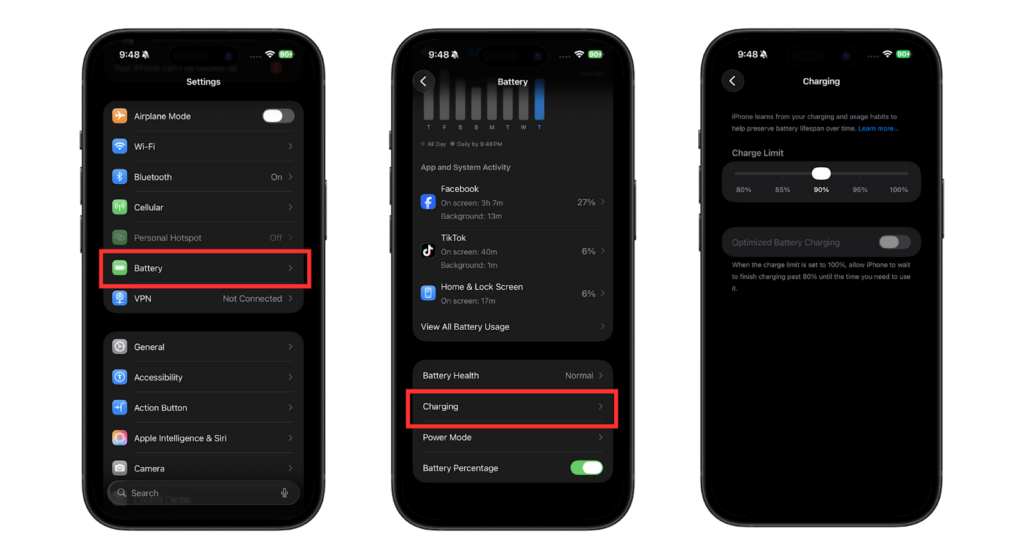
The system learns user routines and delays charging beyond 80% until just before the device is typically unplugged. For example, if a phone is charged overnight, it pauses at 80% and completes the charge closer to morning.
Reducing the time spent at 100% charge significantly slows long-term battery wear. For most users and business clients, this feature should remain enabled at all times.
Updating iOS Regularly
iOS updates frequently include refinements to power management, background processing efficiency, and thermal control.
Outdated systems may cause unnecessary battery drain due to software bugs or inefficient background tasks. Keeping devices updated ensures optimized energy distribution and improved battery charging behavior.
Reducing Background Activity and High-Drain Apps
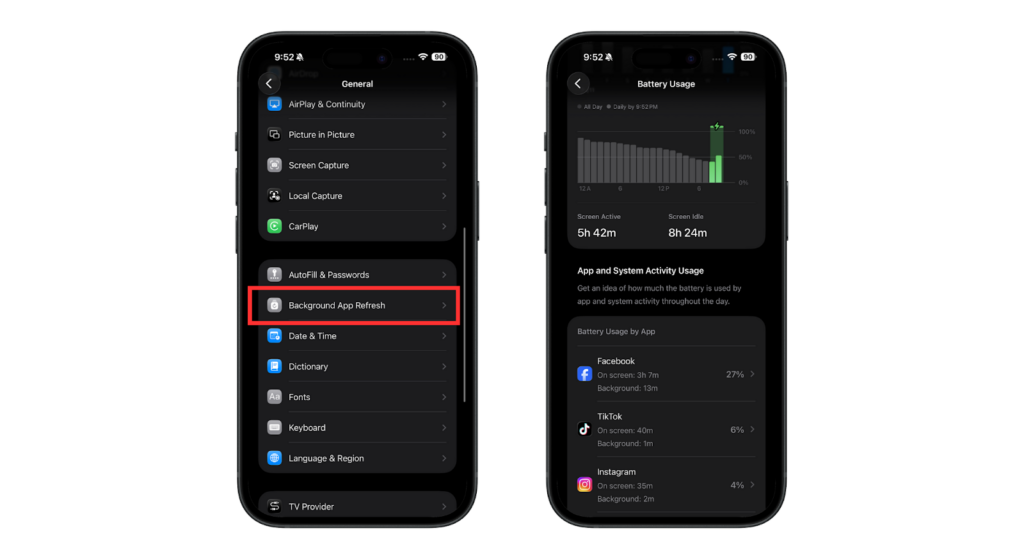
Background processes contribute significantly to daily battery consumption. To reduce unnecessary drain:
- Review battery usage analytics.
- Disable background app refresh where not required.
- Limit location services to essential apps.
- Disable Bluetooth if not in active use.
- Activate Low Power Mode during high-demand periods.
Lower background activity reduces stress on the battery and helps extend operational lifespan.
Professional Maintenance Tips
For repair shops and refurbishment businesses, battery health management impacts warranty claims, customer satisfaction, and long-term margins.
Advice for Repair Shops to Share with Clients
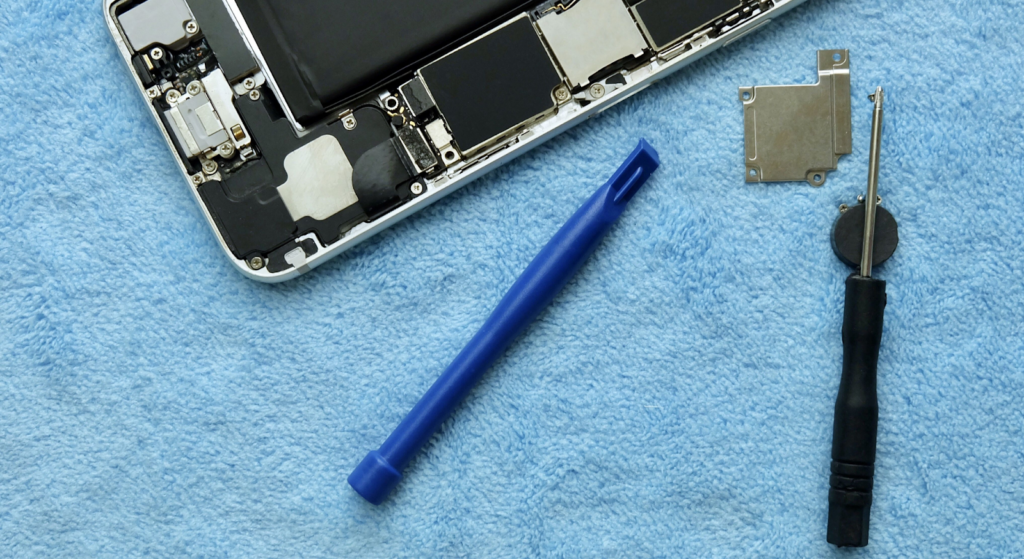
Technicians should provide clear, practical guidance:
- Avoid prolonged heat exposure.
- Do not leave devices plugged in continuously when they are not in use.
- Enable Optimized Battery Charging.
- Minimize repeated deep discharge cycles.
Proactive education reduces premature replacement requests and builds trust with long-term clients.
Monitoring Battery Health Trends
Repair shops should monitor battery health percentage trends during diagnostics. A rapid drop below 85% within a short period may indicate heavy usage or poor charging practices.
Tracking charge cycles and usage patterns allows technicians to distinguish between battery degradation and software-related issues. This improves diagnostic accuracy and prevents unnecessary replacements.
When to Schedule Proactive Replacements?
Once battery health drops below 80%, degradation becomes significant. Performance throttling, instability, and frequent charging often follow.
For business clients relying on device uptime, scheduling replacement before a severe decline prevents operational disruption. Proactive replacement strategies protect both device performance and client relationships.
iPhone Battery Replacement Considerations
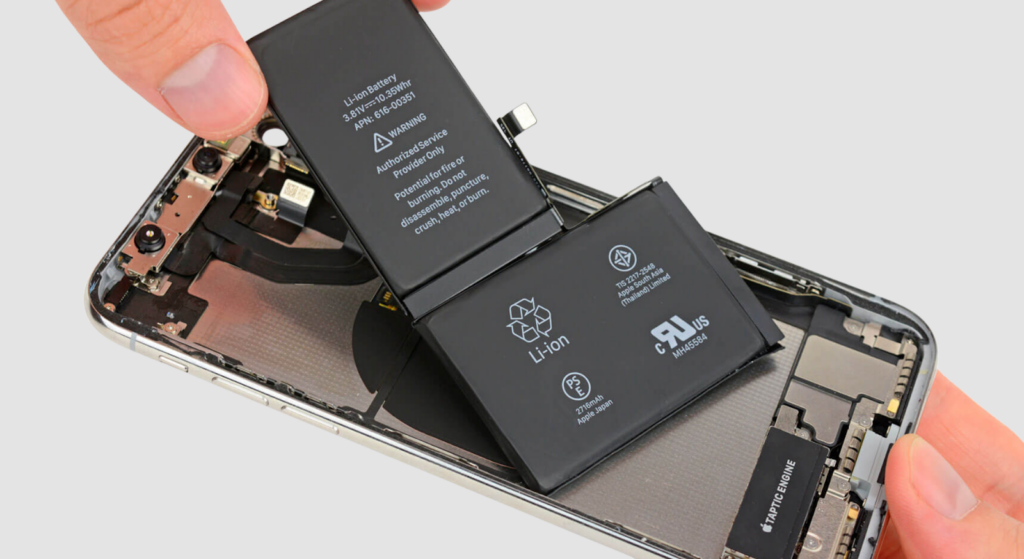
Even with ideal charging habits and optimized settings, lithium-ion batteries eventually reach the end of their service life. Understanding when replacement becomes necessary and evaluating cost implications allows both users and repair businesses to make informed decisions.
When Replacement Is Needed?
Battery replacement becomes unavoidable under the following conditions:
Battery Health Below 80%
Apple generally identifies 80% battery health as the key threshold. Below this point, capacity reduction becomes noticeable. Users may experience:
- Shorter daily battery life
- Faster percentage drops
- Multiple charging sessions per day
At this stage, replacement is often more practical than continued optimization.
Performance Throttling or Unexpected Shutdowns
As battery degradation progresses, iOS may limit peak performance to prevent shutdowns.
Warning indicators include:
- Shutdowns at 10–30%
- Slow charging or overheating
- Rapid drain under light usage
If issues persist after software adjustments, replacement is typically the correct course of action.
Replacement Options
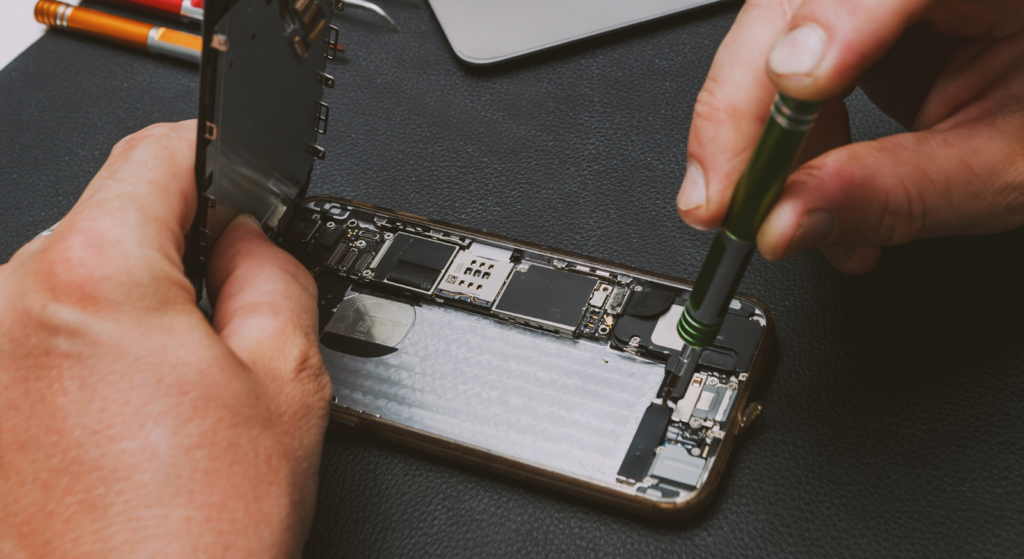
Here are the battery replacement options you get in such a situation:
OEM vs Aftermarket
Replacement options include OEM batteries and high-quality aftermarket alternatives. OEM batteries align with Apple’s design standards, offering predictable capacity and safety performance. High-grade aftermarket batteries can perform similarly if manufactured with high-quality cells and proper protection circuits.
However, low-grade alternatives may degrade rapidly, report inaccurate battery health, or create overheating risks. For repair shops, sourcing consistent, reliable suppliers is essential to minimize warranty returns.
Bulk Replacement for Repair Shops
For refurbishment centers and volume repair operations, battery replacement is often integrated into the workflow.
Proactive battery replacement during refurbishment:
- Extends resale lifespan
- Increases resale value
- Reduces post-sale complaints
Maintaining inventory for high-demand iPhone models improves turnaround time and operational efficiency.
Cost Implications
The biggest factor in iPhone battery replacement is the price. Here’s a breakdown:
Average Cost by iPhone Model
iPhone battery replacement cost varies by model and region. Newer devices with higher-capacity batteries generally have higher replacement costs.
In many markets:
- Authorized service pricing is higher.
- Independent repair shops offer more flexible pricing.
- Model-specific cost planning supports better margin calculation.
Understanding pricing structure is essential for B2B planning.
Labor Costs for Professional Repair Shops
Battery replacement includes:
- Device opening
- Adhesive removal
- Battery disconnection
- Installation and calibration testing
Shops with standardized procedures and proper tooling reduce labor time and increase profitability per repair.
Impact on Business Operations and Client Satisfaction
Timely replacement improves:
- Device performance
- Customer satisfaction
- Repeat business
Delaying necessary replacement often results in complaints and downtime. In B2B environments, reliability directly affects reputation. Investing in higher-quality batteries may reduce long-term returns and service claims.
Tools and Techniques for Repair Shops
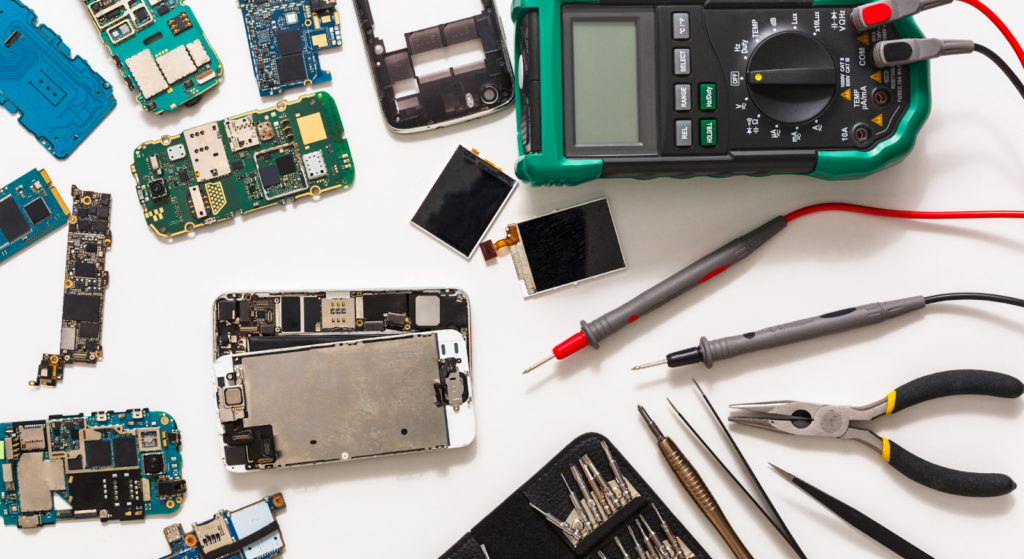
Maintaining and improving iPhone battery health requires more than advice. It demands structured diagnostics, quality tooling, and disciplined workflow management.
Diagnostic Tools for Monitoring Battery Health
Technicians should begin by reviewing iOS battery health data to assess maximum capacity and performance status.
For deeper insights, professional diagnostic tools and software can access charge-cycle counts and condition metrics not fully displayed in iOS. A DC power supply enables real-time monitoring of current draw during testing, especially when addressing abnormal drain or shutdown issues.
Thermal monitoring during charging tests helps detect overheating patterns that shorten battery lifespan. Identifying abnormal power behavior allows technicians to distinguish between battery wear and board-level faults.
Professional Replacement Workflow
A structured workflow minimizes risk and maintains repair quality. The process should begin by powering off the device and disconnecting the battery immediately after opening. Controlled heat application loosens adhesive safely without damaging adjacent components.
Technicians must avoid bending or puncturing lithium-ion batteries during the removal process. Proper alignment and fresh adhesive ensure secure installation.
Before sealing the device, it is essential to perform full charging tests and verify power stability. Confirming that iOS recognizes the battery correctly and displays accurate battery health data prevents future service issues.
Tips to Reduce Replacement Errors
To minimize risk:
- Avoid fully discharging the device before repair.
- Use only high-quality replacement batteries.
- Perform repairs in a moisture-free environment.
- Inspect connectors carefully during reassembly.
- Ensure flex cables are not pinched.
Minor oversights during installation can lead to long-term battery drain or overheating complaints. Consistent quality control distinguishes professional repair operations from low-grade service providers.
FAQs
How can repair shops help clients maintain battery health?
Repair shops can guide clients on proper battery charging behavior, enabling Optimized Battery Charging and avoiding excessive heat exposure. Regularly reviewing battery health in iOS and reducing background activity also helps extend battery life.
Does Optimized Battery Charging really help?
Yes. Optimized Battery Charging reduces the time a battery remains at 100 percent charge, slowing chemical aging. Over extended periods, this feature meaningfully supports capacity retention.
How long does an iPhone battery last with proper care?
Most iPhone batteries last approximately 2 to 3 years or around 500 charge cycles under normal usage conditions. With controlled heat exposure and disciplined charging habits, lifespan can approach the upper end of that range.
When should professional replacement be recommended?
Replacement is recommended when battery health falls below 80 percent, performance throttling becomes noticeable, or shutdowns occur. At that stage, replacement is often more cost-effective than continued troubleshooting.
Can aftermarket batteries perform as well as OEMs?
High-quality aftermarket batteries can perform close to OEM standards if built with proper cell grade and safety circuitry. However, inconsistent suppliers may result in reduced lifespan and reliability.
Conclusion
Improving iPhone battery health begins with structured charging habits, temperature control, and optimized system settings. Features such as Optimized Battery Charging, limiting background processes, and avoiding repeated full discharges meaningfully extend battery lifespan.
For repair shops and wholesalers, combining client education with professional workflow and reliable battery sourcing strengthens operational efficiency. Monitoring battery health trends, replacing batteries proactively, and maintaining quality standards protect long-term business reputation.
Battery health is not a short-term fix. It is a lifecycle management strategy. Data-driven diagnostics, disciplined repair processes, and consistent component quality ensure devices remain reliable for years.