
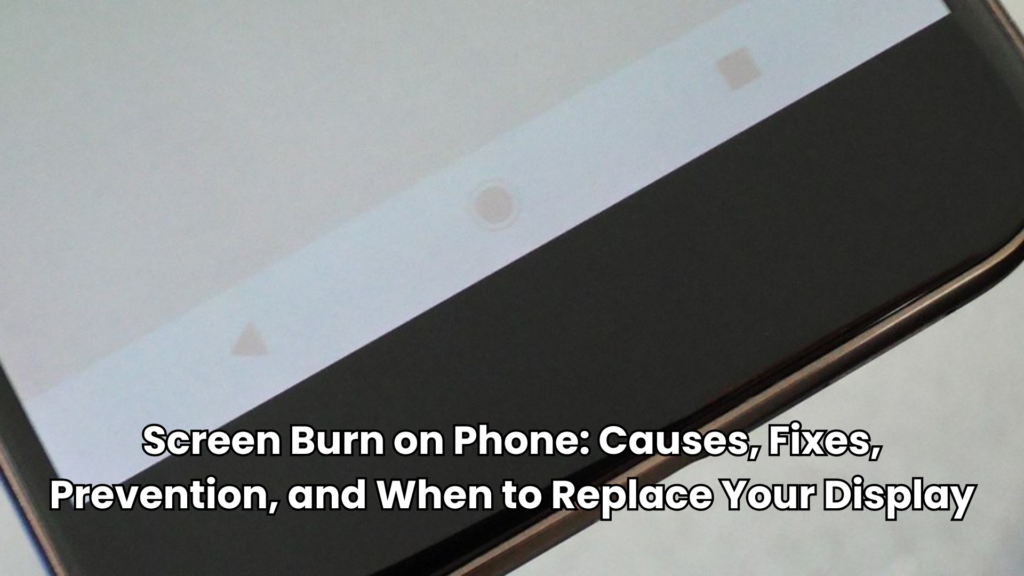
Pull out an old phone, and you might notice something odd near the top of the screen. It is usually a faint outline of the clock, a status bar, or a navigation button that’s supposed to be gone. That’s screen burn on phone displays. This is one of the more common complaints among long-term OLED and AMOLED users.
So, this guide walks through why it happens and how to fix it when possible. We will also discuss how to stop it before it even starts. Let’s get started.
What is Screen Burn on Phone?
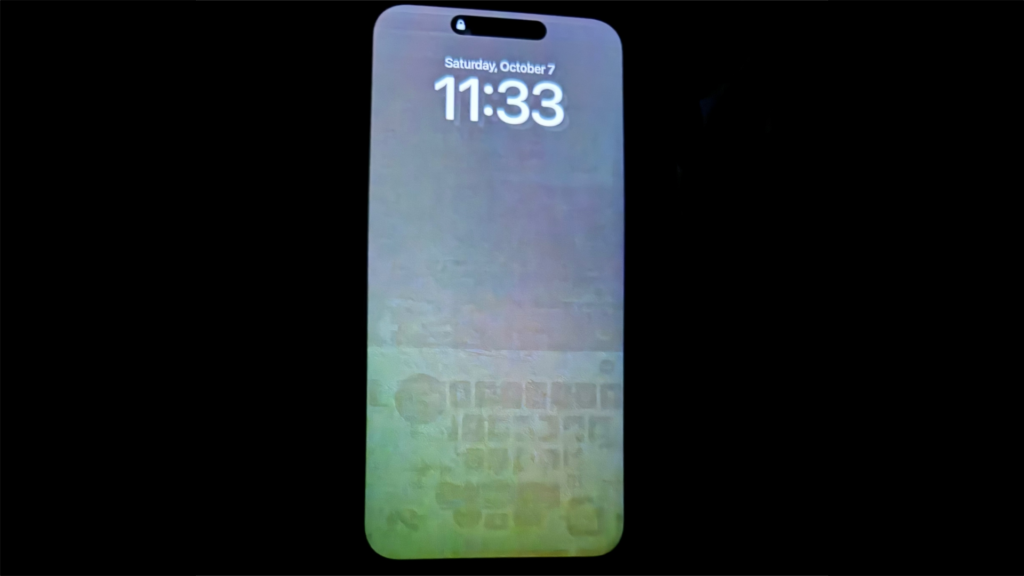
Screen burn on phone displays happens when part of an image stays visible even after you switch to something else. You will see a faint shadow of an old logo, a keyboard, or a navigation bar. That leftover mark is called a ghost image, and it’s the tell-tale sign of the problem.
However, it is also important to separate two terms that get used interchangeably but aren’t the same thing:
- Image retention: This is temporary. It is a ghost outline that appears briefly after a static image has been on screen. It usually fades within seconds or minutes once the display changes.
- Screen burn-in: This is permanent. The affected pixels have physically aged faster than the pixels around them. And the discoloration stays no matter what content is shown afterwards.
Apple’s own documentation on its OLED displays concludes these same points. It describes image persistence as a normal, temporary effect while treating true burn-in as a separate, longer-term concern.
The term “screen burn” can be a bit misleading. Nothing is actually burning. It is really the result of uneven pixel aging where some pixels wear down faster than the ones around them.
But which screens are affected? Mostly self-emissive panels. An OLED screen, which lights each pixel individually, is the most vulnerable. Also, an AMOLED display, a common variety of OLED used in phones, carries the same risk. Traditional LCD panels rarely suffer true burn-in because they use a shared backlight instead of per-pixel light.
What Causes Screen Burn?
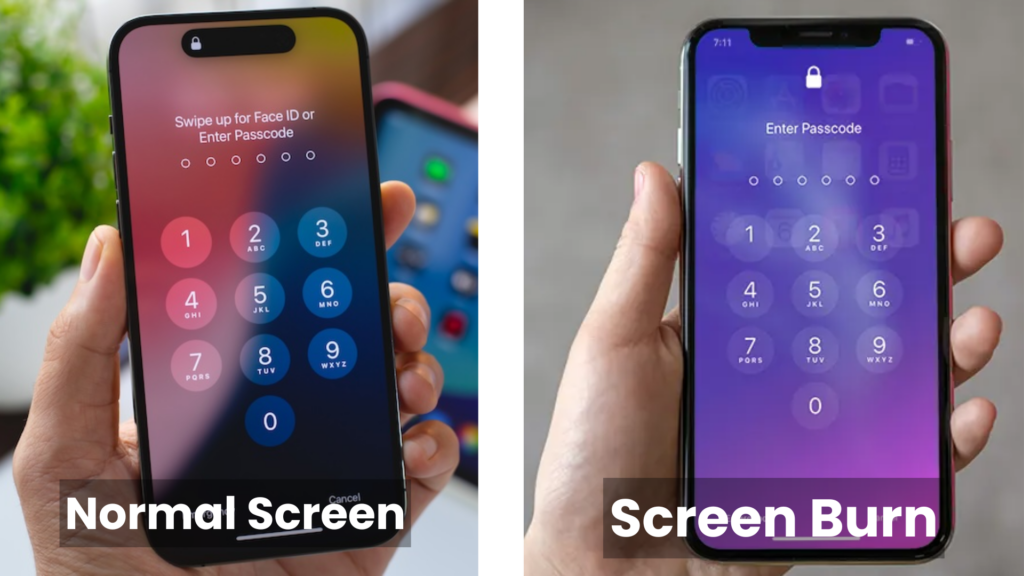
Screen burn is caused by uneven pixel aging, most commonly on OLED displays. Static images such as navigation bars, app icons, keyboards, or always-on displays can wear certain pixels faster than others. This leaves faint permanent ghost images over time.
If you are wondering what causes screen burn, the short version is repetition. The same bright, static image sits in the same spot for hours, day after day, and those pixels tire out ahead of their neighbors.
That said, here are the usual causes for screen burn:
- Static navigation bars: The row of buttons at the bottom of the screen barely moves.
- Always-On Display (AOD): A clock or notification panel that stays lit even when the phone is idle.
- Gaming HUDs: Health bars, minimaps, and score counters that stay fixed during long play sessions.
- GPS navigation: Map overlays and turn arrows parked on-screen during long drives.
- High screen brightness: Brighter pixels draw more power and wear faster.
- Long display-on time: The more hours a static image shows, the greater the risk.
- Aging OLED pixels: Research on OLED degradation mechanisms shows that blue subpixels are chemically less stable than red and green ones. They are also likely to lose brightness fast. That is why burn-in ghosting usually carries a color tint rather than showing up as plain gray.
But it is worth being clear on one point. Burn-in has nothing to do with actual heat damage or fire. The term is a holdover from older plasma and CRT displays. What really happens on a modern phone is gradual, uneven loss of pixel brightness and color accuracy caused by usage patterns.
Which Displays are Most Affected?
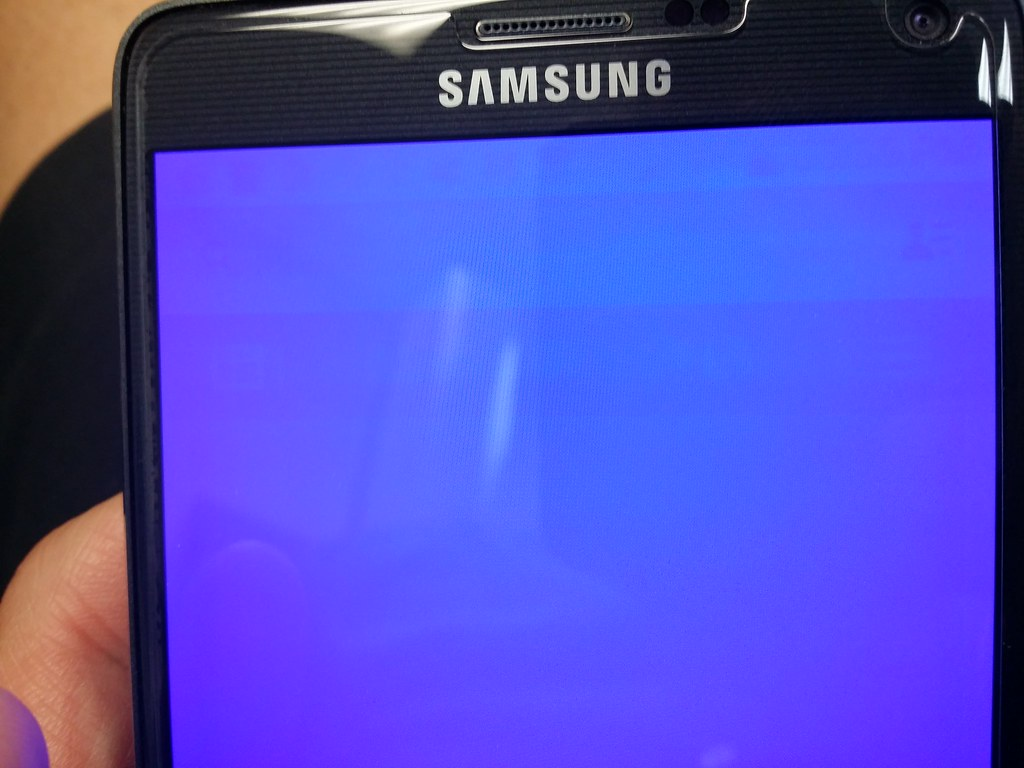
Not every panel carries the same risk. Self-emissive screens are the ones you should watch. Mostly, LCD-based panels, including IPS LCD, deal with brief retention, not permanent marks.
In RTINGS’ accelerated testing, OLED TVs were the panels that developed true burn-in under sustained static content. Alternatively, LCD/LED-backlit sets were far less prone to burn-in itself but showed other issues, like backlight and uniformity failures, instead.
Here’s how the common panel types stack up:
| Display type | Burn-in risk | Image retention |
| OLED | High | Low |
| AMOLED | High | Low |
| Super AMOLED | Moderate to high | Low |
| IPS LCD | Very low | Temporary only |
| TFT LCD | Very low | Temporary only |
| In-cell LCD | Very low | Temporary only |
It is important to note that OLED screens and AMOLED display panels are self-emissive. This means each individual pixel produces its own light and can be switched completely, which is how these panels achieve true blacks and strong contrast. But the same design is exactly what makes them vulnerable. They have organic compounds inside each subpixel that degrade with use, and red, green, and blue subpixels age at different rates. Thus, heavy and repetitive use of certain pixels leaves a visible trace.
IPS LCD, TFT LCD, and In-Cell LCD panels all work differently. For instance, a single backlight shines through a layer of liquid crystals and color filters, and that backlight shines the entire panel not pixel by pixel.
That is why LCD-based displays only experience brief, reversible image retention. You can also take an in-depth look at the differences between OLED vs IPS and TFT vs IPS screen technology to see how each performs.
How to Fix Screen Burn on a Phone
The entire process of how to fix screen burn on phone displays depends entirely on whether the issue is temporary retention or actual burn-in. The two require very different responses:
Temporary Image Retention
If the ghost image fades over time or disappears after a reboot, it’s likely to be retained. These are a few steps that can help:
- Turn off the screen: Power the phone down to give the display a rest for a few hours, or even overnight. This allows the affected pixels to somewhat recover.
- Play full-screen videos: Bright, constantly moving videos exercise pixels evenly. This can help mask or reduce faint retention.
- Use pixel refresh tools: Many manufacturers build a pixel-refresher function into their software that periodically shifts and evens out pixel wear in the background.
- Run color cycling apps: A dedicated fixer app cycles the screen through a series of solid colors and inverted patterns. This can be really helpful to reduce the visibility of minor retention.
- Reduce brightness temporarily: It can take some of the stress off the affected pixels to lower your phone’s brightness while the screen recovers.
Permanent OLED Burn-in
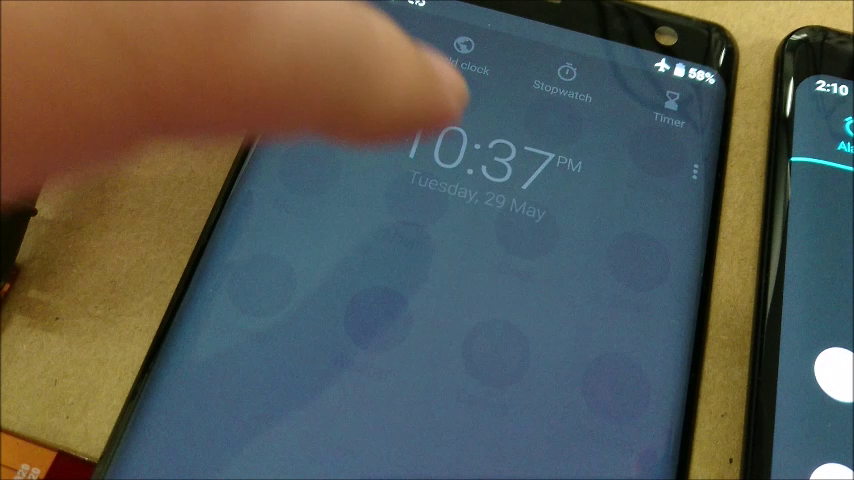
Has the burn-in set in? Then, no combination of software tricks will fully reverse it because the pixels themselves have physically aged and lost brightness to their neighbors. At that point, the only real fix is a display replacement:
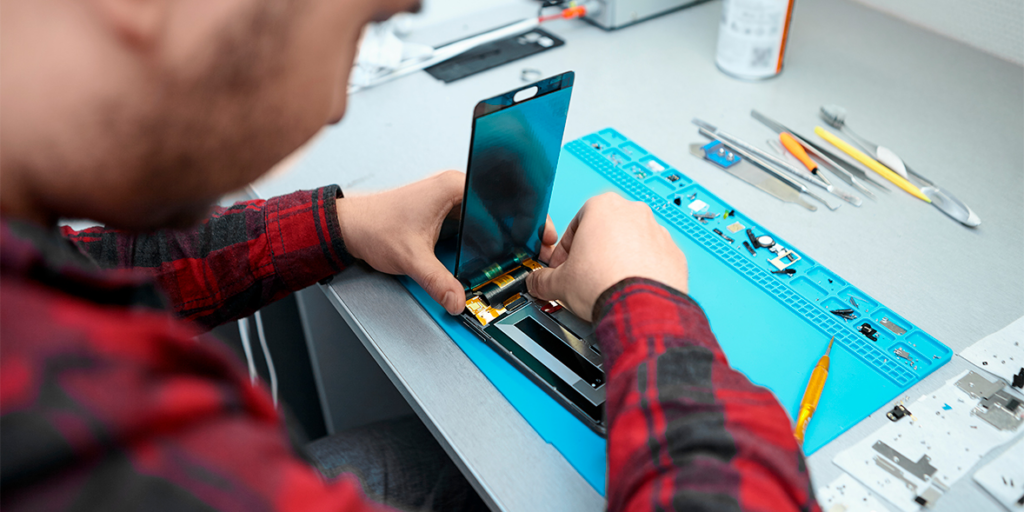
- Replace the display assembly: This is the only permanent solution once burn-in is confirmed. It is important to choose a well-matched OLED replacement because replacement panels vary widely in build quality. So, consider buying from a reliable source, as it matters for color accuracy and longevity.
- Professional repair recommendations: A skilled repair technician can determine if the issue is really permanent before recommending a replacement. This can avoid an unnecessary part swap if the problem turns out to be a simple retention or a software glitch.
It also helps to set your expectations honestly. Remember, no app can restore a burned-in OLED. That’s the real reason a swap is needed, and only new pixels (a new panel) can solve it.
How Repair Shops Diagnose Screen Burn
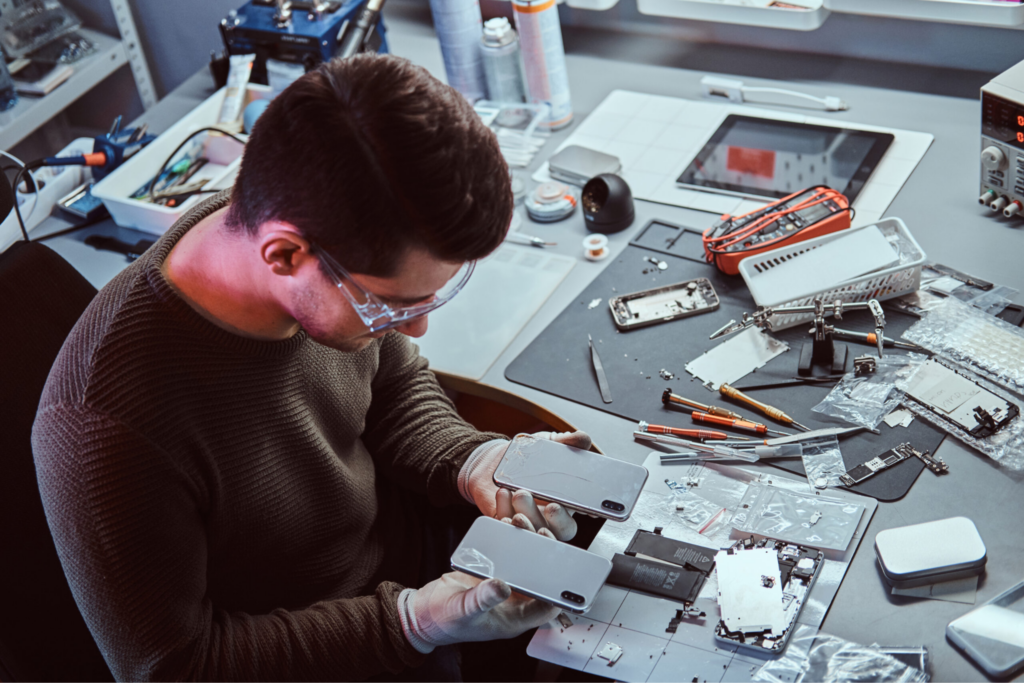
For mobile phone repair businesses, correctly identifying burn-in before quoting a job saves time and protects the shop’s reputation. A few standard diagnostic steps make the distinction clear.
- Burn-in testing: Technicians run a dedicated test pattern that cycles through solid colors and gradients, since uneven wear is far easier to spot against a flat background than during normal app use.
- Color display tests: A full-screen red, green, or blue color can help you find discolored areas. They generally match the outline of icons, keyboards, etc.
- White screen tests: A full white screen at 100% brightness catches hidden burn-in marks and problematic subpixels. It might not be obvious in regular use.
- Pixel diagnostics: Some diagnostic tools map subpixel brightness across the panel, giving a precise read on how far degradation has progressed.
- Display quality evaluation: Technicians should also check brightness uniformity, color accuracy, and touch response, since a burned-in panel may have other issues affecting the repair estimate.
- Ruling out software issues: Stuck pixels, calibration bugs, or app glitches can look like screen burn. But they aren’t. Real burn-in is similar in shape and location throughout every test and reboot. That is why it’s important to test the screen again after an update.
It is essential to determine if the replacement is actually necessary. If discoloration persists across every test pattern and doesn’t fade after a rest period, it’s usually permanent. Here, a phone screen replacement is the right recommendation.
How to Prevent Screen Burn
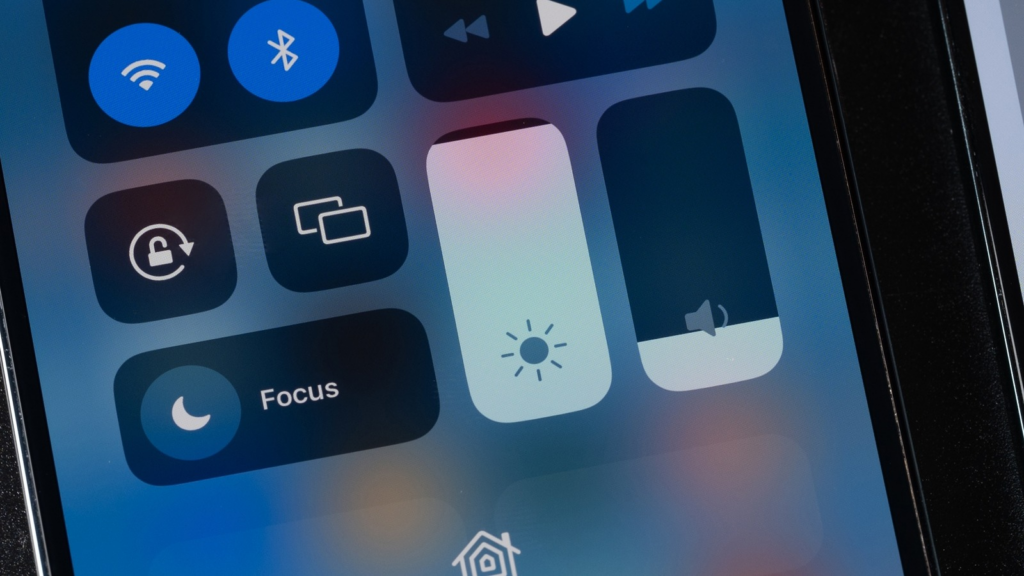
You can reduce the risk of screen burn by enabling Auto-Brightness, using Dark Mode, setting a short screen timeout, avoiding prolonged display of static content, and limiting the use of Always-On Display features.
Here are some steps you can take:
- Lower screen brightness: Running the display below maximum brightness whenever possible slows pixel degradation across the board.
- Enable Auto-Brightness: Letting the phone adjust brightness automatically avoids the habit of leaving it maxed out indoors, where it isn’t actually needed.
- Use Dark Mode: A dark interface lights up fewer pixels overall. Also, it reduces stress on the ones that stay lit because OLED and AMOLED pixels stay off when displaying black.
- Enable screen timeout: A shorter timeout window, ideally under a minute, limits how long any single image can sit on screen unattended.
- Rotate static content: Changing wallpapers, home screen layouts, or app icon arrangements periodically prevents the same pixels from displaying identical content indefinitely.
- Avoid displaying fixed images for long periods: This applies especially to GPS navigation, gaming HUDs, and any app left open and idle for hours.
- Use Always-On Display sparingly: AOD is convenient, but keeping it active around the clock adds meaningful cumulative screen-on time to a small set of pixels.
- Keep software updated: Manufacturers regularly refine their pixel-refresh algorithms and AOD power management through software updates. So, staying current gives a phone the benefit of the latest burn-in mitigation built into the OS.
Should You Repair or Replace a Burned-In Screen?
It depends on how severe the burn-in is, how old the device is, and if a matching replacement panel is realistically available.
A permanent burn-in is a different story, and the decision to repair the existing panel (which isn’t possible with true burn-in) versus replacing the whole assembly comes down to a few practical factors. That includes:
- How much a display replacement costs relative to the phone’s current value.
- How old the device is.
- Whether the exact panel is still being manufactured.
- Whether the total cost makes more sense than putting that money toward a newer device.
| Scenario | Recommended Action |
| Faint retention that fades after a few hours | No action needed; monitor and adjust habits |
| Mild burn-in on an otherwise healthy, recent phone | Replace the display assembly |
| Severe burn-in on an older or lower-value device | Weigh replacement cost against device value; consider upgrading |
| Burn-in plus other hardware issues (battery, charging port) | Full inspection before deciding on repair vs replacement |
| Panel no longer manufactured or in short supply | Source a quality aftermarket equivalent, or consider trade-in |
As a rule of thumb, a display replacement makes financial sense on a phone that’s otherwise in good condition and still has a few years of useful life left. But suppose an old device is near the end of its support cycle. Then, it’s worth comparing the phone repair cost against the price of a newer model before committing.
Choosing High-Quality Replacement Displays
For repair shops, the quality of the replacement panel is what tells if a burn-in repair actually solves the customer’s problem or just delays another complaint. Here’s everything you need to consider:
- OEM display vs premium aftermarket display: Original equipment panels match a phone’s factory specifications exactly. But premium aftermarket displays have closed much of that gap, usually at a lower cost and with faster availability.
- OLED vs LCD replacement options: Some shops offer LCD-based replacement panels for phones that originally shipped with OLED. This trades some contrast and color depth for a panel that’s inherently immune to burn-in. So, it is worth reviewing what an IPS display is and the LCD viewing angle before recommending this route to a customer.
- Color accuracy, brightness consistency, and warranty: An incompatible panel can leave behind a visible color shift compared to the original display. Another red flag to check before installation is uneven brightness. A supplier who backs its panels with a real warranty gives a shop enough space to make things right if a display fails early.
- Supplier reliability and inspection: Consistent stock, accurate parts, and reliable shipping matter just as much as the panel itself. Moreover, it is really important to test every unit for issues like dead pixels, backlight bleed, and touch response. This can help you catch issues before installation.
We, at SQLCD, supply OEM-grade and premium aftermarket OLED replacement and LCD panels. These are built for exactly this kind of quality-first repair work with consistent color calibration and dependable stock for repair businesses that can’t afford downtime. Shops building out their parts catalog can also review our guides on hard OLED vs soft OLED and in-cell screen technology to match the right panel to each job.
FAQs About Screen Burn on Phone
Is Screen Burn Permanent?
Yes. True OLED burn-in is permanent since the affected pixels have physically degraded and won’t return to normal brightness or color. In contrast, temporary image retention fades on its own.
Can LCD Screens Get Burned-in?
LCD screens don’t get burn-in the same way. IPS LCD, TFT LCD, and In-Cell LCD panels share a single backlight instead of lighting pixels individually. So, they’re only vulnerable to short, reversible image retention.
Can Screen Burn Be Repaired?
Temporary image retention usually improves with rest or pixel-refresh tools. However, you cannot fix a permanent burn-in with an application. It generally requires you to replace the display assembly.
How Long Does Burn-in Take?
It depends on brightness levels, how long static content stays on screen, and how often Always-On Display is used. Heavy daily use of static content can produce visible burn-in within a year or two. On the other hand, lighter use may take much longer.
Does Dark Mode Prevent Burn-in?
It can help to some extent. This is because OLED pixels displaying black switch off entirely, which lowers overall pixel activity. It doesn’t eliminate the risk for pixels that still display bright icons or a status bar regularly.
Is OLED Burn-in Common?
It’s a known quality of OLED and AMOLED technology, not a rare defect. However, software mitigation like pixel shifting and AOD power limits has made it noticeably less common on newer phones.
Conclusion
Screen burn on phone displays comes down to uneven pixel aging, driven by static navigation bars, high brightness, and long screen-on times on OLED and AMOLED panels. It can give you a real chance to fix it if you catch it early. Once it’s permanent, the only lasting solution is a display replacement. But it should ideally be handled by a repair technician working with a quality-tested panel.
Use Dark Mode, Auto-brightness, and shorter screen timeouts. This goes a long way toward extending a display’s usable life to prevent the problem in the first place. But when replacement becomes necessary, panel quality is what separates a repair that lasts from one that doesn’t.
Ready to stock panels you can trust? Reach out to SQLCD for reliable LCD and OLED replacement screen solutions and give your repairs a solid foundation you can stand behind.