
What is the iPhone 11 Refresh Rate?
The iPhone 11 has a 60Hz Liquid Retina LCD display, unlike newer Pro models with 120Hz ProMotion. Understanding its refresh rate helps users, repair shops, and wholesalers make informed decisions about performance and replacement screens.
What is Refresh Rate and Why Does it Matter?
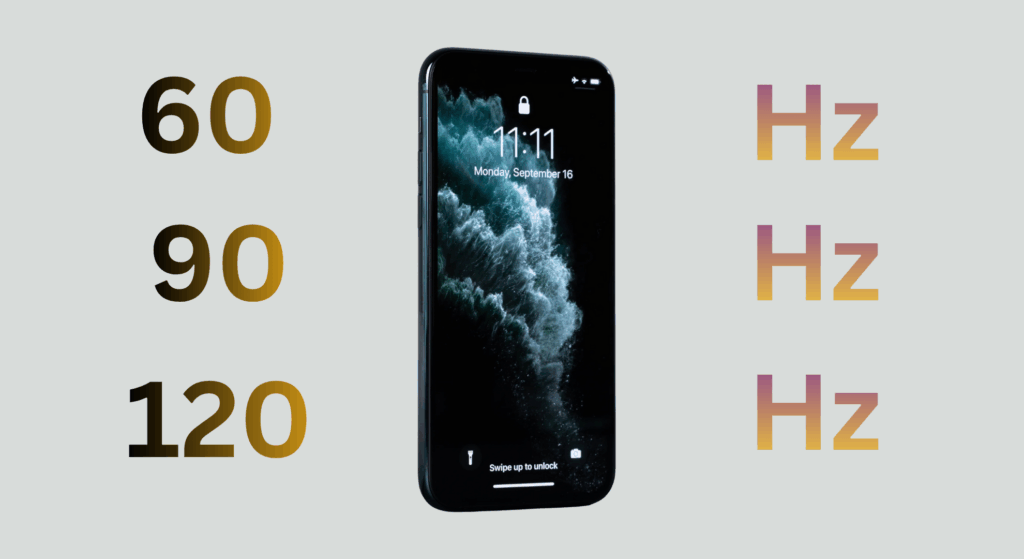
Alt txt: Refresh rate of a mobile display
The refresh rate, measured in hertz (Hz), tells you how many times your phone’s screen updates its image each second. For instance, a 60Hz display refreshes 60 times per second, while a 120Hz screen refreshes twice as fast, showing smoother motion in videos, apps, and games.
Just like on modern TVs, a higher refresh rate means smoother motion and improved visual depth. For Apple iPhone users, this ensures accuracy and fluidity in every swipe.
Refresh Rate vs Frame Rate
Refresh rate and frame rate are often confused but are not the same. Frame rate (FPS) depends on the video or app, while refresh rate (Hz) is controlled by the screen hardware. On a 60Hz display like the iPhone 11, even 120FPS content will only show at 60 frames per second.
Higher refresh rates (90Hz–120Hz) make scrolling, animations, and gaming feel smoother and more responsive. They reduce motion blur and improve visual clarity, which is why newer Pro and Android devices use high refresh displays.
However, higher refresh rates also consume more power. The iPhone 11 refresh rate is fixed at 60Hz, allowing Apple to balance battery life, performance, and cost for stable everyday use.
iPhone 11 Refresh Rate Overview
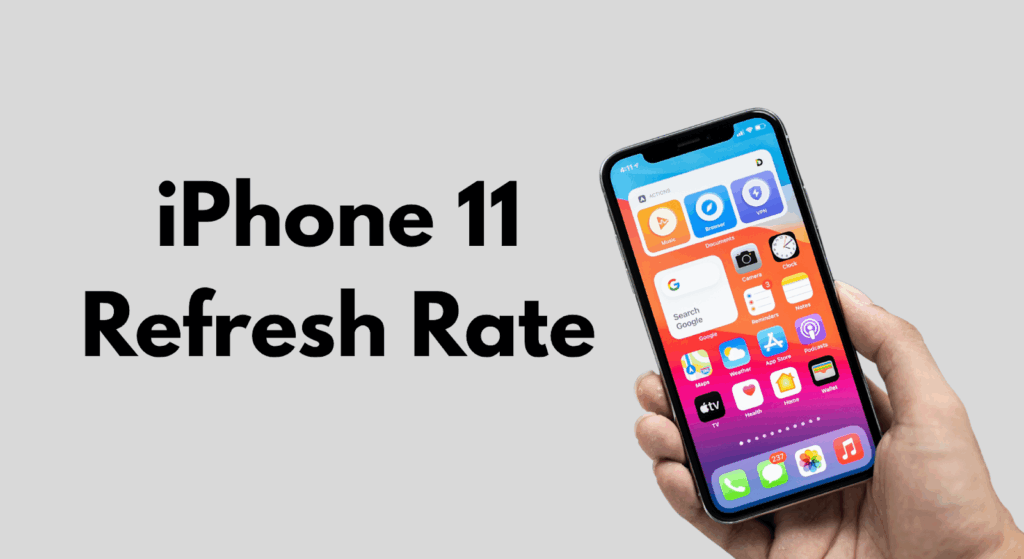
Alt txt: A person holding iPhone 11
The iPhone 11 uses a 60Hz refresh rate on its Liquid Retina LCD display. This means the screen updates 60 times per second, standard for many smartphones of its generation. Apple fine-tuned the iPhone 11’s display to 60Hz for optimal efficiency. As mentioned in official testing, this rate preserves battery health and delivers stable performance.
Unlike the base model, newer “Pro” iPhones, such as the iPhone 13 Pro and iPhone 14 Pro, feature Apple’s ProMotion adaptive displays, which can reach up to 120Hz for smoother motion and responsiveness.
Why the iPhone 11 Uses 60Hz?
Apple kept the iPhone 11 refresh rate at 60Hz mainly for battery efficiency and cost control. Higher refresh rates like 90Hz or 120Hz deliver smoother motion but also increase power consumption and display costs.
As a non-Pro model, the iPhone 11 prioritizes battery life and affordability over ultra-smooth animations. This makes it a balanced device for everyday use without excessive battery drain.
However, the iPhone 11 touch sampling rate is 120Hz, meaning it detects touch input twice as fast as its 60Hz display refresh rate. This improves responsiveness even without a high refresh screen.
In simple terms:
Refresh rate (60Hz) = how often the screen updates visuals
Touch sampling rate (120Hz) = how often the screen detects your touch
This is why the iPhone 11 still feels smooth and responsive, despite not having a 120Hz high refresh rate like newer Pro models.
iPhone 11 Display Technology Overview
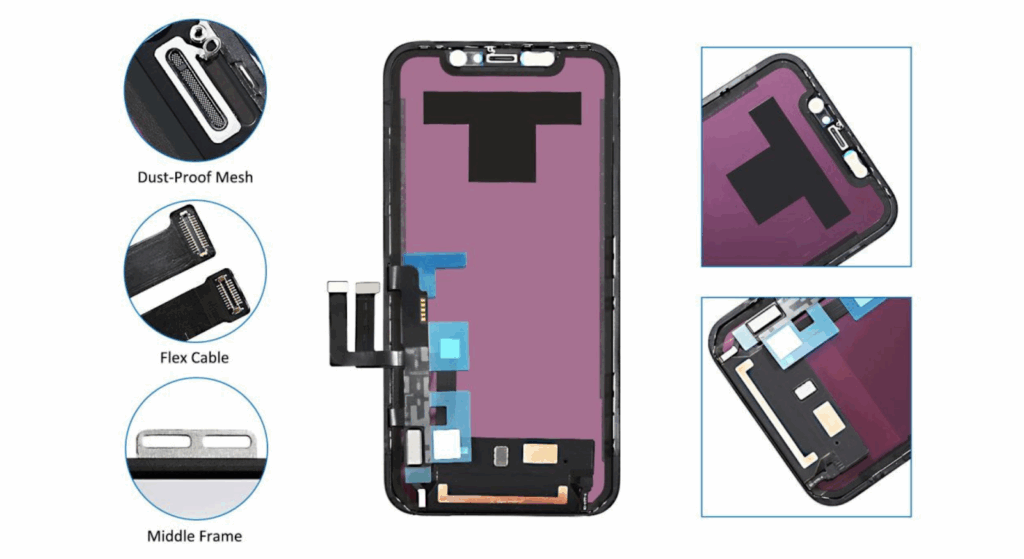
Alt txt: iPhone 11 display LCD and parts
The iPhone 11 adopts a Liquid Retina HD LCD with a 1792 × 828 pixel resolution and around 326 ppi, delivering sharp images and text for daily use. Its bright Liquid Retina LCD provides clear visuals on par with Apple’s iPad series. Below are the core display components for repair reference:
- LCD Panel: The iPhone 11 uses an IPS-type LCD with a separate backlight layer. This is different from OLED panels used in many newer Apple iPhone Pro models.
- Digitizer and Glass: Touch input is handled by a digitizer layer bonded to the glass. Damage to the glass often requires replacing the whole assembly.
- Display Flex and Connector: The screen assembly connects to the logic board through delicate flex cables. Connector damage or improper seating can cause no display or touch failures.
- Ambient Light and True Tone Sensors: These affect auto-brightness and color balance. Replacing screens may require calibration or EEPROM pairing, depending on the replacement type.
The iPhone 11 has a fixed 60Hz screen refresh rate. That is a hardware limit for this model. LCD response time and backlight behavior influence perceived motion clarity. Even at 60Hz, slow response times cause ghosting in fast motion.
Repair and Wholesale Implications
- Replacement LCDs are generally less expensive and easier to source than OLEDs. That keeps repair costs lower for shops.
- Ensure replacement panels are specified as 60Hz. Some low-cost panels falsely claim higher refresh rates. That causes returns and complaints.
- True Tone and auto-brightness rely on sensor data and, in some cases, calibration. Verify sensor connectors and test calibration after installation.
For wholesalers: Label parts clearly as LCD 60Hz, list compatible model numbers, and provide QC test results with each lot.
Recommended Pre-Ship and Post-Install Checks for Technicians
Here are some important checks technicians should keep in mind:
- Confirm model match and connector integrity before installation.
- Inspect the flex cable and pins under magnification for damage.
- Test for dead pixels, backlight consistency, and touch accuracy before sealing the device.
- Verify True Tone, auto-brightness in Settings, and responsiveness to finger input.
iPhone 11 Refresh Rate Experience
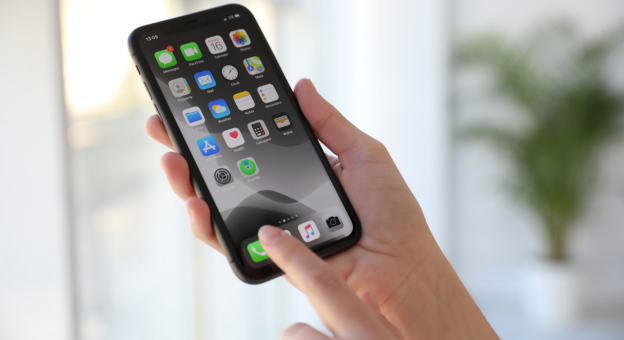
Alt txt: A person using an iPhone 11
Source: Canva
The iPhone 11 runs at a 60Hz refresh rate, which feels smooth and natural for most users. Scrolling, typing, and video playback at 30 or 60FPS look fluid on this display. However, users coming from 120Hz iPhone Pro models or Android phones may notice slightly less motion smoothness.
60Hz vs High Refresh Displays
High-refresh screens (90Hz–120Hz) offer faster animation and lower input lag, but they drain more battery. Apple kept the iPhone 11 at 60Hz to balance smoothness, cost, and battery life. For repair shops, this means replacement LCDs should match the original refresh rate to maintain power efficiency and display accuracy.
Impact on Repairs and Replacement Quality
A quality 60Hz LCD should feel identical to the factory screen. If a repaired iPhone 11 display looks laggy or dull, the issue usually comes from:
- Poor color calibration
- Slow pixel response time
- Faulty touch digitizers
After each repair, technicians should test scrolling, video playback, and touch accuracy to ensure consistent performance.
Quick Testing Tips for Technicians
- Use a 60FPS YouTube test video to check frame fluidity.
- Verify touch responsiveness with a test app.
- Confirm auto-brightness and True Tone work correctly.
- Check battery usage after 10–15 minutes of screen-on testing.
For Wholesalers and Shops
Always source panels verified for true 60Hz operation, consistent color, and proper connector fit. Maintain a quick QC checklist to reduce rework and customer returns. In short, the iPhone 11’s 60Hz LCD remains reliable, power-efficient, and ideal for cost-effective repairs, provided you use high-quality replacement screens.
iPhone 11 Refresh Rate Test — How to Check It?
Alt txt: iPhone 11 display
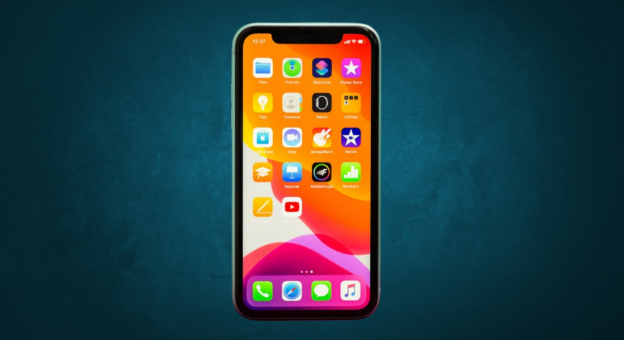
Verifying the iPhone 11 refresh rate helps confirm that a repaired or replaced display performs like the original 60 Hz Liquid Retina panel. This is especially important for technicians who source parts or test new screens after installation.
1. Test with YouTube 60fps & 120fps Videos
Open a YouTube refresh rate test video in Safari or Chrome. On a 60Hz screen, 60fps playback should appear smooth, while 120fps clips will look identical since the iPhone 11’s display can’t render extra frames. Compare this side-by-side with an iPhone 13 Pro or iPhone 11 Pro Max to notice the difference in motion clarity and smoothness.
2. Use Third-Party Test Apps or Developer Tools
Apps like Test UFO, Display Hz, or Refresh Rate Counter let you measure the screen’s true refresh rate directly.
For deeper iOS testing, connect the Apple iPhone to a Mac via USB and open Xcode’s developer tools to monitor frame data in real time, ideal for professionals verifying screen calibration and touch response accuracy.
3. Compare with High-Refresh Models
If you have a 120Hz ProMotion device, such as the iPhone 15 Pro or certain Android phones, compare scrolling and animations side by side. The screen refresh rate difference becomes noticeable during fast motion or gaming tests.
4. Testing Replacement Screens for Repair Shops
When replacing a display, ensure the iPhone 11 replacement screen maintains a true 60Hz refresh rate. After installation, test for smooth motion using a 60fps video and check for any frame drops or screen flicker.
Verify True Tone, brightness control, and touch accuracy using system settings or multitouch test apps. Also monitor battery usage, as low-quality LCDs may cause higher power consumption.
For wholesalers and service centers, keeping QC records for refresh rate, brightness, and touch response helps reduce returns and maintain consistent product quality.
Note: If you notice lag, flicker, or color tint after replacement, it is usually caused by a low-quality LCD panel, not the iPhone 11’s 60Hz refresh rate limitation.
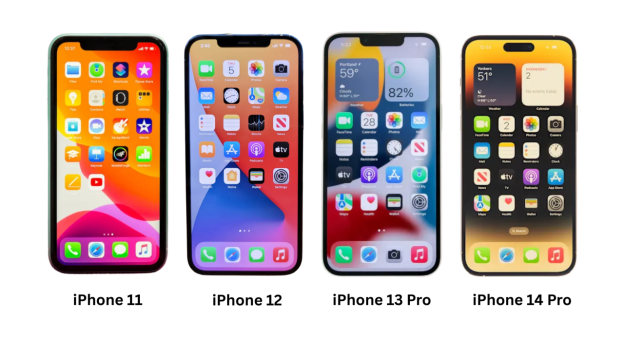
Comparison Table: iPhone 11 vs Other Models
| Model | Display Type | Refresh Rate | Notes |
| iPhone 11 | Liquid Retina LCD | 60Hz | Standard performance for day-to-day use |
| iPhone 12 | Super Retina XDR OLED | 60Hz | OLED contrast upgrade, refresh rate same |
| iPhone 13 Pro | LTPO OLED (ProMotion) | Up to 120Hz | Adaptive refresh rate, smoother scrolling |
| iPhone 14 Pro | LTPO OLED (ProMotion) | Up to 120Hz | Latest Pro model with high refresh rate |
Only Apple’s Pro models, like the iPhone 13 Pro, iPhone 14 Pro, and later, feature the 120Hz ProMotion display for ultra-smooth scrolling and motion. The iPhone 11, with its 60Hz Liquid Retina LCD, remains optimized for balanced performance and battery efficiency.
Alt txt: iPhone 11 vs iPhone 12, 13 and 14 Pro
How Does Refresh Rate Affect Screen Replacements?
Alt txt: iPhone 11 LCD panel
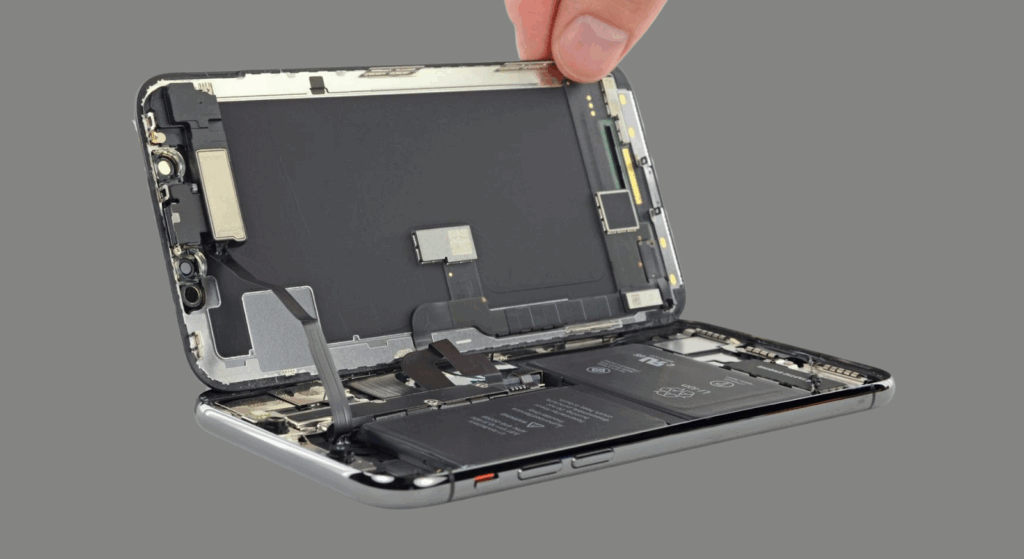
The iPhone 11’s refresh rate is locked at 60Hz by hardware. No replacement screen can increase it. Even if a part is advertised as “high refresh,” the phone’s internal controller limits output to 60Hz.
A correct 60Hz LCD ensures:
- Consistent visual performance with smooth scrolling and accurate frame rendering.
- Stable power consumption, avoiding extra battery drain that might occur with incompatible displays.
- Satisfied customers, because the motion, color, and touch feel identical to the original Apple display.
For best results, repair shops should always source OEM-quality 60Hz panels that match Apple’s calibration. Lower-grade aftermarket parts can cause ghosting, flicker, or reduced touch responsiveness, issues often mistaken for refresh rate problems.
Why Refresh Rate Matters for B2B Buyers?
For repair shops and wholesalers, refresh rate accuracy directly affects customer trust and return rates. Many suppliers advertise “upgraded” or “high-refresh” iPhone 11 screens, but these claims are misleading; the iPhone’s hardware won’t display beyond 60Hz.
- Repair Shop Perspective: Choose verified 60Hz panels to maintain the same display behavior users expect from a genuine Apple iPhone.
- Wholesale Perspective: Confirm actual refresh rate through QC testing and data sheets. Avoid “fake high-refresh” listings that don’t improve performance.
- SQLCD’s Approach: Every iPhone 11 LCD is tested for 60Hz accuracy, brightness, and touch response, ensuring stable results across bulk orders.
Shop high-quality iPhone 11 displays at wholesale prices with SQLCD, where every panel meets Apple-grade standards.
Frequently Asked Questions
Is the iPhone 11 90Hz or 120Hz?
The iPhone 11 refresh rate is 60Hz, not 90Hz or 120Hz. Only newer Pro models, like the iPhone 13 Pro, iPhone 14 Pro, iPhone 14 Pro Max, iPhone 15 Pro, iPhone15 Pro Max, use Apple’s ProMotion technology, which offers up to 120Hz adaptive refresh rates. The iPhone 11’s Liquid Retina LCD is designed for smooth daily performance and efficient battery use.
Can you change the refresh rate on the iPhone 11?
No, the screen refresh rate is hardware-limited to 60Hz. Even if you install a different LCD, the Apple iPhone system and display controller will still cap the refresh rate at 60Hz. This helps maintain consistent power efficiency and battery life.
Does replacing the screen affect refresh rate on iPhone 11?
No, the iPhone 11 refresh rate remains 60Hz after screen replacement. However, low-quality screens may cause lag or poor motion performance.
Is iPhone 11 good for gaming with 60Hz?
The iPhone 11 performs well for most games at 60Hz, but it won’t feel as smooth as 120Hz devices. However, it offers stable performance and better battery efficiency.
Does refresh rate affect battery life?
Yes. Higher refresh rates (like 90Hz or 120Hz) consume more power because the display updates more frequently. The iPhone 11’s 60Hz screen strikes a balance between smoothness and battery life, providing users with longer uptime compared to high-refresh-rate Android phones.
How to test the refresh rate after replacing the screen?
Technicians can open Settings → Display → Brightness, play a 60fps YouTube video, or use iOS testing tools to confirm proper motion rendering. Always check touch responsiveness, frame stability, and color accuracy to ensure the replacement display matches OEM standards.
Conclusion
The iPhone 11’s 60Hz LCD remains one of Apple’s most balanced and reliable screens. It offers smooth performance, strong battery efficiency, and a cost-effective repair option for technicians and wholesale buyers. While it lacks the high refresh rate of newer Pro models, it still delivers consistent visual quality for daily use.
For consistent performance, repair shops should source high-quality 60Hz LCD panels from SQLCD with verified QC standards.