
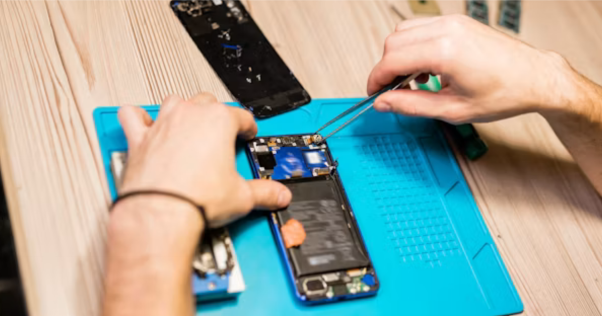
A phone fault does not always point to the component that needs replacing. Knowing how to fix phone problems starts with diagnosis, then choosing the right repair and replacement part.
SQLCD has manufactured phone displays and batteries since 2009 and supplies more than 800 businesses across North and South America.
This guide covers how to fix cracked phone screen problems, fix phone battery issues, diagnose charging and liquid damage, and decide when to repair phone vs replace phone. We’ll also cover the replacement parts and checks that can help prevent repeat repairs.
Diagnose the Problem Before You Order the Part
Before ordering a replacement part, confirm which component has failed. Start with the basics. Does the phone power on? Does the display show an image and respond to touch? Does it charge? Has it been exposed to liquid?
These checks help narrow the fault before you spend money on a replacement part.
| Symptom | Possible fault | First check |
| No image, phone still rings | Display or display flex | Reseat the connector and check the display in low light |
| Image works, touch does not | Digitiser or grounding issue | Disconnect the charger and test again |
| Fast battery drain or unexpected shutdowns | Battery | Check battery health and available diagnostic data |
| Wired charging fails but wireless charging works | Charging port or port flex | Inspect and clean the charging port |
| Phone reboots after liquid exposure | Liquid damage or board corrosion | Check the liquid indicators and inspect for corrosion |
| Fault appears only in one app | Software issue | Restart the phone and test after updating the software |
A wrong diagnosis can lead you to buy a part the phone does not need. That adds unnecessary cost and leaves the actual fault unresolved.
Rule out software problems before opening the device. A restart, software update, or controlled diagnostic test may resolve the issue without replacing a component.
How to Fix a Cracked Phone Screen and Choose the Right Replacement Display
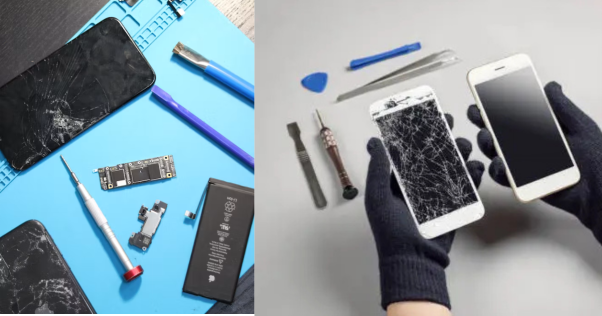
A cracked screen can damage the glass, display panel, touch layer, or several components at once. Identifying the damage first helps you choose the right repair and replacement display.
Cracked Glass Does Not Always Mean the Display Panel Is Damaged
Inspect the entire surface, including the edges and corners. Display a white screen and check for lines, black areas, colour changes, or uneven brightness. Test touch across the full display, then check the backlight at full brightness.
A clear image and responsive touch indicate that the display may still be functional. Lines, dead areas, colour distortion, or failed touch can point to damage beneath the outer glass.
The repair depends on what failed. Glass-only refurbishment requires different equipment and processes from a complete display replacement. Confirm the damaged component before ordering the replacement part.
The Display Type Determines Which Replacement Fits the Repair
Here are the display types that we usually use while replacing a screen.
- LCD and TFT assemblies. Lower-cost options for many older and mid-range models. They generally have thicker construction and lower contrast than OLED.
- In-cell displays. The touch layer integrates into the LCD stack. This creates a thinner assembly than traditional LCD designs.
- Hard OLED. Uses a rigid substrate with OLED contrast and black levels. Its rigid construction differs from flexible OLED assemblies.
- Soft OLED. Uses a flexible substrate and suits many higher-end replacement applications. It can accommodate more flexible display designs.
The phone model determines which display options fit the repair. Confirm the model, display technology, and required quality level before ordering.
Display Problems That Can Look Like a Broken Screen
A black screen, flicker, or touch problem does not always mean the display assembly has failed. Check these possibilities before ordering a replacement.
| Symptom | Possible cause | Check first |
| Black screen, device still rings | Unseated or damaged display flex | Reseat the connector and inspect the flex |
| Vertical or horizontal lines | Driver or flex damage | Inspect the connector and flex for damage |
| Flicker at low brightness | Panel dimming or backlight circuit | Test at full brightness on a white screen |
| Ghost touch | Charger, grounding, or touch circuit issue | Disconnect the charger and retest |
| Dead pixel cluster | Panel damage | Compare with a known-good display |
| Touch dead in one zone | Digitiser damage | Test the same area with a known-good screen |
Check display connection before you order a replacement. A loose flex can cause a black screen even when the phone still rings, while charger-related issues can cause unexpected touch behaviour.
Low-brightness flicker needs a different check. Test the display at full brightness first, then consider panel dimming, refresh-rate changes, or backlight circuitry. On newer devices, LTPO display technology can change refresh rates and affect how the screen behaves at different brightness levels.
These checks do not confirm the fault on their own, but they can help narrow down the problem before you replace a working assembly.
How to Fix Phone Battery Problems Without Replacing a Good Cell
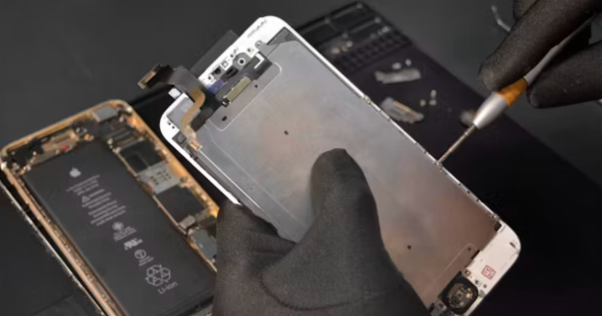
Batteries wear out. That is normal, and it is not a fault. Your job is to decide whether this cell has reached the end or whether something else drains it.
Apple states that iPhone 14 and earlier batteries are designed to retain 80% of their original capacity at 500 complete charge cycles. For iPhone 15 and later, the rated figure is 1,000 cycles. Android battery-life thresholds vary by manufacturer, so use the device’s available diagnostic data where possible.
Watch for these signs during intake:
- Rapid drain during light use
- Unexpected shutdowns while the battery still shows significant charge
- Unusual heat during charging or standby
- Slow charging with a known-good cable and adapter
- Performance management or throttling reported in the battery settings
A swollen battery requires immediate attention. Stop charging the device and avoid puncturing, bending, or applying pressure to the cell. Follow the appropriate handling and disposal procedures for damaged batteries.
Before replacing the battery, rule out software and usage-related causes. A faulty app, software problem, or poor cellular signal can increase battery drain without a failed cell.
How to Fix Phone Charging Problems Before You Blame the Port
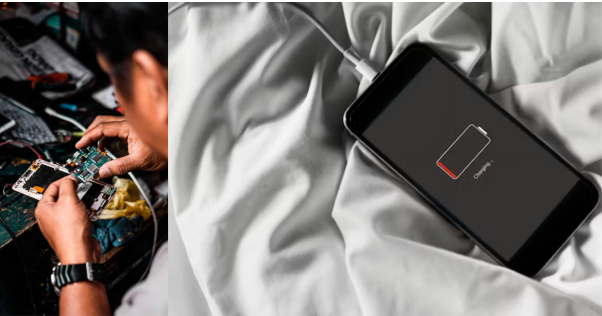
Start with the simplest checks before moving toward board-level repair. If the mobile has a charging problem, that does not automatically mean the port has failed.
Here’s what you should check in the specific order;
- Cable: Test with a known-good cable and inspect the connector for damage.
- Adapter: Try a different known-good power adapter.
- Debris: Check whether lint or packed debris prevents the connector from seating fully.
- Port or flex: Inspect for bent contacts, corrosion, damage, or a loose connection.
- Battery: A failing cell can also present as a charging problem.
- Charging circuit: If the basic checks pass, board-level diagnosis may be necessary.
Power off the phone before cleaning the port. It only takes a second and reduces the risk of shorting the contacts. Use a soft, non-metallic tool, such as a plastic pick or wooden toothpick, and lift out lint gently.
If wireless charging works but wired charging does not, you have narrowed the charging failure to the wired path. Check the charging port and flex cable before blaming the battery or board.
Do not assume the port has failed until you rule out simpler causes.
How to Fix Water-Damaged Phones Professionally
Handle liquid damage carefully from the moment the device reaches your bench. First, cut the power, remove external accessories, dry the device safely, and check for internal damage.
Turn the Phone Off and Disconnect Everything
Power the device off and disconnect the charger, cable, case, and other accessories. Do not charge it while the phone or connector remains wet.
Dry the Phone Carefully
Remove accessible moisture and leave the device somewhere dry with airflow. Avoid external heat, compressed air, or objects inside the connector. Rice does not remove liquid contamination and can leave particles behind.
Inspect for Liquid and Internal Corrosion
Check the liquid contact indicator where the model provides one, then inspect connectors, flexes, and the board for moisture or corrosion. iFixit’s liquid-damage repair guide recommends checking internal connectors and cleaning visible corrosion before testing the device again.
Clean the Device Before Testing It Again
Once you find liquid or corrosion inside, drying alone is not enough. Clean the affected components, let them dry completely, then test the phone and document any remaining faults.
When to Repair a Phone and When to Replace It
The right choice depends on the phone’s condition, remaining useful life, and how much it costs to repair. Compare that cost with the device’s value, software support, and parts availability.
Here’s a quick table that can help you decide whether you need to repair or replace the phone;
| Situation | Repair | Replace |
| Cracked screen, but display and touch still work | ✅ | |
| Battery is degraded, but the phone works normally otherwise | ✅ | |
| Charging port fails, but the phone has no other major faults | ✅ | |
| Water damage found early, with limited corrosion and no major component failure | ✅ | |
| Water damage has caused widespread corrosion or multiple component failures | ✅ | |
| Motherboard failure on a newer phone with good software support | Sometimes, if board repair costs stay reasonable | Often, if repair costs approach the phone’s value |
| Phone is more than five years old with limited software support | Only if parts remain available and repair costs stay low | ✅ |
| Screen, battery, and charging system all need major repairs | ✅ | |
| Phone has a minor fault but remains fully supported, and parts are readily available | ✅ |
Cost should guide the decision, but it should not be the only factor.
For a customer quote, use the actual part and labour costs rather than relying on a fixed rule. If several major components need replacement, compare the combined repair cost with the phone’s current value before recommending the next step.
The Repair Tools You Need for Reliable Phone Repairs
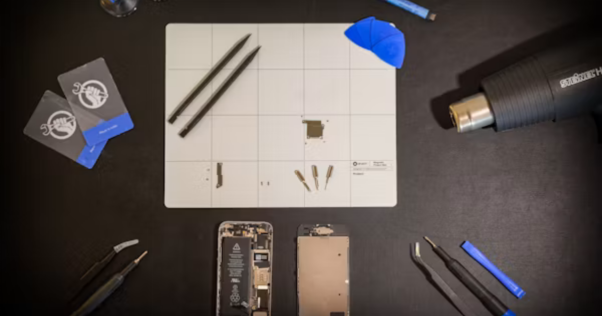
Phone repairs involve small screws, fragile displays, adhesives, connectors, and components that can easily break or sustain damage during removal. You should have these basic repair and testing tools:
- Precision driver set with Pentalobe, Tri-point, and Phillips bits
- Heat pad or hot plate for adhesive release
- Suction handle and plastic picks
- ESD-safe tweezers and spudgers
- Pre-cut adhesive for the models you repair most
- 99% isopropyl alcohol for suitable cleaning tasks
- Multimeter and battery tester
If you use poor-fitting drivers, you can damage screw heads. If you use rigid picks, you can crack panels during removal. Weak suction tools can make display removal harder. Match your tools to the devices and repair methods you handle most often.
OEM vs Aftermarket Parts for Phone Repairs: What to Choose
The part you install can affect returns and customer satisfaction after the phone leaves your bench. Compare quality, cost, availability, and warranty before choosing OEM parts or premium aftermarket parts.
| Feature | OEM | Premium aftermarket |
| Quality | Excellent | High |
| Cost | Higher | Lower |
| Availability | Limited | Better |
| Warranty | Manufacturer | Supplier |
Check What Your Supplier Means by Quality
Terms such as “OEM quality” and “A+” are seller descriptions, not quality standards. Ask for details you can verify, including panel type, tested pass rate, batch consistency, and warranty length.
A reliable supplier should also provide clear warranty terms and a practical replacement process when a part fails. That can reduce returns and help you maintain customer satisfaction.
Test Replacement Parts Before Installation
Check incoming displays before installing them on a customer’s phone. Test touch response, brightness, colour uniformity, frame fit, and flex length against your requirements. Also check model-specific features, including True Tone after screen replacement, before completing the repair.
Common Questions About Fixing Phone Problems
How do I fix my phone?
First identify the fault before replacing any part. Check the display, battery, charging system, liquid damage, and software. Test the suspected component, then repair or replace the failed part.
Can I repair a cracked screen myself?
You can, if you have the correct tools, replacement part, and repair experience. First, check whether only the glass is damaged or whether the display panel and touch layer have also failed.
When should I replace a phone battery?
Battery replacement makes sense when it has degraded enough to affect normal use, while the rest of the phone remains in good condition. Check battery health, rapid drain, heat, and unexpected shutdowns before replacing it.
Is it worth repairing a phone?
Consider the repair cost, phone condition, parts availability, and remaining software support. Repair usually makes more sense when the device remains useful and the repair cost stays reasonable compared with its current value.
How much does phone repair cost?
Phone repair costs depend on the fault, model, replacement part, and labour. Screen, battery, charging, and board-level repairs can vary significantly, so use current parts and labour costs when preparing a quote.
Final Thoughts: Fix Phone Problems With the Right Diagnosis and Parts
Fixing phone problems starts with identifying the failed component, but the repair does not end there. The replacement part you choose can affect reliability, returns, and customer satisfaction long after the phone leaves your bench.
SQLCD has supplied phone displays, OLED assemblies, and batteries to repair businesses since 2009. Browse our replacement parts to compare available options and warranty terms, or request a quote to receive tested samples from a current batch before ordering at volume.